

Screenshots
About this app
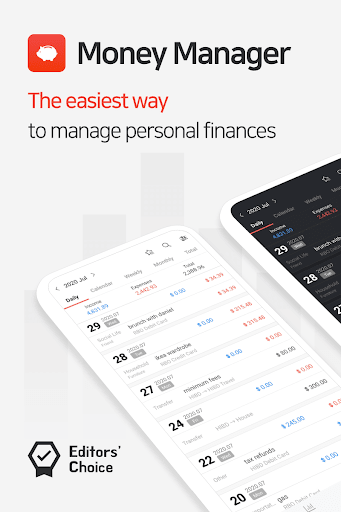
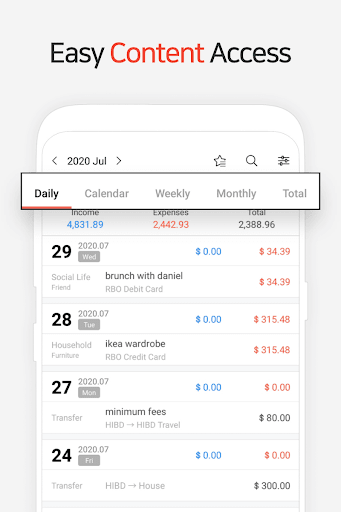
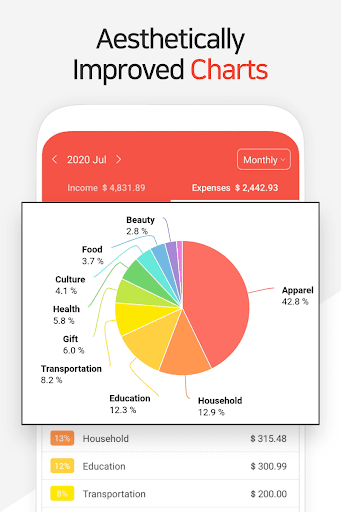
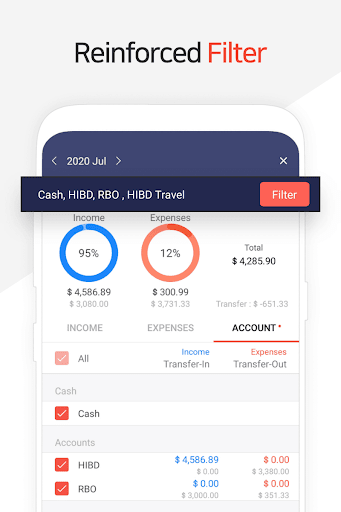
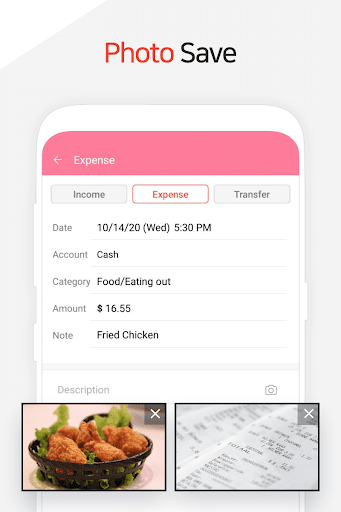
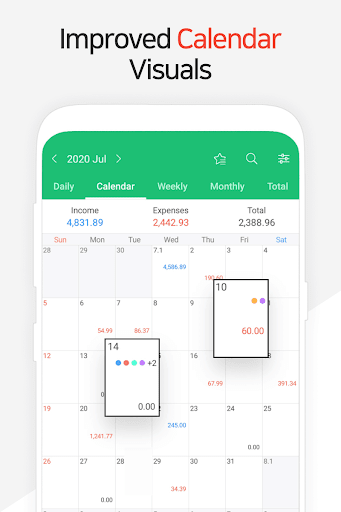
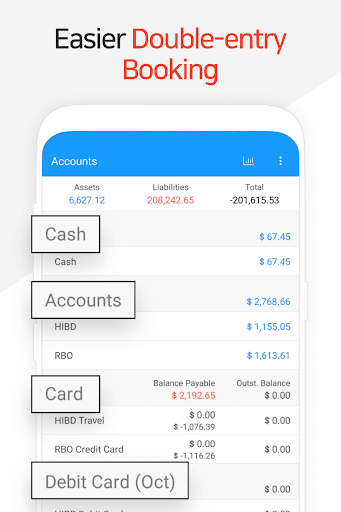
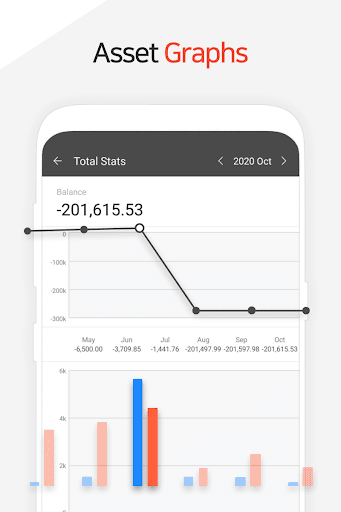
“Money Manager” is an optimized application for personal asset management. ※ PC manager function You can view ‘“Money Manager” application using Wi-Fi. You can edit and sort the data by date, category or account group on the screen of your PC. In addition, you can see fluctuations in your accounts indicated on graphs on your PC. ※ Applying double entry bookkeeping It facilitates efficient asset management. It does not just record your money coming in and out of your account but deposits your money into your account as soon as your income is input and draws money from your account as soon as your expense is input. ※ Budget management function You can manage your budget. It shows your budget and expense by a graph so you can see the amount of your expense against your budget quickly. ※ Card / Debit Card management function Entering a settlement date, you can see the payment amount and outstanding payment at the asset tab. You can arrange the automatic debit by simply connecting your debit card with your account. ※ Passcode You can check passcode so you can safely manage your account book. ※ Transfer, direct debit and recurrence function Transfer between assets is possible, which makes your asset management more efficient. In addition, you can manage your salary, insurance, term deposit, and loan more easily by setting automatic transfer and recurrence. ※ Instant statistics Based on the data entered, you can instantly see your expense by category and changes between each month. And you can see the change in your assets and income/expense indicated by a graph as well. ※ Bookmark function You can easily input your frequent expense all at once by bookmarking them. ※ Backup / Restore You can make and view backup files in Excel file and backup/restore is possible. Google Drive backup is supported. ※ Other functions - Change of starting date - Calculator function (Amount > upper right button) - Sub Category ON-OFF function
What's New
Latest version 4.10.4 GP with bug fixes and performance improvements
Enhanced security and stability
Optimized for better user experience
Kullanıcı Yorumları
10 yorum
Bharat Jangir
7 ay önce
I have been using this for more than 10 years and really appreciate the addition of the expand/collapse option in the Accounts tab. It would be very helpful if you could add an option to preserve its state—so that certain account groups can remain collapsed while others stay expanded at the same time. A simple way to achieve this could be by providing a radio button (Expanded or Collapsed) preference under the Account Group edit settings, with “Expanded” selected by default.
Dear Customer, Thank you so much for using the Money Manager. Unfortunately, we don’t support the feature yet. Your comments will help us address the issues you brought to our attention so we can improve. Please note that we already have a schedule update, so it may take some time for us to reflect this on our service. Thank you.

Devender Jangra
8 ay önce
I think we should consider adding a feature that lets us update and change entries on any device with the same account login, and it'll update at the same time. This is because the restore and backup process sometimes leads to data loss. I hope you understand this. In the note-taking app, we can update content on any device, no matter if it's an edit.
Dear Customer, Thank you for your valuable opinion. Unfortunately, we don’t support the login feature yet. We are preparing the login and as well as synchronization feature, however, that function requires a new security feature and a large system. Therefore, it might take some time for us to reflect this on our service. Thank you.

Nick Murguia
4 ay önce
It just works. And the pc interface is functional. Used it for years. Basic knowledge of finances might be required to set up (setting up credit cards for example), but if you Are interested in this kind of app, you can probably figure things out. There is documentation though, so no excuses. Can you do this on a spread sheet, yes. Will it be practical? Probably not on a day to day use.
Dear Customer, We truly appreciate your opinions which encourage us to be better at supporting you in Money Management. If you have any specific requests or questions, please feel free to send us an e-mail at help@realbyteapps.com as due to the word count limit of review, we can only provide you with short answers here. Thank you.
Developer
Trusted developer with verified applications on our platform.
App Information
Download Stats
Safe Download
This app has been verified and is safe to download. No malware detected.
You Might Also Like
More apps from Finance category


Credit Genie: Get Cash Advance
Creditly Corp


Budget Calendar
MiShell Software Systems


BOSS Money Transfer. Send Cash
Boss Revolution


MarketWatch
Dow Jones & Company, Inc.


Liberty Mutual Mobile
Liberty Mutual Insurance Company

MetLife US App
MetLife Inc