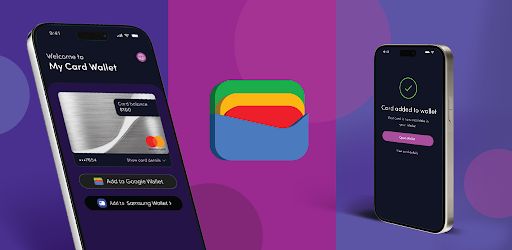

Screenshots
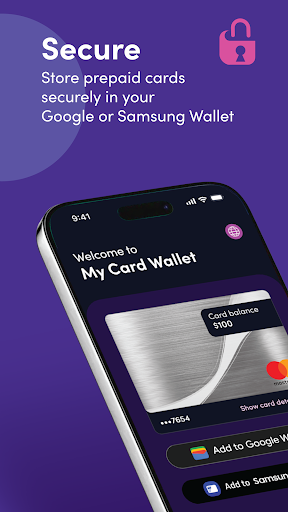
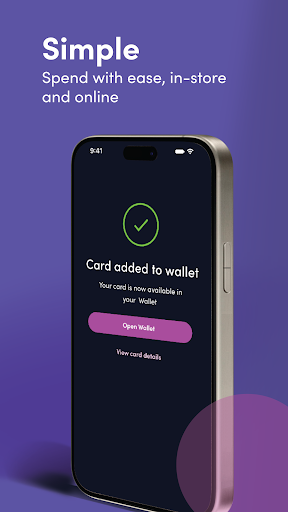
About this app
Easy and convenient card management. View your balance, store cards securely, and add to your digital wallet for easy spending. Pay in-store Using a prepaid card in-store is easy and convenient when you add the card to your Google or Samsung Wallet. Just tap to pay by contactless payment in any retailer where your card is accepted. Set your chosen card as the primary payment method in your Wallet if you have more than one card. Pay online Add your prepaid card to your Google or Samsung Wallet for quick and easy online payments. No more typing out long card numbers - just select your chosen payment method at checkout. Or use the My Card Wallet app to get your full card details if the retailer doesn't support Google or Samsung Pay. Check your card balance When you add your prepaid card to the My Card Wallet app, your current balance will display in the app - so you always know how much you have to spend. Easy access to card details Access your card details quickly and securely using the My Card Wallet app. Help and support For help and support, contact us at https://myprepaidcenter.com/contactus
What's New
Latest version 6.0.1.g with bug fixes and performance improvements
Enhanced security and stability
Optimized for better user experience
Kullanıcı Yorumları
10 yorum
Kent
3 yıl önce
It can be made to work, just don't expect it to help you figure out how. My first few attempts to add my card to a wallet failed, and the error message gave no hint as to why. I felt immediate regret for not having heeded the horrendous reviews I had read only moments before. Despite being almost certain that I was screwed, I entertained the possibility that maybe the app needed my location for verification purposes. I enabled Locationv and tried one more time. *VIOLA!* It worked!

Korey Burns
2 yıl önce
Very weird app. As many have stated, it just opens to a landing page. However, settting it up is painless. Yes, the instructions leave a lot to be desired, but it wasn't hard to figure out. You'll have better success if you have a laptop or desktop handy. Go to the site on the other device and click "add to wallet". You'll get a QR code to scan. If you have the app installed already, it'll open a link to add to your device's wallet (in my case Samsung Wallet). You're set from there!
Dear Korey, Thanks for sharing your experience! We're glad setup was smooth for you. If you ever need help or have questions, feel free to email us at customerservice@bhnetwork.com so we can assist further. Warm regards, Josh R. Blackhawknetwork.com

ah ah
1 yıl önce
I got three gift cards from my health insurance. When I add the cards to the online site seemed to eat them and they disappeared, I was also locked out of my account as the sign in page would say my ID or password was incorrect. BUT I called support and they said they were having issues at the time. I was able to sign in to the APP and add the cards to my wallet within an hour of the call. The online site still doesn't show My cards when signed in. My point is please keep trying to add yur card
Hello there, Thanks for sharing your experience! We're glad you were able to access your wallet through the app. If you still don’t see your cards online, feel free to email us at customerservice@bhnetwork.com so we can take a closer look and assist further. Regards, Maurice V. Customer Service Team www.blackhawknetwork.com
Developer
Trusted developer with verified applications on our platform.
App Information
Download Stats
Safe Download
This app has been verified and is safe to download. No malware detected.
You Might Also Like
More apps from Finance category


Credit Genie: Get Cash Advance
Creditly Corp


Budget Calendar
MiShell Software Systems


BOSS Money Transfer. Send Cash
Boss Revolution


MarketWatch
Dow Jones & Company, Inc.


Liberty Mutual Mobile
Liberty Mutual Insurance Company
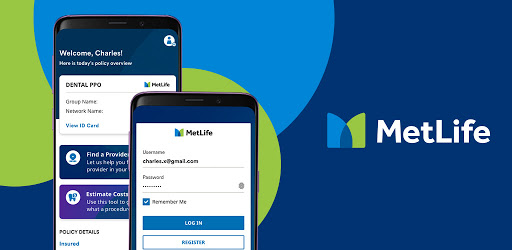

MetLife US App
MetLife Inc