
Screenshots

About this app
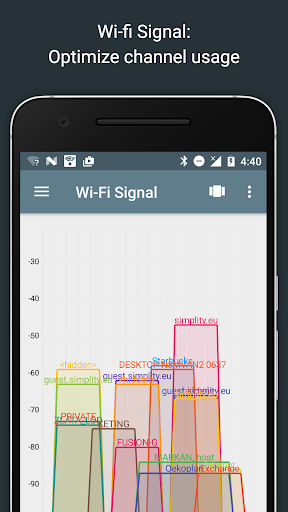
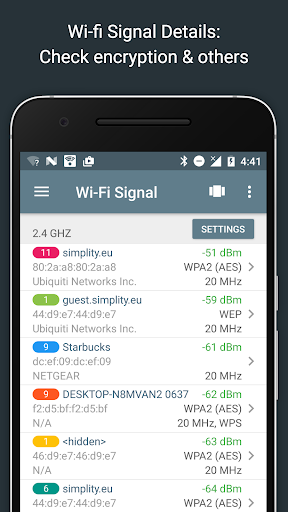
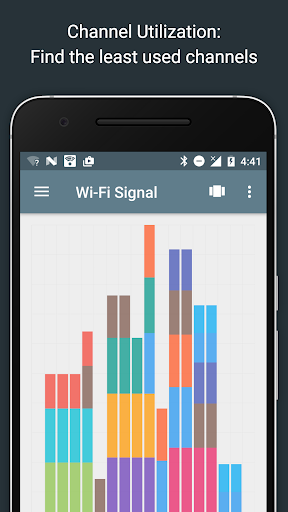
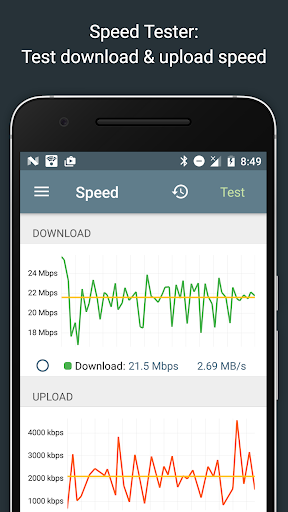
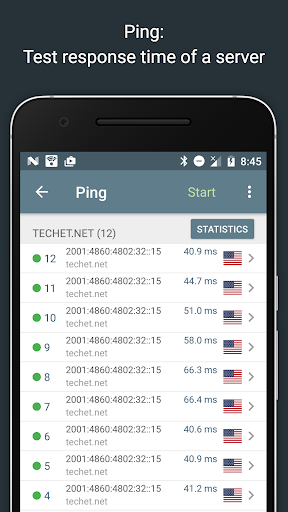
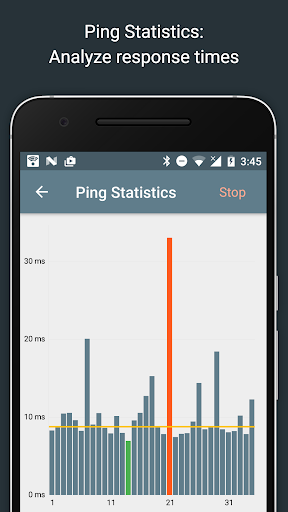
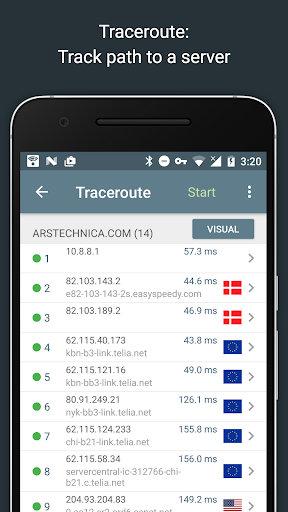
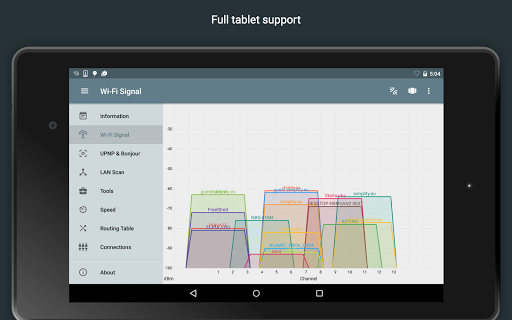
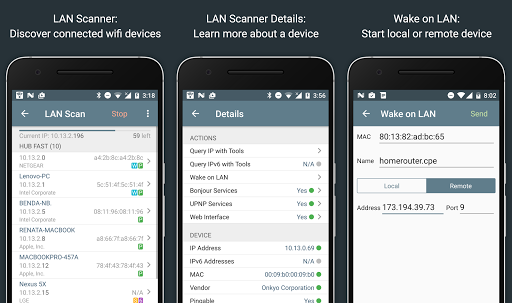
Network Analyzer can help you diagnose various problems in your wifi network setup, Internet connectivity, and also detect various issues on remote servers thanks to the wide range of tools it provides. It is equipped with a fast wifi device discovery tool, including all the LAN device's addresses and names, together with the Bonjour/DLNA services they provide. Further, Network Analyzer contains standard net diagnostic tools such as ping, traceroute, port scanner, DNS lookup, whois, and network speed test. Finally, it shows all neighbouring wi-fi networks together with additional details such as signal strength, encryption and router manufacturer to help discovering the best channel for a wireless router. Everything works with both IPv4 and IPv6. Wifi signal meter: - Both graphical and textual representation showing network channels and signal strengths - Channel usage graph - see per-channel utilization - Wifi network type (WEP, WPA, WPA2) - Wifi encryption (AES, TKIP) - BSSID (router MAC address), manufacturer, WPS support - Bandwidth (Android 6 and newer only) LAN scanner: - Fast and reliable detection of all network devices - IP addresses of all discovered devices - NetBIOS, mDNS (bonjour), LLMNR, and DNS name where available - Pingability test of discovered devices - IPv6 availability and discovered IPv6 addresses - Wake on LAN (WOL) including remote WOL - Scan of custom IP ranges - Filtering and search in the discovered device list Routing table: - Destination & gateway, interface used, flags - Both IPv4 and IPv6 Ping & traceroute: - Round trip delay including IP address and hostname for every network node - Geolocation data including latitude, longitude, country, city, and time zone - AS number and network name information - Complete trace route visualization on the map - Graphical ping statistics updated in real time - Both IPv4 and IPv6 - selectable Port scanner: - Fast, adaptive algorithm for scanning the most common ports or user specified port ranges - Detection of closed, firewalled, and open ports - Description of the known open port services - Scan of complete port range or user-editable common ports - Both IPv4 and IPv6 - selectable Whois: - Whois of domains, IP addresses and AS numbers DNS lookup: - Functionality similar to nslookup or dig - Support for A, AAAA, SOA, PTR, MX, CNAME, NS, TXT, SPF, SRV records Internet speed: - Test of both download and upload speeds - Graphical speed test view - Speedtest history Network information: - Default gateway, external IP (v4 and v6), DNS server, HTTP proxy - Wifi network information such as SSID, BSSID, IP address, subnet mask , signal strength, etc. - Cell (3G, LTE) network information such as IP address, signal strength, network provider, MCC, MNC, etc. Local service discovery: - Bonjour service browser - UPNP/DLNA service and device browser More: - Full IPv6 support everywhere - History of all performed tasks with the possibility to star the favorite ones - Export by email and other means - Copy/paste support - Detailed help - Regular updates, support page
What's New
Latest version 4.2 with bug fixes and performance improvements
Enhanced security and stability
Optimized for better user experience
Kullanıcı Yorumları
10 yorum
Brian Martin
5 yıl önce
You'd be hard pressed to find a better example of excellent, well-written documentation, often incorporating original Android programmers documents. I don't know the programmer of this app, but when I read the explanation for the app's Android permission requests (which were few), two words came to mind: thoughtful, honest. I see little difference between the functionality of the free and pro versions. The free version serves my purposes but I bought the pro to support excellence.

Robert Ellis
2 yıl önce
This is one of only apps that I've found that can show the MAC addresses of devices on your LAN, a very useful feature. Google has gone to great pains to make this impossible to do. I had written a nice app that did this, then Google broke it, and I haven't found any way to get MAC addresses. And I've tried many things. Yet, somehow, Network Analyzer can do it. Great job by the developer(s)! I wish they'd share their secret with me.

Edmund Williams
2 yıl önce
This is an excellent WiFi analyzer for Android devices. I'm running it on my S21 now (also ran it on all my previous Samsung Galaxys). Being able to visualize what other WiFi signals are around you and on what channels so you can select the correct channels for your own system. Also great being able to see all the devices connected to the network you are connected to.
Developer
Trusted developer with verified applications on our platform.
App Information
Download Stats
Safe Download
This app has been verified and is safe to download. No malware detected.








