
Screenshots


About this app
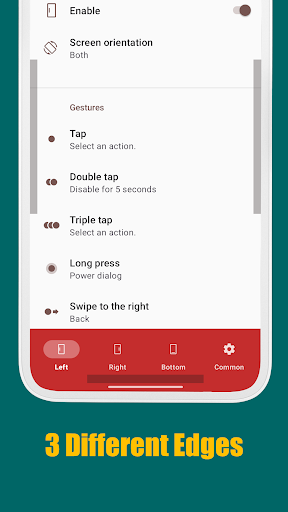
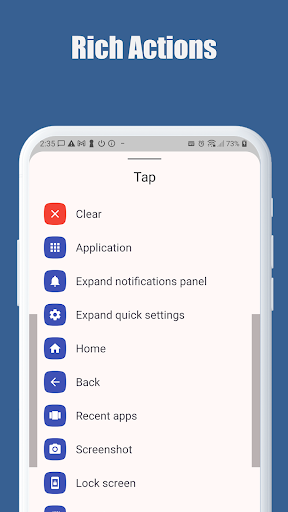
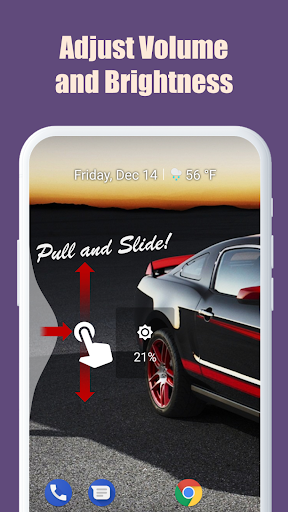
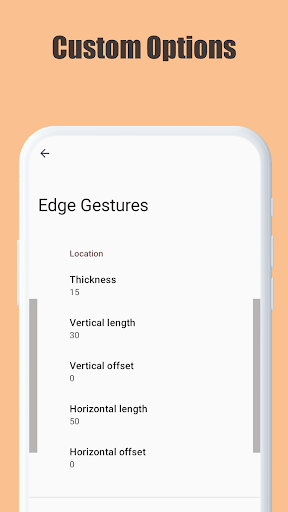
Now you can do something quickly just by simple gesture on the screen edge. Supports many different gesture types: Tap, Double tap, Long press, Swipe, Swipe diagonally, Swipe and hold, Pull and slide, and Pie controls * Supported actions: 1. launching an application or a shortcut. 2. soft key: back, home, recent apps. 3. expanding the status bar: notifications or quick settings. 4. scroll to start. (Android 6.0 or higher) 5. power dialog. 6. adjusting brightness or media volume. 7. fast scroll. 8. toggle split screen. 9. switch to the previous app. The edge area also can be customized for thickness, length and position. And this app requires only the permission that are needed! * This app uses accessibility service API to implement the following features. The permission is ONLY used to detect the app in foreground and command the system for the following actions: - Expand notifications panel - Expand quick settings - Home - Back - Recent apps - Screenshot - Power dialog - Scroll to start - Fast scroll - Toggle split screen - Lock screen No other information is processed from this permission.
What's New
Latest version 1.15.2 with bug fixes and performance improvements
Enhanced security and stability
Optimized for better user experience
Kullanıcı Yorumları
10 yorum
A Google user
7 yıl önce
This app is reason enough to have an Android phone vs. an iPhone (where none of this is possible). I am now able to use my phone much more easily with one hand. For example, I can screenshot with a simple long press. I can view notifications by swiping closer to the bottom of the phone, where my thumb is. This app is amazing and allows remarkable customization. Thank you for your service to users around the world.

Richard Ropog
5 yıl önce
Been using for 3 years and couldn't live without it. All my friends are amazed how easily I get to the screen I want by just flicking my thumb. it's also great because no one else can use your phone because they don't know how to control it. LOL I've disabled all the lower Android buttons so the only way to use my phone is the swipe from the right.

Amir
10 ay önce
Update: The issue is resoved now with the touch model option on the pie control menu. Issue: Pie control has a terrible issue and not resolved after several months !!! When it is open, background area is still active (even if background is dimmed through settings!) When the area outside the pie control is touched, the underlying area (whether app or widget) pops up! In this scenario, expected behavior is to close the pie control, similar to the behavior in Samsung Edge Panels.
You can close the pie control by clicking the empty center area of it.
Developer
Trusted developer with verified applications on our platform.
App Information
Download Stats
Safe Download
This app has been verified and is safe to download. No malware detected.








