
Screenshots

About this app
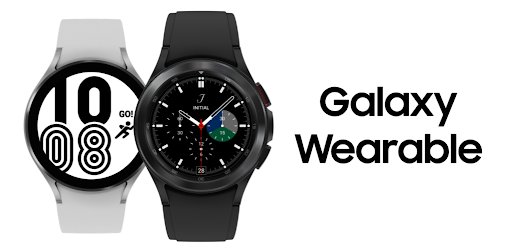
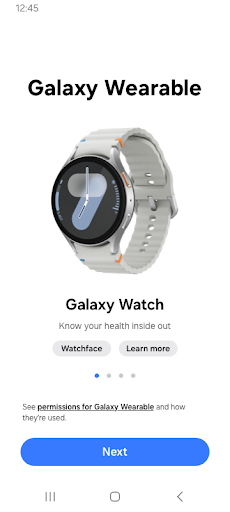
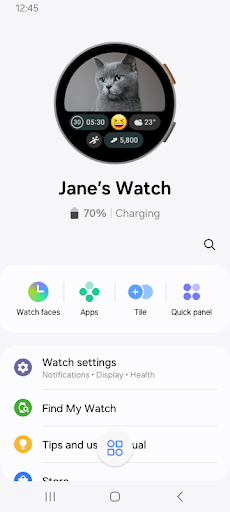
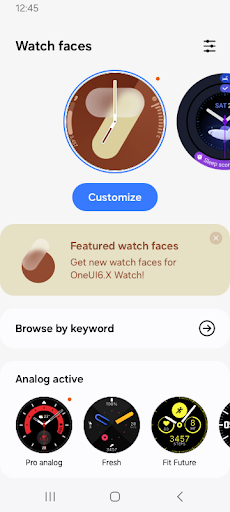
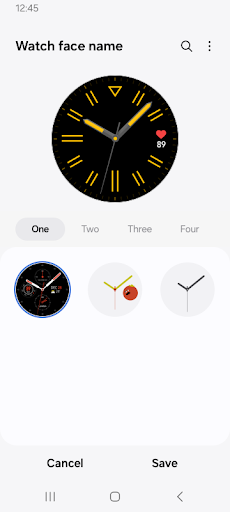
The Galaxy Wearable application connects your wearable devices to your mobile device. It also manages and monitors the wearable device features and applications you've installed through Galaxy Apps. Use the Galaxy Wearable application to set up and manage the following features: - Mobile device connection/disconnection - Software updates - Clock settings - Application download and settings - Find my Watch - Notification type and settings, etc. Install the Galaxy Wearable application on your mobile device, then pair your wearable devices via Bluetooth to enjoy all of its features. ※ Settings and features provided by the Galaxy Wearable application are only available when your wearable device is connected to your mobile device. Features will not work properly without a stable connection between your wearable device and your mobile device. ※ The Galaxy Wearable application does not support the Gear VR or Gear 360. ※ only for Galaxy Buds models, The Galaxy Wearable application can be used with tablets . ※ Supported devices vary depending on your region, operator, and device model. ※ Please allow the Galaxy Wearable application permissions in Android Settings so you can use all the functions in Android 6.0. Settings > Apps > Galaxy Wearable > Permissions ※ Access permission information The following access permissions are required to provide you with this service. Basic features of the service can be used even if optional access permissions are not granted. Depending on the wearable device you are connecting, the required access permissions may vary. [Required access permissions] - Location: To search for nearby connectable devices to connect to the Gear via Bluetooth (Android 11 or lower) - Nearby devices: To search for nearby connectable devices to connect to the Gear via Bluetooth (Android 12 or higher) [Optional access permissions] * Optional permissions may be required depending on the wearable device you are connecting. - Phone: To verify the unique identification information of devices for app updates and for installing plug-in apps - Address book: To provide services that require account syncing by using the registered Samsung account information - Calendar: To provide schedule syncing with the wearable device - Call logs: To provide call log syncing with the wearable device - SMS: To provide SMS syncing with the wearable device
What's New
Latest version VARY with bug fixes and performance improvements
Enhanced security and stability
Optimized for better user experience
Kullanıcı Yorumları
10 yorum
Matthew Murphy
5 ay önce
Sometimes, despite the fact that I'm local and connected to a lost earbud, the UI doesn't populate the ring button. The functionality is great, when it decides to work... If your earbud happens to pop out and roll into the grass while it's raining you're going to sit there getting soaked refreshing and restarting your Bluetooth and phone. In the end, despite the fact that the bud is close enough to accidentally step on, you can't find it because the ring button just inexplicably isn't there.

Maria MG
2 yıl önce
I used a fitbit for years before switching to a galaxy watch. I loved the sleep tracking on fitbit and had thought it would work at least as well on galaxy. Please make it so sleep records can be edited! If you wake up but stay in bed, it keeps tracking as sleep and then will ding you if you're in bed too long. It also doesn't make sense that "total sleep" is displayed prominently when it's actually the time you spend in bed/trying to sleep, and actual sleep time is harder to determine.

Jennifer Parker
3 ay önce
Got the new update today. Not loving that now you can only make some of the watch tiles half size (seems like it's all the main ones I use) and others you can do full size or half size. Can you please allow the option for both for all of them? Some of us can't see the tiny print all too well and would prefer the large tile for everything (like it had before the update). Please fix!!! Also rearranging the tiles in the Wear app is super clunky and hard to use.
Developer
Trusted developer with verified applications on our platform.
App Information
Download Stats
Safe Download
This app has been verified and is safe to download. No malware detected.








