
Screenshots

About this app
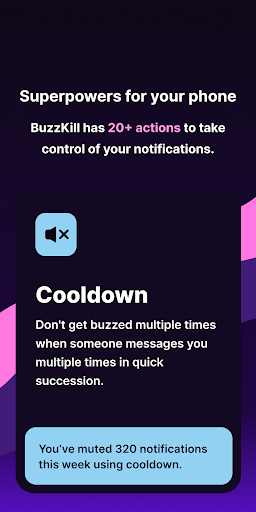
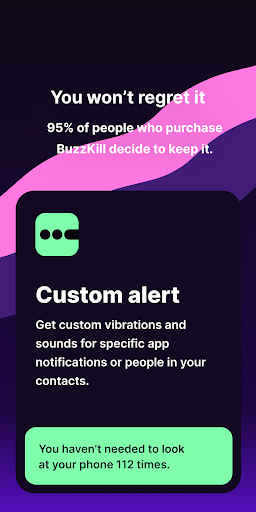
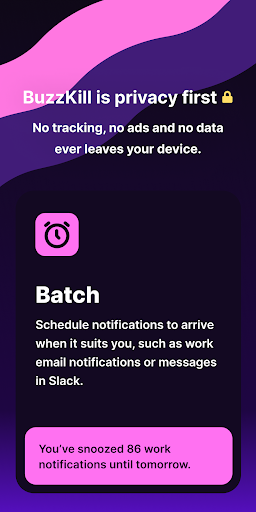
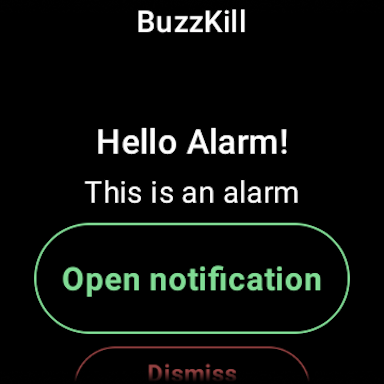
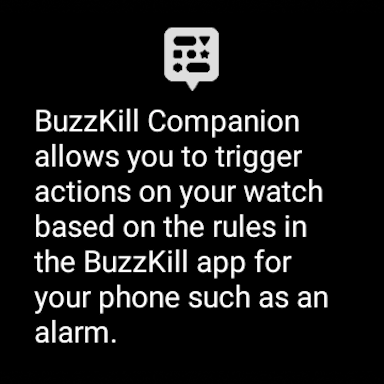
TIMES MAGAZINE - BEST INVENTIONS 2025 ANDROID AUTHORITY - "This is the notification manager Google should’ve built for Android years ago" LIFEHACKER - "BuzzKill Is the Best Way to Manage Your Android Notifications" BuzzKill allows you to see the notifications you need to see when you need to see them and filter out everything else you don't. Here is just a taste of what BuzzKill can do: • Cooldown - Don't get buzzed multiple times when someone messages you multiple times in quick succession • Custom alert - Set a custom sound or vibration pattern for a specific contact or phrase • Dismiss - Automatically swipe away any notification you don't want to see, without hiding all notifications for that app • Reply - Automatically reply to a message if you haven't seen it after a while • Remind me - Keep reminding you until you see a notification • Undo - Gives you a second chance to tap on a notification when you accidentally swipe it away • Snooze - Receive your notifications in batches so they fit your schedule • Alarm - Get your attention such as for a security camera notification • Secret - Hide the content of the notification • And many more... FAQ: https://buzzkill.super.site/ BuzzKill is privacy first. There are no ads, no trackers and no data ever leaves your device. Unlike pretty much every app on your phone and the Play Store it doesn't have access to the internet (you can check) so you can be sure that your data is safe. Looking for a free trial? BuzzKill cannot connect to the internet to verify purchases, so it does not offer a free trial in the app. However if you're not happy with your purchase, please press the contact support button in the app and I'll refund your order if you're outside of Google Play's returns period. Wear OS BuzzKill has a companion app for Wear OS that allows you to trigger certain actions on the watch based on the rules that the phone triggers. For example you can create a rule in BuzzKill to trigger an alarm when you receive a certain notification. With the BuzzKill companion app, you can have the alarm show up on your watch too. Accessibility Service API BuzzKill includes an optional accessibility service that allows it automate certain actions on your device. For example you set BuzzKill to automatically tap a button in a notification. No data is collected and no data leaves the device. You do not need to enable the accessibility service unless you create a rule that uses it. Does BuzzKill work with phone calls? Unfortunately phone calls work very differently to notifications and they have limited support in BuzzKill. E.g. you can't set a custom vibration or sound for a phone call, but you can use the unsilence rule to temporarily allow a phone call to unsilence your rule based on the time/location/phone number that is calling.
What's New
Latest version VARY with bug fixes and performance improvements
Enhanced security and stability
Optimized for better user experience
Kullanıcı Yorumları
10 yorum
Spencer Solomon
1 yıl önce
Worth paying for. I don't know what's up with people avoiding paid apps like the plague but it's good to pay sometimes. I would much rather skip one cup of coffee for a well made, ad free, app. Instead of a free ad riddled, buggy pos. I use this because I am logged in on a company Instagram and I don't want to receive notifications from it but I cant turn it off on Instagram without turning it off for everyone who is logged into it. It works great!

Mandy Cambert
2 yıl önce
Update: I found the issue - Buzzkill got turned off in Android's "Accessibility" settings! You need to give the app permissions there. It's back to working like a charm. ORIGINAL: This app used to be a lifesaver, but since a big Android update it doesn't work anymore. I know Android took away the sticky feature, but none of the rules activate anymore and nothing shows up in the history, like Buzzkill isn't even running. As far as I can tell, my phone isn't putting it to sleep.
Hi, try restarting your device which will restart BuzzKill if the system has killed it. If that doesn't work please press the contact support button in settings

Christina M
3 yıl önce
I've only had this app for 48 hours and it has without a doubt changed my life! I #1 gripe with the continuous development of phones/apps is the lack of freedom to personalize notifications, and this app is the perfect remedy. I never buy apps, and I got this one with low expectations bc so many over-promise and inevitably under-deliver. This one, however, is absolutely worth every penny and more. I'm so much more at peace with my notifications now. THANK YOU!!!!
Developer
Trusted developer with verified applications on our platform.
App Information
Download Stats
Safe Download
This app has been verified and is safe to download. No malware detected.








