
Screenshots




About this app
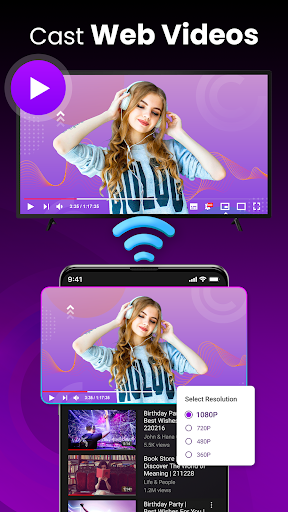
Lost your physical Roku remote again? Transform your smartphone into Roku remote control! Our app offers the full functionality of a universal TV remote, providing you with fast access to every feature for RokuTV, right from your pocket. Navigate menus, type with a real keyboard, and cast media to the big screen. This is the only remote control for your TV you’ll ever need. 🌟 Key Features: 📺 Instant Setup, Effortless Control: No complicated pairing. Simply connect your phone and Roku TV to the same Wi-Fi network, and the app automatically detects your device. You'll be in control in seconds. 📺 Full Remote Functionality: Enjoy complete control over your TV. Play, pause, fast forward, rewind, adjust the volume, and switch channels with intuitive, responsive controls. 📺 Effortless Navigation with Swipe Pad: Ditch the clunky buttons. Navigate your Roku's interface with a modern, swipe-based touchpad for a smooth and seamless experience. 📺 Screen Mirroring & Casting: Upgrade your entertainment. Easily cast photos, videos, and music from your phone directly to your TV. Share memories with family or stream your favorite content on the big screen. 📺 Quick Launch Channels & Apps: Get to your favorite content faster. Create one-tap shortcuts to your most-watched channels like Netflix, Hulu, and YouTube. 📺 Smart Keyboard for Fast Typing: Tired of hunting and pecking letters with a traditional remote? Our integrated keyboard makes searching for movies, entering passwords, and logging into apps incredibly fast and simple. 💡 The Ultimate Remote for Roku TV: 👉 Universal Compatibility: Works flawlessly with all Roku TV models, including TCL, Hisense, Sharp, Insignia, and more. 👉 All-in-One Power: Combines a Roku remote, a universal remote's convenience, and a media caster in a single app. 👉 User-Friendly Design: A clean interface designed for speed and simplicity. 👉 Reliable Connection: Auto-connects every time you open the app. 📱 How to Connect in 3 Simple Steps: Step 1. Ensure your phone and Roku TV are on the same Wi-Fi network. Step 2. Open the app and wait for it to discover your TV. Step 3. Select your RokuTV, and you're ready to take control! 📌 Disclaimer: Begamob is an independent entity and is not affiliated with Roku, Inc. This application is not an official product of Roku. 📥 Download TV Remote Control for RokuTV today and experience the smartest way to control your TV!
What's New
Latest version 18.6.3 with bug fixes and performance improvements
Enhanced security and stability
Optimized for better user experience
Kullanıcı Yorumları
10 yorum
Denise Ueberschaer
5 ay önce
I love how useful the remote can be. Unfortunately I have it as an app on my phone I can't always get it working as I know it should and I'm looking forward to figuring it out and moving on! 🙂

Wilson Alvarado
4 ay önce
my TV remote fell in a cup of pop, we didn't know the cup of pop was next to the couch in the corner, anyways, someone let the remote fall in the cup accidently. lucky ,I remember the remote on the cellphone, 100% works all good 😊

Niangilo Tenez
3 ay önce
I smashed my Roku remote when an Ad/Commercial popped up and instantly triggered me. I'm so sorry I smashed up my girlfriends truck in traffic when a commercial came through my Pandora and triggered me. if we can somehow get rid of ads forever I think living creatures around can Live. thank you ..I've broken 2 phones because of this app.
Developer
Trusted developer with verified applications on our platform.
App Information
Download Stats
Safe Download
This app has been verified and is safe to download. No malware detected.








