Screenshots


About this app
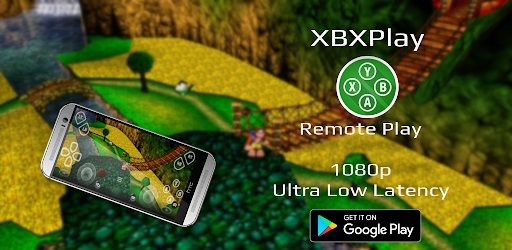
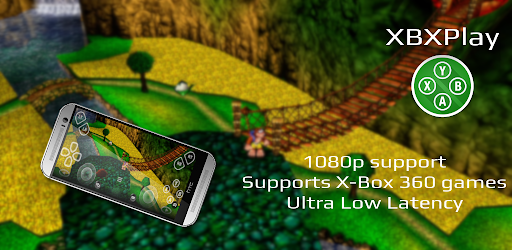
Introduction XBXPlay offers you the possibility to remote control your X-Box Series X/ S or your X-Box One (X/ S) without limitations. You can play your favorite games in 1080p remotely while you are away (more information below*). XBXPlay has been optimized to provide streaming experiences with the lowest possible latency. Third-Party controllers and mobile data connections are supported and you can even play X-Box 360 games on your console with XBXPlay. You can even play without a gamepad connected by just using the touch optimized onscreen gamepad layout. Create customized onscreen gamepad layouts that perfectly match the needs of your games. Differences to the official X-Box Remote Play app • 1080p support • Support for X-Box 360 games • Manual Bitrate adjustments • Onscreen gamepad layout (customizable) • Fullscreen support (no black bars) • Supports gamepad button mapping • Native USB-OTG support • You can use XBXPlay as virtual gamepad for your X-Box • Picture-In-Picture mode (requires Android 8.0 or newer) • Multi-Window support (requires Android 7.0 or newer) • Optimized for low latency streaming (Microphone input currently not supported) Hardware recommendations • Dual core CPU highly recommended • 2 GB or more of RAM • 1024 × 768 or higher display resolution • A wired internet connection for your X-Box is strongly recommended • Your device should be connected to a 5GHz WiFi for minimum delays • A stable high-speed internet connection with upload and download speeds of at least 20 Mbps XBXPlay allows you to remote control any X-Box game which supports Remote Play. Play X-Box games and even X-Box 360 backwards compatibility games. Or just use XBXPlay as virtual X-Box gamepad for your console. Community - https://www.reddit.com/r/XBXPlay ❗Support and feedback❗ All information about XBXPlay can be found here: https://streamingdv.github.io/xbxplay/index.html Attention XBXPlay works with the latest X-Box One/ Series firmware. Please do not upgrade to a newer X-Box firmware version if available until it is proven that XBXPlay is still working. However, if you have updated and XBXPlay has stopped working, it will take some time for me to fix the problems. So please keep that in mind. *Please note: if you want to play over the internet, follow these instructions: https://streamingdv.github.io/xbxplay/index#line5 Thanks to the OpenX-box team for their support and for making this project possible. Disclaimer: all mentioned trademarks here are trademarks of Microsoft Corporation. XBXPlay is in no way endorsed by or affiliated with Microsoft, or any associated subsidiaries, logos or trademarks.
What's New
Latest version 1.8.3 with bug fixes and performance improvements
Enhanced security and stability
Optimized for better user experience
Kullanıcı Yorumları
10 yorum
Lonely
1 yıl önce
Works extremely well if you have a solid internet speed with ethernet cables connected to everything. It's pretty much like having a second xbox. The latency is perfectly fine. You may have to manually port forward a single port, but most routers do that automatically. Great for playing casual single-player games due to the latency from it being cloud gaming. Great app as long as you're confident with your internet connection. Can't expect high quality 4k cloud streaming with bad internet

Brendan Walker
3 yıl önce
This is the only app that works to stream Xbox to Android TV in 1080p. I've tried so many other options and all of them were broken and/or laggy. This is flawless with no lag. I have my Xbox and Android Tv device hardwired to ethernet and would suggest the same approach. Also the simple setup for button mapping allowed me to regain access to my Xbox home button (setup as a two-button press of start+select), which has made things so much easier. Highly recommended and very worth the few bucks.

Joe lucio
3 yıl önce
This app works better than the actual Xbox app for remote play. I was more than happy to pay the $6, because I've used PSPlay for years and love this developer. Normally I hate when apps give me pop-ups telling me to check out their other apps, but in this case, thank you! Lol (Update: for anyone having trouble with switching between their Xbox and remote play when playing 360 games, press and hold Xbox button, select Disconnect Controller, then switch to remote play or Xbox.)
Thanks so much for your support :) Yeah I know, this popup will only be shown for a limited time and only one time per install but glad you found it at least useful 😂👍
Developer
Trusted developer with verified applications on our platform.
App Information
Download Stats
Safe Download
This app has been verified and is safe to download. No malware detected.








