
Screenshots


About this app
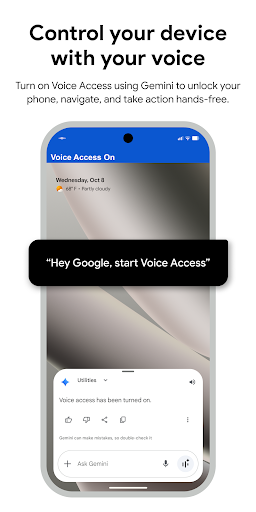
Voice Access helps anyone who has difficulty manipulating a touch screen (e.g. due to paralysis, tremor, or temporary injury) use their Android device by voice. Voice Access provides many voice commands for: - Basic navigation (e.g. "go back", "go home", "open Gmail") - Controlling the current screen (e.g. "tap next", "scroll down") - Text editing and dictation (e.g. "type hello", "replace coffee with tea") You can also say "Help" any time to see a short list of commands. Voice Access includes a tutorial which introduces the most common voice commands (starting Voice Access, tapping, scrolling, basic text editing, and getting help). You can use the Google Assistant to start Voice Access by saying "Hey Google, Voice Access". To do this, you’ll need to enable "Hey Google" detection. You can also tap either the Voice Access notification or a blue Voice Access button and start talking. To pause Voice Access temporarily, just say "stop listening". To disable Voice Access completely, go to Settings > Accessibility > Voice Access and turn off the switch. For additional support, see Voice Access help. This app uses the AccessibilityService API to help users with motor impairments. It uses the API to collect information about the controls on the screen and activate them based on the user’s spoken instructions.
What's New
Latest version VARY with bug fixes and performance improvements
Enhanced security and stability
Optimized for better user experience
Kullanıcı Yorumları
10 yorum
A Google user
6 yıl önce
Found this accidentally - it turns out this app is great, lets you control nearly everything on your phone just by voice commands. I found it very helpful as you can swap between apps, you don't need to type text, it supports different languages as well. It will need some tweaking with taking screenshots and photos - it doesn't work on my device but may work on others. You can scroll down, have basic control like Volume up and down, restart the device and much more. Yes, it does consume your battery,but the features it includes are really powerful.

Lisa Lawson
9 ay önce
Initially using voice access is cumbersome. It's a great app. I'm in the car a lot and would prefer to use my voice to do activities on my phone. However, at this time the Voice access could not perform any.Google related features. When I'd ask her to do things she'd answer that she could not help with Google Mail, or anything Google. Once the bugs are worked out, and this app runs smoothly, it will be a very effective tool.
A Google user
6 yıl önce
Being a recent quadplegic, discovering this app made my life easier in so many ways. Despite the odd glitches and crashes every now and then, would still give it 5 stars. Only thing I miss is having a 'spell' command to spell out any word or phrase that it wouldn't recognise. Additionally, having the option to display a numbered grid on full screen to subsequently click on any click-able surface that the app doesn't recognise, would make it a complete package.
Developer
Trusted developer with verified applications on our platform.
App Information
Download Stats
Safe Download
This app has been verified and is safe to download. No malware detected.








