
Screenshots


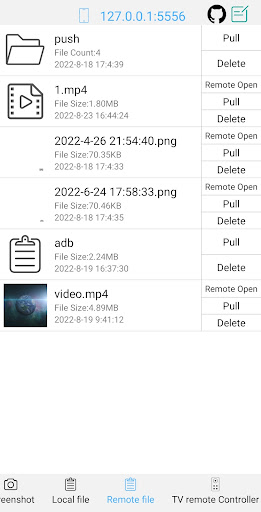


About this app
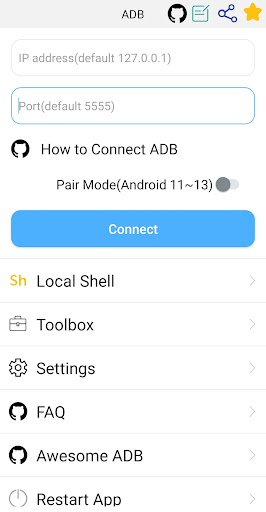
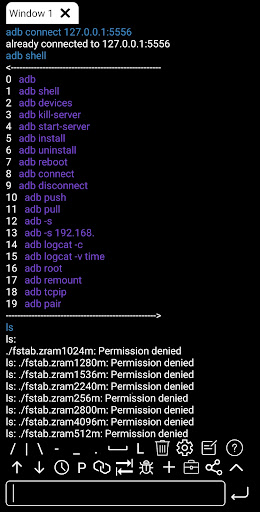
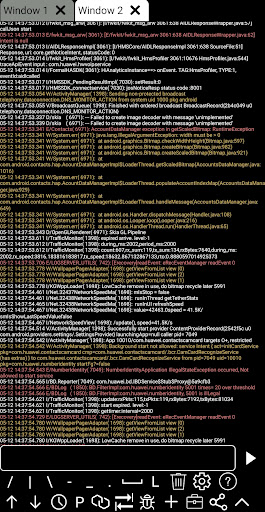
This is a powerful adb shell & toolbox. Toolbox features: 1. Support launch application & uninstall application & download application & force stop application & clear application data & disable application & enable application. 2. Support device management. 3. Support view running applications 4. Support take screenshot. 5. Support push file 6. Support install apk 7. Support pull file 8. Support to open remote image&audio&video files directly 9. Support delete remote file 10. Support TV remote controller 11. Support text input 12. Support System monitor 13. Support view system information. 14. Support view prop information. Shell features: 1. Support Android 4.X-Android 13 2. Support wireless pair mode(Android 11-Android13) 3. Support wifi wireless adb. 4. Support local shell adb. 5. Support associative input. 6. Support autosave output. 7. Support share output with your friends. 8. Support command history. 9. Support fast copy command. 10. Support multi-window. 11. Support color text. 12. Support run on the background. 13. Support recommend commands. 14. Support recommend files. 15. Support prefab commands. 16. Support logcat. How to enable adb https://github.com/jarhot1992/Remote-ADB/blob/main/md/tutorials.md discuss & feedback github https://github.com/jarhot1992/Remote-ADB email colorboxguestservice@gmail.com awesome-adb https://github.com/mzlogin/awesome-adb/blob/master/README.en.md
What's New
Latest version 4.0.18 with bug fixes and performance improvements
Enhanced security and stability
Optimized for better user experience
Kullanıcı Yorumları
10 yorum
Brian PutPanic54 McMonagle
3 yıl önce
I've tried various different forms, and none quite like this this app is amazing is everything I'm looking for and more I highly recommend this to anybody seeking any type of help with their ADB anything you can think of you can do open ports all that its great.I tried the free version and it was all right works just fine but I needed a little more I need more power and so I was hesitant to buy this but I did and I'm so glad I did it was not a mistake at all thank you so kindly for making it

Jay B
6 ay önce
So far, so good! Tried a bunch of other ADB/command line/shell g-apps, and as a total newb, I was impressed enough with UI & overall support to buy the pro key. (That & i got sick of watching ads to maintain functionality- but not so inundated w ads to drop the free version& forget the dev altogether!) We'll see how it keeps up with the times.... Wow- the freshly updated UI is incredible. Guess I kinda forgot about the app for a bit, but gotta say, 3yrs L8r & I'm impressed. Still rating 5 stars

Nino Ivanov
3 yıl önce
Love it! But to use it with pairing locally, do not forget to split the screen, so the pairing code doesn't change.
Developer
Trusted developer with verified applications on our platform.
App Information
Download Stats
Safe Download
This app has been verified and is safe to download. No malware detected.








