Screenshots

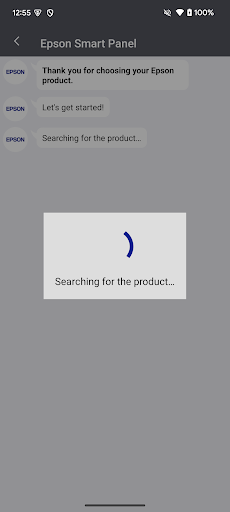
About this app
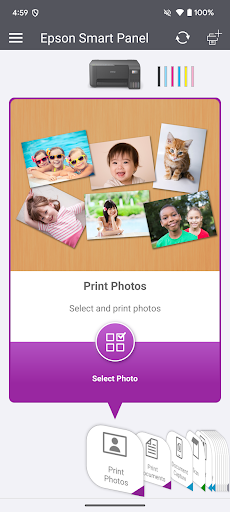
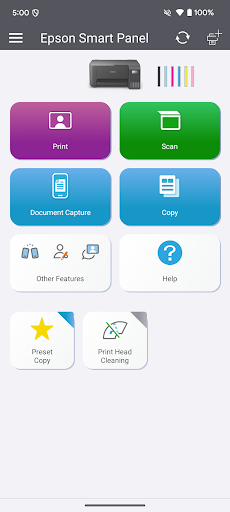
Visit the website below to find products which are supported by this app. When using a printer or scanner that’s not listed on the website, please use instead Epson iPrint for printers or Document Scan for scanners. Epson Smart Panel will not be able to find or connect to your product unless it’s on the website’s list of supported products. https://support.epson.net/appinfo/smartpanel/guide/en/ High performance, easy-to-use mobile command center for your Epson wireless printer or scanner1. Easily set up, monitor and operate your Epson product from the convenience of your mobile device with this powerful new tool. - Easily set up your Epson product on your Wi-Fi - Innovative action tiles make your Epson Product simple and quick to use - Fits like a glove -- auto configuration and customization tailors the experience - Receive the support you need - register, get supplies, or find help all in one convenient place - One interface for your Epson Printers and Scanners -- auto configuration tailors the app's functions to your device. 1. Requires Epson Smart Panel app download and a compatible smart device. Data usage fees may apply. For more information please visit www.epson.com for support.
What's New
Latest version 5.2.0 with bug fixes and performance improvements
Enhanced security and stability
Optimized for better user experience
Kullanıcı Yorumları
10 yorum
Joseph Teper
2 yıl önce
I recently bought the Epson All-In-One ET-3850 printer, which is an updated version of a previous model. I'm so impressed with the Epson Smart Panel software! With this new app I was able to set up the All-In-One FROM MY SMARTPHONE! Really cool. Not necessary to do the setup by using the arrows and staring at the small 2" X 2" screen (which I had to do last time). Once setup, you can use the app to print with greater ease directly from your smartphone or computer. Overall great experience

Amanda Sterzick
3 yıl önce
RECENT UPDATE: Your recent improvements are remarkably better. Much more user friendly... But. When you print long documents, there is no way to make them print in reverse order with the app!! So if you print an owners manual you have to take your printed pages and reverse them yourself. You'd think a printing company would have that option covered. Also, when I changed the range of pages to print, the preview didn't reflect the change but the printer printed the correct range.

Jamie Tom
1 yıl önce
So the biggest downfall of the app, in my opinion, is that you can't close the window out or do anything else on your phone while printing. If you do, it'll cancel the print job. So if someone calls or you check a text, it cancels the print. It has been the only sure fire way that I can print in general, though. I've had a lot of issues recently printing from my computer or by sending it from my phone, but if I open the app and do it that way, it works.
Developer
Trusted developer with verified applications on our platform.
App Information
Download Stats
Safe Download
This app has been verified and is safe to download. No malware detected.








