Screenshots

About this app
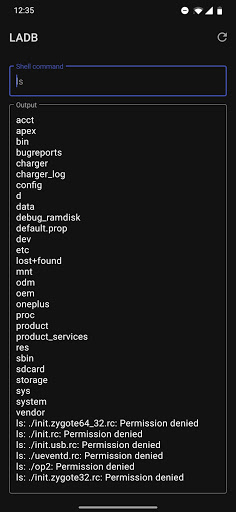
CHECK SUPPORT SECTION FOR MANUAL PAIRING TUTORIAL How does it work? LADB bundles an ADB server within the app libraries. Normally, this server cannot connect to the local device because it requires an active USB connection. However, Android's Wireless ADB Debugging feature allows the server and the client to speak to each other locally. Initial Setup Use split-screen more or a pop-out window with LADB and Settings at the same time. This is because Android will invalidate the pairing information if the dialog gets dismissed. Add a Wireless Debugging connection, and copy the pairing code and port into LADB. Keep both windows open until the Settings dialog dismisses itself. Issues LADB is sadly incompatible with Shizuku at the current moment. That means that if you have Shiuzuku installed, LADB will usually fail to connect properly. You must uninstall it and reboot to use LADB. Troubleshooting Most errors can be fixed by clearing the app data for LADB, removing all Wireless Debugging connections from Settings, and rebooting. License We're using a slightly modified license based on GPLv3 with the request to please not publish unofficial (user) LADB builds to the Google Play Store. Support MANUAL PAIRING: Sometimes, LADB's Assisted Pairing mode can be finicky with newer versions of Android. This is because the device does not recognize that there is an available device to connect to. Sometimes, a simple app restart fixes the issue. This tutorial demonstrates how you can skip the Assisted Pairing mode and reliably pair the device yourself. https://youtu.be/W32lhQD-2cg Still confused? Email me at tylernij+LADB@gmail.com. Privacy Policy LADB does not send any device data outside of the app. Your data is not collected or processed.
What's New
Latest version 2.5.6 with bug fixes and performance improvements
Enhanced security and stability
Optimized for better user experience
Kullanıcı Yorumları
10 yorum
Hazem El-Oraby
4 yıl önce
Does the trick, I don't need to connect to my PC to run adb commands anymore. I just got stuck in the beginning as I couldn't figure out that the code and port had to be obtained from the wireless debugging dev options. A video explaining the pairing process would be very helpful for newbies. Works on Samsung tablet and phone on Android 12.

Josh
4 yıl önce
Works, and very happy as it was quite easy. Just one thing if you enter the pairing information incorrectly and clear the app data to reset it, the app will no longer be recognized as valid and you'll need to re-add your Google account again to load the play store to verify it before use. Other than that worked great on my Note 10+. Props to the developer good work.

James Barber
3 yıl önce
It was a bit hard to use but then again this is not an app for your average Android user. I had to set USB debugging on and always allow wireless debugging on my Wi-Fi connection to get this working in a stable manner. Wanted to disable opening of links in a certain app as my phone OnePlus 9 Pro would not let me. Once I also figured out to enter commands WITHOUT the 'adb shell' part it worked a charm! thank you for this useful app.
Developer
Trusted developer with verified applications on our platform.
App Information
Download Stats
Safe Download
This app has been verified and is safe to download. No malware detected.








