
Screenshots

About this app
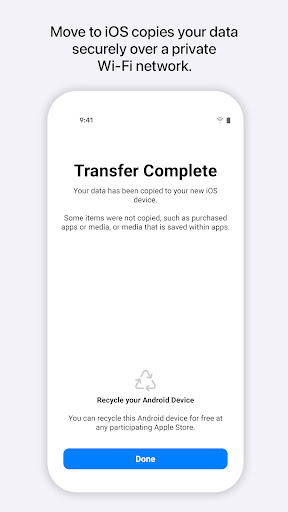
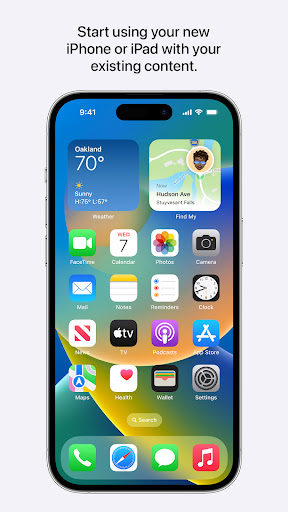
Everything about iOS is designed to be easy. That includes switching to it. With just a few steps, you can migrate your content automatically and securely from your Android device with the Move to iOS app. No need to save your stuff elsewhere before switching from Android. The Move to iOS app securely transfers all kinds of content data for you: Apps Calendars Call logs Contacts Camera photos and videos Mail accounts Message history Voice memos WhatsApp content Make sure to keep your devices nearby and connected to power until the transfer is complete. When you choose to migrate your data, your new iPhone or iPad will create a private Wi-Fi network and find your nearby Android device running Move to iOS. After you enter a security code, it will begin transferring your content and put it in the right places. Just like that. Once your content has been transferred, you’re ready to get going. That’s it — you can start using your new iPhone or iPad and experiencing its endless possibilities. Enjoy. Required App Permission Location: To establish a Wi-Fi connection between the Android device and the iPhone or iPad, which is needed to migrate the data. Optional App Permission - SMS: To migrate your text messages, including multi-media messages and group chats, on iPhone or iPad. - Photos and Videos: To migrate your photos, videos, and related metadata to iPhone or iPad. - Notifications: To allow local Android notifications about the status of your migration to iPhone or iPad. - Contacts: To migrate your contacts to iPhone or iPad. - Music and Audio: To migrate your downloaded media, audio recordings, and voice memos to iPhone or iPad. - Phone: To migrate your SIM and carrier information so you can make and manage phone calls on iPhone or iPad. - Calendar: To migrate your calendar events to iPhone or iPad. - Call Logs: To migrate your call history to iPhone or iPad. You can use Move to iOS even without providing consent to any of the above optional app permissions. However, some features of the service may not be available.
What's New
Latest version 4.0.3 with bug fixes and performance improvements
Enhanced security and stability
Optimized for better user experience
Kullanıcı Yorumları
10 yorum
Carrie Saylor
8 ay önce
Well I'm thinking the people who were successful didn't review because they don't use play store anymore. I was able to download this and activate my new iPhone no problem, whole process was about 25 minutes. You need to have wifi. The bad reviews scared me but after talking to a few different people from Verizon they all said to do it this way. it worked!! I hope it works as good for you as it did me!!

Romina Condo
4 yıl önce
I genuinely cannot believe that Apple is allowing such an awful app to be associated with them. I'm upgrading to an iPhone (well, trying to) along with everyone else in my house and not a single one of us could get this app to work. I saw that some people got it to work after several hours of waiting (we never even got down to an hour without it saying it got interrupted), but it's just not worth it. We tried every tip the internet could offer. Wish it worked. Off to T-Mobile we go 👎

Casey Ruel
4 ay önce
Very frustrating experience. Data data transfer from my Samsung Galaxy failed on the first two attempts. On the third attempt the transfer ran to completion, but the app failed to transfer about 60% of my photos, about 30% of my contacts, most of my app data (understandable, different OS), and all of my messages. Ended up having to use Google applications to transfer and salvage what I could.
Developer
Trusted developer with verified applications on our platform.
App Information
Download Stats
Safe Download
This app has been verified and is safe to download. No malware detected.








