

Screenshots


About this app
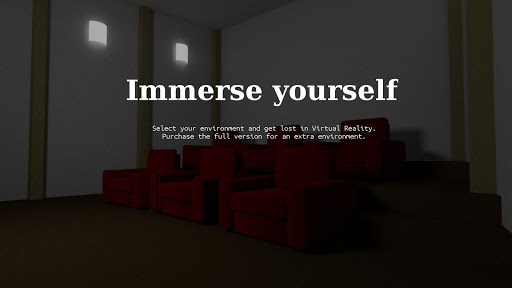
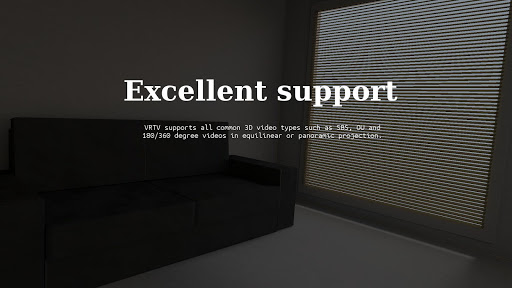
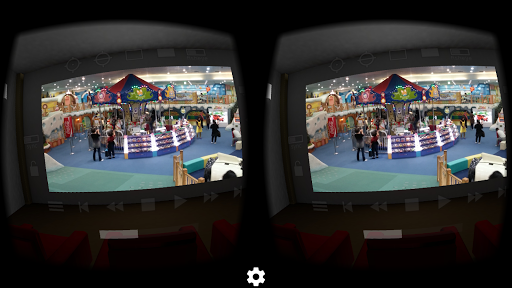
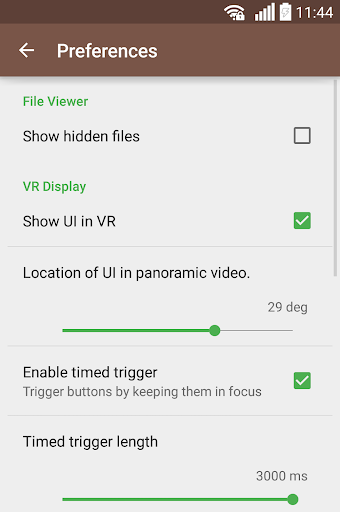
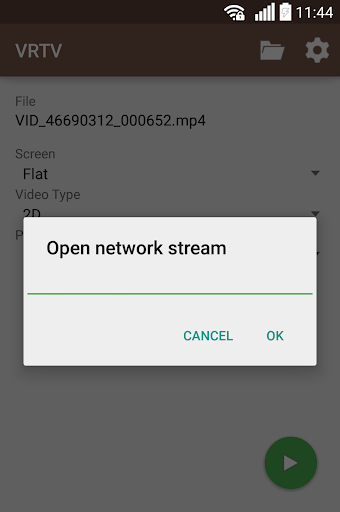
Watch your favorite 2D and 3D videos in VR with VRTV VR Video Player and a Cardboard compatible headset! VRTV features beautiful virtual environments and is the ONLY VR video player that supports watching together with a friend in full synchronised play. VTRV VR Video Player has great support for all common 3D/2D formats and modes including 180, 220, 270 and 360 panoramas and fisheye objective projection. VRTV VR Video Player features: - Synchronization feature! Enjoy watching a movie together with another Cardboard friend! - Subtitles in SRT format, with full support for RTL languages, Unicode characters and automatic encoding detection. - Configurable subtitle size. - Immersive virtual environments. Watch in your own home theater, or in a crafty cave. - Player controls in a great VR UI. - Next/Previous media buttons to switch between videos. - Fully configurable gamepad and keyboard controls. - Supports 3D and 2D movies in a variety of formats: Side by side (SBS), Over and Under (OU, Top and Bottom), Panoramic video in 180 (Dome), 220, 270 and 360 degrees. Also supports fisheye projection videos. - Simple material design. - Uses the latest Cardboard SDK with less drift. - Headset configuration from within the app. Supports several different head trackers, find the one that works best with your phone and eliminate drift. - Streaming files over a network. Open a stream from VRTV or use your favourite browser of file explorer to open streams in VRTV VR Video Player. - Static video mode. For long movies, lock the video in place right in front of you. VR Button guide: - Below screen: Open file browser and Play controls - Left of screen: Subtitle on/off, text size, Sync on/off and Screen lock. Read more about Sync below! - Top of screen: Re-center with timer, SDK re-center (keep horizon level), Screen-type switch, Video type switch (2D/3D Side By Side, 3D Over/Under), and fisheye projection toggle. - Right of screen: Screen size and volume Synchronization instructions: - Synchronization is a feature that keeps a movie in sync between two devices. To enable sync, first set up the IP of the device you wish to sync with in Settings/General, where you can also find the IP of your own device. Do this on both phones so they have each others IP configured. - Select a video to play. If it's a local video it must be present on both devices. - In the VR UI, click the "sync" button on both devices to enable synchronization. - On one of the devices, start the video by pressing the play button. After a small delay, the movie will start playing synchronized on both devices. Seeking and network play is supported! Feature suggestions and bug reports are always welcome! Permission usage: NFC, WRITE_EXTERNAL_STORAGE : Used by the Cardboard SDK to set up and save your headset configuration. ACCESS_WIFI_STATE: Used for finding the IP of your device and displaying it in the Sync settings, to help set up synchronized play with another device. INTERNET, READ_EXTERNAL_STORAGE: Required for accessing media on the device and for streaming. Note: The VIBRATE permission is not used and will be removed in the next release.
What's New
Latest version 3.6.1 with bug fixes and performance improvements
Enhanced security and stability
Optimized for better user experience
Kullanıcı Yorumları
10 yorum
A Google user
7 yıl önce
After using this player for quite a while here's my review. This app is good it plays most videos most of the time. The floating ui when playing videos is good. The only problem I've noticed is that some videos labeled 2160P, 8000k don't play properly. While they work fine in vlc. I hope the developer fixes it with time. My phone is honor play (kirin 970) running android pie.

Thành Đạt Nguyễn
5 yıl önce
BEST VR Video Player available on store right now: + Can play many video type (MP4, MKV). + Can switch between many audio track of the movie (which many other apps can't do). + Can play both AC3 and DTS audio track (which many many many other apps can't do). + Can detect my VR Box and auto setting perfectly to my VR. + UI is both nice and easy to use, very good work on this. + And most importantly almost zero performance impact, which is why I use VRTV instead of VAR's VR, this app also very good but so laggy.
A Google user
6 yıl önce
Excellent for viewing 2D and 3D video files. I trawled the store trying to find one that would let me watch 2D videos through my 3d goggles and also played sound on a particular file that several others weren't able to (they were just silent) - only VLC and VRTV played it successfully. Controls and settings all good and allows a plain black background, which is all I ever want as I find the environments distracting.
Developer
Trusted developer with verified applications on our platform.
App Information
Download Stats
Safe Download
This app has been verified and is safe to download. No malware detected.
You Might Also Like
More apps from Video Players & Editors category


Video Downloader - XDownloader
Download Videos App Tools


VITA - Video Editor & Maker
SNOW Corporation


iWebVR Pro
Panagola Private Limited


Slideshow Maker Photo Video
Govo Tech


AI Video Maker With Music
Aquaworld Infotech


Video Downloader & Player
Innometrics Enterprise