
Screenshots
About this app
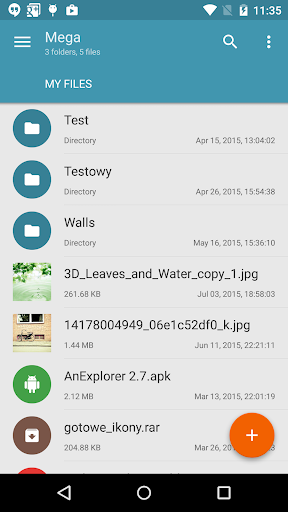
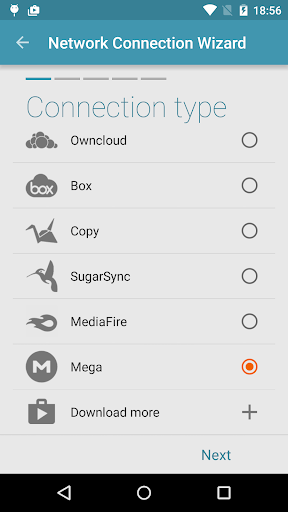
This is a plugin for Solid Explorer, which lets you connect to your Mega account. You can do pretty much everything: - copy, move, rename and view files - download and upload files - stream music and videos In order to connect to Mega, follow these steps: 1. Tap the + button 2. Choose "Cloud connection" 3. Select Mega option 4. Enter you login and password 5. Tap connect. Tap again to open your cloud drive.
What's New
Latest version 1.1.8 with bug fixes and performance improvements
Enhanced security and stability
Optimized for better user experience
Kullanıcı Yorumları
10 yorum
Koushik Das
4 yıl önce
Good plugin for solid explorer. Works smooth. There also have refund option if you don't want it. it is the full access to solid explorer with 40 gb space @₹39 But don't use third party apk. Overall basic solid explorer is more than enough @30 rupees. Checkout this plugin if you really need.

A Google user
6 yıl önce
Wasn't working, but I hadn't accessed it for quite awhile. Worked - after I first accessed Mega to make sure everything was working as far as account went, then UNINSTALLED AND REINSTALLED plug-in: That last did the trick. Didn't even have to reenter passwords. I'm not using two-factor authentication, but the notes say they're supporting it now. Don't be quite so harsh, some of you. At least Mega is supported, at whatever speed you're getting. I expect New Zealand to be slower from US anyway.

Nathan Johnson
5 yıl önce
It works very well and is very easy to set up. I did run into an issue with it failing to connect to Mega when using a Chromebook running in Developer mode, but outside of that I have used it on Chromebook and Android for years with no issue. Thank you for the plugin and the continued support.
Developer
Trusted developer with verified applications on our platform.
App Information
Download Stats
Safe Download
This app has been verified and is safe to download. No malware detected.
You Might Also Like
More apps from Productivity category











