
Screenshots



About this app
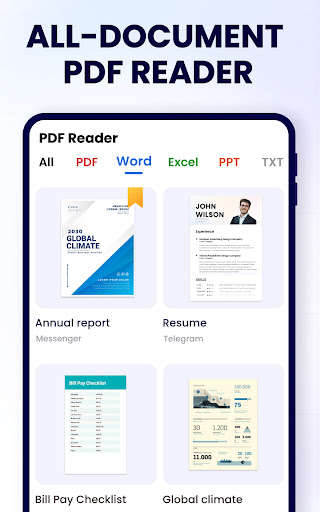
Looking for a document viewer and editor to support your work and study? Want to have a document reader to easily read, edit and manage all your files, including PDF, Word, Excel and PPT? Are you looking for a handy PDF converter to easily convert images or scan files to PDF? Try this simple and effective PDF Reader - PDF Viewer, A+ Read, the most convenient PDF Reader for Android! This professional documents reading app can auto search and display all your PDF files, allowing you to fast open and read PDFs on your device. More than a PDF viewer, it’s also a PDF editor and PDF manager, you can take notes, merge & split PDF files, set passwords to protect files, add bookmarks, etc. It’s also very convenient to share PDF documents with others. With all the features you need, PDF Reader - PDF Viewer, A+ Read provides you with the perfect PDF document reading experience. Try it for free now! 🎉🎉 📖 All-in-One Document Viewer - Automatically detect and display all your files: PDF, Word, Excel, PPT - Simple and clear file lists, easy to search and manage - Dark mode and color inversion for the best reading experience - Enjoy convenient reading with reflow mode - Add bookmarks to files for future reference - Page-by-page and continuous scrolling mode - Horizontal and vertical viewing mode - Full-screen mode for distraction-free reading - Zoom in and out of pages as needed - Jump directly to the page by entering the page number 📑 Powerful PDF Converter - Convert between images and PDF - Convert between Word and PDF - Scan to PDF - Quickly edit and share the conversion results 📝 Efficient PDF Editor - Add text to PDF - Highlight key points with vibrant colors - Underline or strikethrough text - Draw and annotate freely on the PDF pages - Compress PDF to suit your needs - Easily add e-signature - Fill in PDF forms - Insert pages or images into your PDF - Create PDF with different page styles - Search and copy any text in PDF files with ease 🌐 Convenient AI Assistant - Read your files aloud with lifelike voices - Summarize documents, extract key points, and create mind maps - Accurately translate PDFs into multiple languages - Generate abstracts/outlines for your articles - Rewrite/refine/expand/shorten articles - Improve writing accuracy with grammar check - Check sensitive information 📂 Full-Featured PDF Manager - Merge & split your PDF files - Set password to protect your documents - Recently opened files in a simple list for quick viewing - Share your PDF files via any social media easily - The most lightweight PDF Reader/Manager, only 12MB - Rename your PDF files to your liking - Printing PDF files from your device 🌟 More Features on the Way ► Convert between PDF and PPT, Excel, and more ► Eye protection mode ► Edit Word files ► Collaborative editing with others ► Generate a table of contents for your files ... Enjoy your reading with this superior PDF Reader for Android!✌️ Permission required: * For users on Android 11 and above, MANAGE_EXTERNAL_STORAGE permission is required to read and edit all files on your device. Rest assured, this will NEVER be used for any other purpose. Your feedback and suggestions are always welcome! Please feel free to contact us at pdfreaderappfeedback@gmail.com if you have any questions.
What's New
Latest version 2.0.0 with bug fixes and performance improvements
Enhanced security and stability
Optimized for better user experience
Kullanıcı Yorumları
10 yorum
Cindy Eaton
1 yıl önce
My Google 7 pixel phone typically opens all of my documents, no problem. But I had not realized that I hadn't tried to open a PDF, only saved them. I ended up loading the app and have used it several times since then. The app makes it super easy and since I have been out of the workforce for almost 8 years; I can't say enough about how user friendly & efficient it is!

Marcus Mack
1 yıl önce
I just opened the app for the first time earlier today and so far the thing has worked like a dream. The pop-ups can be a bit intrusive, had me go a few places I was unaware I had asked to go, but other than that each task I give it comes back just as I hoped!! A simplistic and well thought design interface make it all happen quickly and so flipping easy! Thank you!!

Aditya Maddheshiya
6 ay önce
that version is quite good but what if you add some new features to it that everyone wants specially students I want to just tell about those things to you.. 1.we should have features so that we can group one type of files (PDFs ) at one place without merging them.... 2.we can add links of pages of a particular pdfs file on starting page so that by clicking ones on it we got that page that we want .... and the last is 3...add some geometrical figures that helps us for editing any file ..
Developer
Trusted developer with verified applications on our platform.
App Information
Download Stats
Safe Download
This app has been verified and is safe to download. No malware detected.
You Might Also Like
More apps from Productivity category











