
Screenshots


About this app
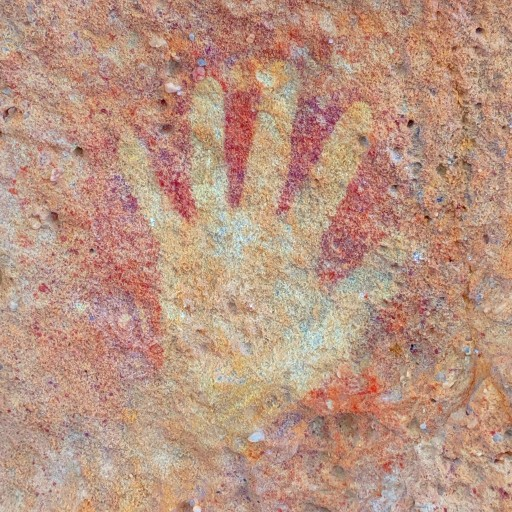
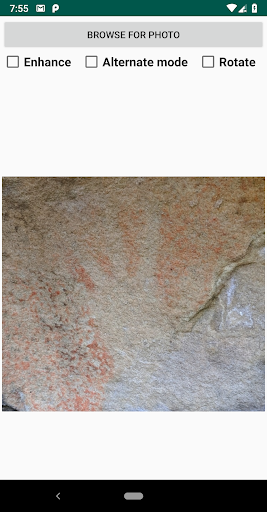
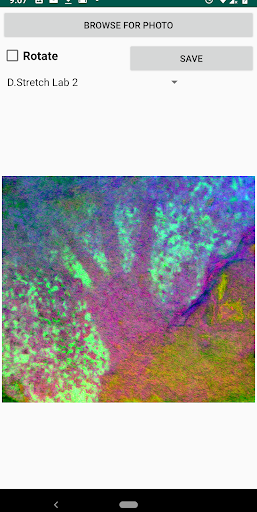
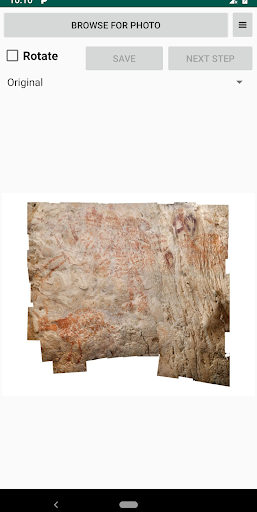
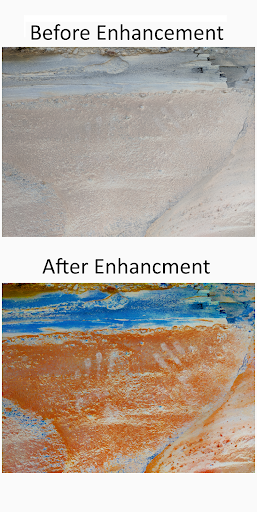
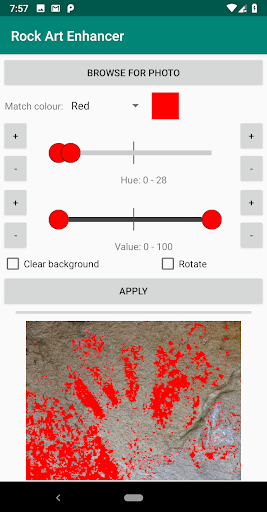
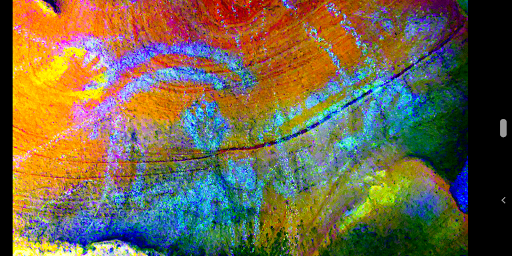
This app uses advanced techniques to enhance the colours in rock art to make faint drawings and stencils more visible. Techniques used include decorrelation stretching, histogram equalization, saturation enhancement, and hue/brightness matching. It works on photos from your phone's gallery and also has a live video enhancement mode. Enhanced photos can be saved for later viewing and sharing. The live enhancement mode lets you hold your phone over a possible site of rock art and enhances the colours in real time to help you see what's there. In this mode, you can short press the screen to cycle between the different enhancement techniques, or long press to toggle the flash on/off to make it easier to view art in dark rock shelters. The auto photo enhancement mode lets you choose a photo from your phone's gallery and carries out the same enhancements as available in the live mode. Short pressing the image opens it in your phone's photo viewing app. The manual photo enhancement mode lets you choose a photo from your phone's gallery and has a drop down to choose the hue you want to enhance (e.g. red). This sets the default positions for the hue and value sliders (in HSV colour space). When you press the apply button, the pixels in the image matching the slider ranges are changed to the selected colour. To revert the image, choose a match colour of "None". Short pressing the image opens it in your phone's photo viewing app. Long pressing on the image will bring up a pixel chooser which lets you select a custom hue for colour matching. If you like the app, please leave a review. Thanks.
What's New
Latest version 3.8 with bug fixes and performance improvements
Enhanced security and stability
Optimized for better user experience
Kullanıcı Yorumları
10 yorum
A Google user
6 yıl önce
A new must have for rock art site recording. I found this app easy to use and greatly impressed by the enhancement ability.

Royden Yates
4 yıl önce
Nice, easy to use implementation and the update to 2.2 solved the irritant of Android 11's restrictive policy of accessing the saved image folder. Extremely good value app this! One thing - live mode: it takes a lot of taps to cycle through all the colour spaces and adjustments; in a site, if two enhancements work well, it is unhelpful not to be able to select them directly to alternate the view. Semi-transparent buttons along the bottom, perhaps?

Andy Muchow
2 yıl önce
Very specific use, but a handy tool for those interested. Developer responded to my email for suggestion immediately, and issued an update after only a few hours
Developer
Trusted developer with verified applications on our platform.
App Information
Download Stats
Safe Download
This app has been verified and is safe to download. No malware detected.
You Might Also Like
More apps from Photography category


Selfie Camera - Beauty Camera
iMediaStar


FaceFancy-Face Swap & AI Photo
SZYJ Technology


StyleSwap: Outfits & Faces
SkySoft Inc


AI Photo Editor: Gallery Vault
T21 Games


HD Camera: AI Beauty
UniStarSoft


Photo Album F-Stop Pro
Seelye Engineering