
Screenshots


About this app
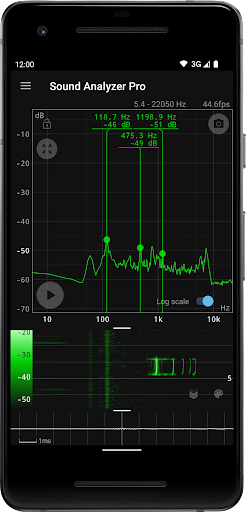
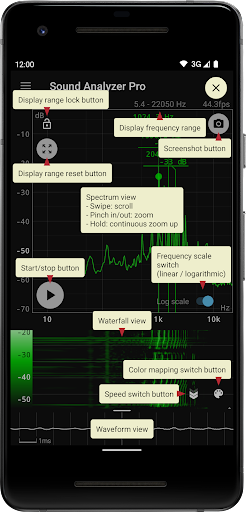
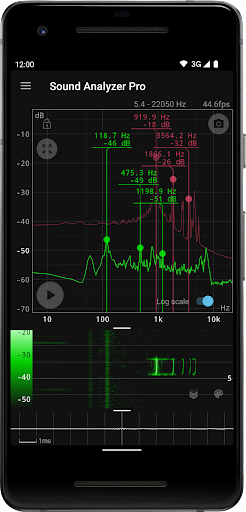
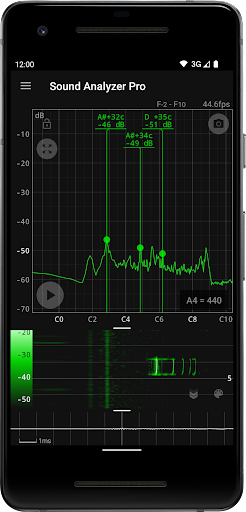
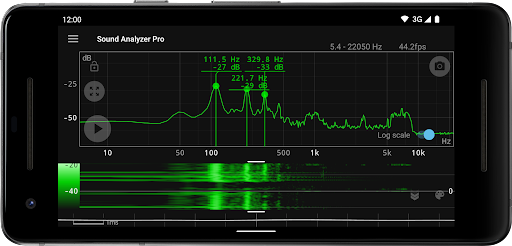
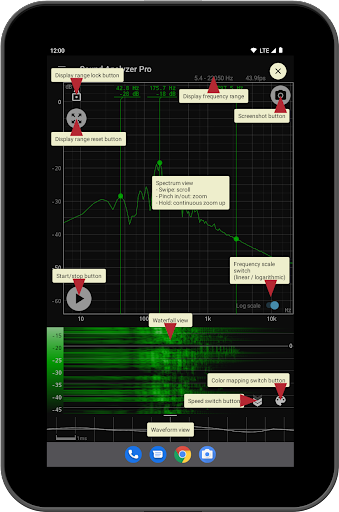
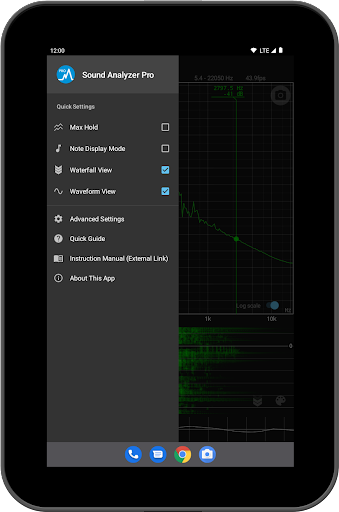
Sound Analyzer is an application for analyzing audio signals using only a mobile device. Its main function is to display frequency (Hz) and amplitude (dB) spectra in real time, but it can also be used to display changes in spectra over time (waterfall view) and to display waveforms (waveform view) at the same time. The frequency measurement accuracy of the Sound Analyzer is very high, and in a relatively low-noise environment, the measurement error is generally within 0.1 Hz. (when measured with default settings) Main Functions - Peak frequency display function (displays the frequency [Hz] and amplitude [dB] of prominent spectral components in real time) - Change of display range by touch operation - Switchable frequency axis scale between logarithmic and linear scale - Max hold function - Waterfall view (displays spectral changes over time) - Waveform view (displays sound waveforms) - Note display mode (displays pitch in terms of A to G♯ note names and error [cents]) - Screenshot function (with timer) - No advertisements About High Frequency Spectrum The app allows the highest frequency setting to be raised to 96 kHz, but settings above 22.05 kHz are primarily for high-performance devices, not for general-purpose devices. In most devices on the market today, data in the high frequency range above about 22 kHz is filtered out. Since it is not possible to acquire data in the removed range even with a higher setting value, it is normal for the spectrum in this range to contain only weak noise of less than -60 dB. However, depending on the model, larger noise due to filter processing may appear at certain frequencies such as 48 kHz and 96 kHz.
What's New
Latest version 1.16.0 with bug fixes and performance improvements
Enhanced security and stability
Optimized for better user experience
Kullanıcı Yorumları
10 yorum
Severn Beach
5 yıl önce
Just bought this app. Needed to buy as we were using the free version for to long. Really helped in a noise issue we are having with a local factory over the last year. Got the council to do a survey, the output from this app ... perfect match to thier mega expensive calibrated kit. Great app. Suggestion. Peak hold would be nice and log file output. Thanks for a great product. SB United Kingdom

Andrew Grant
5 yıl önce
Tried a few of these apps and liked this one best. The display is clear and the label text size is useful. An option to save apex analysis to file would be nice with a user specified recording rate, e.g. 1-10 samples per second.

A Google user
8 yıl önce
A really good app .easy to use and accurate .
Developer
Trusted developer with verified applications on our platform.
App Information
Download Stats
Safe Download
This app has been verified and is safe to download. No malware detected.
You Might Also Like
More apps from Music & Audio category
Audio Elements Pro
Rokaud


Spotify: Music and Podcasts
Spotify AB

Bose QC Earbuds
Bose Corporation
AudioLab Audio Editor Recorder
HitroLab - Mp3 Audio Editor and Ringtone Maker Dev

Musivibe - Enjoy Various Music
Acunsewer Media

AudioTool
jjbunn