
Screenshots


About this app
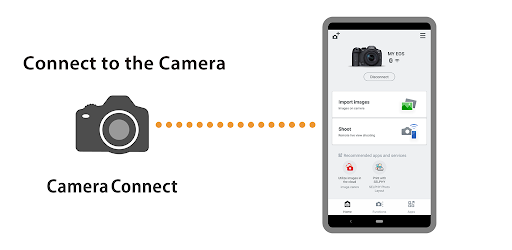
Canon Camera Connect is an application to transfer images shot with compatible Canon cameras to smartphone/tablet. By connecting to a camera with Wi-Fi (direct connection or via wireless router), this application provides the following features: ・Transfer and save camera images to a smartphone. ・Remote shoot with live view imaging of the camera from a smartphone. ・Connect with Canon's various services. This application also provides the following features for compatible cameras. ・Acquire location information from a smartphone and add it to the images on the camera. ・Switch to a Wi-Fi connection from pairing status with a Bluetooth enabled camera (or from touch operation with an NFC enabled camera) ・Remote release of the camera shutter with a Bluetooth connection. ・Transfer the latest firmware. *For compatible models and features, please refer to the following website. https://ssw.imaging-saas.canon/app/app.html?app=cc -System requirement ・Android 12/13/14/15/16 -Bluetooth System Requirement For Bluetooth connection, the camera needs to have a Bluetooth function, and your Android device needs to have Bluetooth 4.0 or later (supports Bluetooth Low energy technology) and the OS needs to be Android 5.0 or later. -Supported Languages Japanese/English/French/Italian/German/Spanish/Simplified Chinese/Russian/Korean/Turkish -Compatible File Types JPEG、MP4、MOV ・Importing original RAW files is not supported (RAW files are resized to JPEG). ・MOV files and 8K movie files shot with EOS cameras cannot be saved. ・HEIF (10 bit) and RAW movie files shot with compatible cameras cannot be saved. ・AVCHD files shot with Camcorder cannot be saved. -Important Notes ・If application does not operate properly, try again after shutting down the application. ・This application is not guaranteed to operate on all Android devices. ・In the case of using Power Zoom Adapter, please set the Live View function to ON. ・If the OS network confirmation dialogue appears when connecting the device to the camera, please place a checkmark in the checkbox to make the same connection from the next time. ・The images may include your personal information such as GPS data. Be careful when posting images online where many others can view them. ・Visit your local Canon Web pages for more details.
What's New
Latest version VARY with bug fixes and performance improvements
Enhanced security and stability
Optimized for better user experience
Kullanıcı Yorumları
10 yorum
Jared Armbruster (Jayrod64)
1 yıl önce
While this requires a Bluetooth or Wi-Fi connection to a compatible Canon camera(I use the Canon EOS R50), it makes for a convenient way to transfer photos and videos from my camera to my phone. My one complaint is that videos can take a while to transfer. In that case, USB file transfer(with at least a 10 Gbps USB C cable) to a PC then to my phone may be faster. Even still, that's a minor complaint since the videos are fairly large files.

James Smith
2 yıl önce
Good app for remote shooting. Very comprehensive and allows me to import all relavant data to my tablet. I love long shutter, night photography, so it's more convenient than a physical remote trigger. However, it could be more user friendly. Some of the "helpful" menus read like stereo instructions, but as soon as you connect a few times, it becomes a breeze.

A Google user
7 yıl önce
Using with Canon EOS R and Samsung Tab S3. Clients love seeing the images in real time as I take them. It is a little bit of a process to reconnect every time I turn off the camera, but for the most part works pretty well. Biggest complaint is that when an image is maximized, taking up the whole screen, you cannot advance to the next photo that was just taken. You can go backwards and see previous photos, but to see the new one you have to minimize, go back to the grid and select the new photo. This seems like an easy software fix. Come on, Canon software engineers, make it so my client never has to leave full screen view to see incoming photos!
Developer
Trusted developer with verified applications on our platform.
App Information
Download Stats
Safe Download
This app has been verified and is safe to download. No malware detected.
You Might Also Like
More apps from Photography category


Selfie Camera - Beauty Camera
iMediaStar


FaceFancy-Face Swap & AI Photo
SZYJ Technology


StyleSwap: Outfits & Faces
SkySoft Inc


AI Photo Editor: Gallery Vault
T21 Games


HD Camera: AI Beauty
UniStarSoft


Photo Album F-Stop Pro
Seelye Engineering