Screenshots



About this app
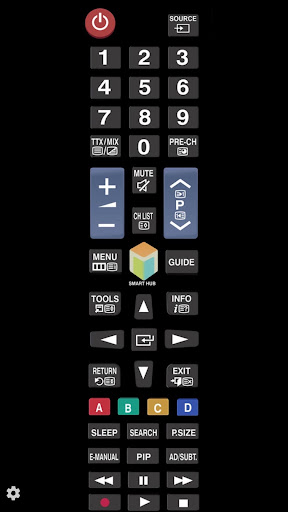
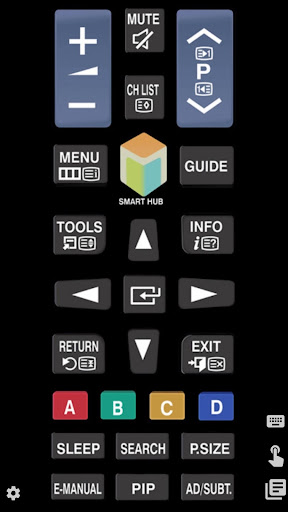
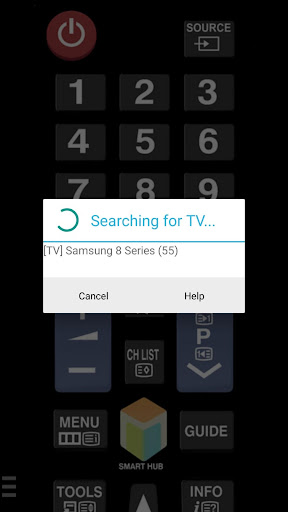
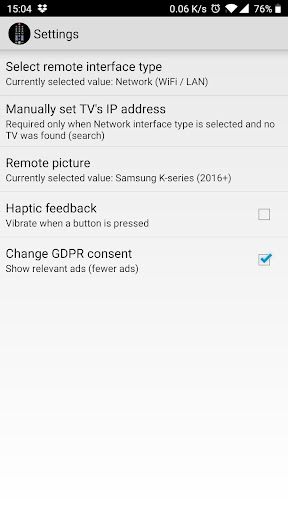
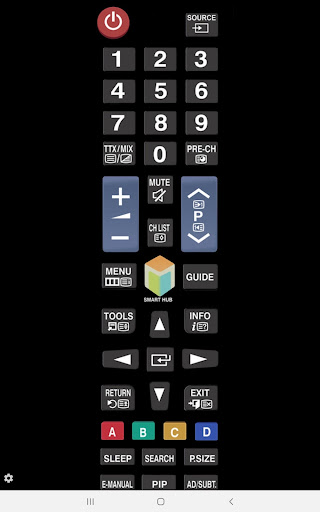
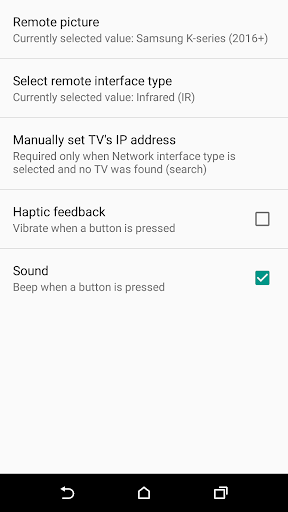
With the app "TV (Samsung) Remote Control" you can use your smartphone to control your Samsung TV over the local network and/or with IR (if your android has infrared port). You have 2 options: ★ Network IP control (WiFi / WiFi Direct / LAN). Works with C, D, E, F, K and M (2016+) models, but not with H and F models. - Make sure the TV that you want to use is turned [On] - Make sure your mobile device and TV are connected to the same home network. If your router supports a privacy separator function, make sure it is disabled. - It is also possible to enter the TV's IP address manually. To find you TV's IP address go to TV: [Menu] → [Settings] → [Network] → [Network Status]. If TV was found but after selecting the TV: - If you have refused the confirmation message on your TV ("accept device") you need to change your selection by going to: [Menu] → [General Settings] → [External Device Manager] → [Device Connection Manager] → [Device List] or with older TV models [Menu] → [Network] → [Expert Settings] → [Mobile Device Manager] or [Menu] → [Network] → [AllShare Settings]. - You can disable the TV's ("accept device") screen by going to eg. [Menu] → [Settings General] → [External Device Manager] → [Device Connection Manager] and changing [Access Notification] -> "First Time Only". - If a PIN code is requested on your TV screen - sorry, but with this TV this app won't work :( ★ Infrared (IR) control - This option works on phones and tablets with built-in IR blaster such as Samsung Galaxy S, HTC ONE, LG G3/G4/G5, Xiaomi Mi / Redmi / Note, Huawei Mate / Honor etc). - Tested with Samsung TV F and M models, but probably works also with others Samsung Smart TV-s build 2005 and later (if it does, then let us now and give feedback). - Please note that you must point your phone’s IR blaster directly at the TV. Usual working range is 4-10ft (1-3 meters, max ~5 meters). - With some phones in power saving mode or with almost empty battery the IR blaster might not work or range is less then 5ft (2 meters). The purpose is not to replace the original TV remote, but this app is handy in emergency situations (original remote is lost, empty batteries etc). It's ready to use (no need for pairing with the TV). If this app doesn't work with your phone or TV then feel free to e-mail me (your exact TV and phone model). Then I can try to add support for your phone or/and TV model. Disclaimer/Trademarks: This app is NOT affiliated with or endorsed by Samsung Group. Samsung is a trademark of Samsung Group. Warranties: This software is provided by author ''as is'' and any express or implied warranties, including, but not limited to, the implied warranties of merchantability and fitness for a particular purpose are disclaimed. In no event shall author be liable for any direct, indirect, incidental, special, exemplary, or consequential damages (including, but not limited to, procurement of substitute goods or services; loss of use, data, or profits; or business interruption) however caused and on any theory of liability, whether in contract, strict liability, or tort (including negligence or otherwise) arising in any way out of the use of this software, even if advised of the possibility of such damage.
What's New
Latest version 2.9.9 with bug fixes and performance improvements
Enhanced security and stability
Optimized for better user experience
Kullanıcı Yorumları
10 yorum
M W
3 yıl önce
Fabulous app for my Samsung TV. It has tons of additional features such as using a keypad to enter words for searches, it opens to give a direct connection to apps such as Netflix. The ads are minimal and not intrusive. Would like an option to purchase an ad free version. If you're using this as a sole remote for the TV, the message that comes up on the TV asking permission will eventually go away, which is nice if you don't have the original remote. Highly recommend.

Nancy Meyer
3 yıl önce
Just a couple minutes after install I replaced the remote our dog destroyed. Easy and it works. When you search for a show a text box pops up so I actually like that better than the keyboard on the TV screen. I haven't had to sign in to an app on my TV yet; but I'm thinking it will be a lot easier in a text box on my phone than using the arrows on a remote going back and forth and up and down with a remote to type in a username and password. So far all is well.

Greg Blaufuss
3 yıl önce
Just been a couple hours, but pretty amazing! No ads yet (thanks). This is minor, but the remote is a clone of the physical one. One of my peeves about the plastic one is that the play, etc button are at the bottom. It found my Samsung TV flawlessly and is working smoothly as I move through my house (I have other extenders so it could jump). Thanks app guys 👍. Sorry for the comment about the app with the buttons on the bottom. Thank goodness I don't find the buttons on a black remote.
Developer
Trusted developer with verified applications on our platform.
App Information
Download Stats
Safe Download
This app has been verified and is safe to download. No malware detected.
You Might Also Like
More apps from Video Players & Editors category


Video Downloader - XDownloader
Download Videos App Tools


VITA - Video Editor & Maker
SNOW Corporation


iWebVR Pro
Panagola Private Limited


Slideshow Maker Photo Video
Govo Tech


AI Video Maker With Music
Aquaworld Infotech


Video Downloader & Player
Innometrics Enterprise