Screenshots




About this app
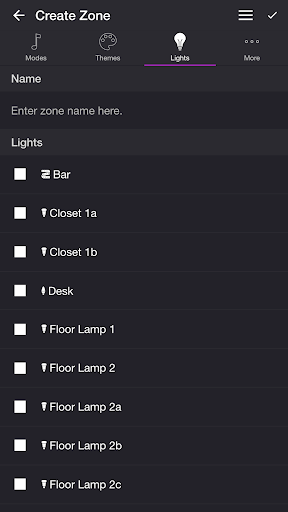
Get your party started using your Philips Hue lights. Watch your lights pulse and flash to your favorite songs.* *Hue Bridge required MODES • Music Visualizer — Lights change colors to the music (Microphone access required) • Strobe — Lights change colors in a flash randomly • Color Loop — Lights change colors simultaneously • Color Flow — Lights change colors sequentially • Playlist — Each mode plays for a random duration THEMES Choose from one of the predefined themes or create your own on the Themes tab. Each mode uses the colors in the selected theme. To edit a user theme in the list, swipe the item to the left and tap the pencil icon. You can reorder colors for the Color Loop mode. SETTINGS Music Visualizer • Change volume trigger for light effects • Change minimum brightness of lights when inactive • Change maximum brightness of light effects • Change transition effects: Random, Pulse, Fade Quickly, Fade Slowly • Change theme • Toggle detect frequencies (Bass, Mid, Treble) Bass, Mid, Treble (Music Visualizer) • Toggle light effects • Target lights for effects • Change transition effects: Random, Pulse, Fade Quickly, Fade Slowly • Change theme • Change frequency range trigger Strobe • Change minimum brightness of lights when inactive • Change maximum brightness of light effects • Change theme Color Loop, Color Flow • Change brightness of lights • Change color or light sequence: In Order, Reverse Order, Random Order • Change transition effects: Random, Pulse, Fade Quickly, Fade Slowly • Change transition timeout • Change theme Playlist • Change sequence: In Order, Reverse Order, Random Order • Change order • Toggle modes • Change duration range for each mode General • Change default end state: Revert, Off • Change sleep end state: Revert, Off • Select mode to automatically start when app opens • Choose time to automatically stop selected mode LIGHTS / GROUPS Select one or more lights for your light show on the Lights tab. Choose a group that you set up using the Philips Hue app, or create a new zone in the Soundstorm for Hue app. To edit a room or zone in the list, swipe the item to the left and tap the pencil icon. You can reorder lights for the Color Flow mode. When you add, remove, or change lights, pull down the list to refresh. ADDITIONAL FEATURES • Sleep Timer — Choose the state of your lights after the timer ends with the Sleep End State setting. I'd love to hear your thoughts and appreciate you taking the time to rate the app. By leaving a review, I can continue to improve Soundstorm for Hue and create a great experience for you and future users. Thank you! —Scott
What's New
Latest version 4.2.0 with bug fixes and performance improvements
Enhanced security and stability
Optimized for better user experience
Kullanıcı Yorumları
10 yorum
A Google user
7 yıl önce
if I can give 1000 stars I will! love it! great app! works amazing! 5 bulbs so far. turns your place to bloody night club! love light separation for different frequencies. just will install in on other phone and will use my main one! would be great to have functionality with headphones, but understand technical limitations. whatever! it's great! as a feedback- maybe worth trying neural networks approach to remove voices, noise etc, for better experiences, but it will come, I belive).
Thank you so much! To prevent background noise from interfering, please try turning on the Music Visualizer while there is no music playing and then go to Settings. The Volume Trigger slider should be just to the right of the purple background that is fluctuating. Please contact support@soundstorm.scottdodson.io if you have any questions. Thanks!

Cooters C
5 yıl önce
I wanted an app that allows me to do the following: Strobe lights Colour loops Music attaching colours It did just that and that's what I wanted. The music attaching colours only work on the room's audio.. I have to figure out if it can connect to something like Spotify
A Google user
6 yıl önce
WOW! The app of apps for Phillip's Hue bulbs. Just love this. So easy and enjoyable. I have many Hue bulbs and now once set to 'Rainbow' colour option and 'colour flow' my lights 'set up in a new group on the app' double as Xmas lights fading in and out with configurable brightness and delays and timers etc. Also many other features/modes and effects have yet to play with. Thanks.
Developer
Trusted developer with verified applications on our platform.
App Information
Download Stats
Safe Download
This app has been verified and is safe to download. No malware detected.
You Might Also Like
More apps from Entertainment category