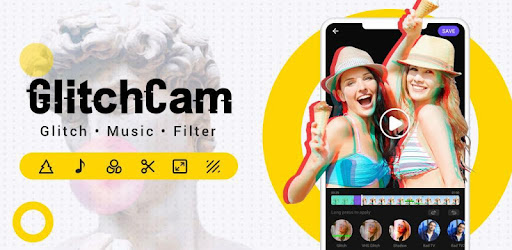

Screenshots

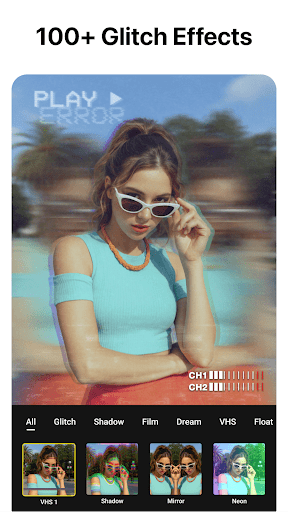


About this app
VideoCook is a powerful, easy-to-use video editor and video maker that offers a wide range of features, including music, filters, glitch effects, transitions, captions, and more. Whether you’re a beginner or a creator, VideoCook lets you transform everyday moments into viral content for TikTok, YouTube, Instagram, WhatsApp, and Facebook — all with no watermark, no ads, and completely free. From trimming clips to removing backgrounds, VideoCook gives you all the tools you need to record, edit, and share your creative vision seamlessly. 🪄 ONE-TAP AI TOOLS * AI Body Effects: Instantly enhance images and videos with AI presets * Auto Captions: Let AI generate captions automatically * Background Removal: Remove backgrounds in one tap * Smart Tracking: Sync text and stickers with moving objects * Smooth Slow-Mo: AI-powered slow-motion for smooth effects 🎥 BASIC VIDEO EDITING * Trim, cut, and merge videos with high precision * Adjust speed (0.2x to 100x) for smooth slow motion or time-lapse * Crop or resize to fit any aspect ratio (1:1, 9:16, 16:9, etc.) * Reverse, rotate, and flip clips * Create slideshows or stop motion videos 🧠 ADVANCED VIDEO EDITOR * Add keyframe animations to text, stickers, and video layers * Picture-in-Picture (PIP) support for multi-layer edits and video collages * Chroma key to remove backgrounds and create green screen effects * Mask and blend modes for creative overlays * Color picker to match your visual style perfectly 🎶 MUSIC, SOUND & VOICE * Add built-in or custom music to your videos * Extract audio from video clips * Add voiceovers with fade-in/out and volume control * Use sound effects for vlogs, memes, and more ✨ FILTERS, EFFECTS & GLITCH * 100+ filters and trending glitch effects: VHS, RGB, X-ray, Retro, etc. * Smooth video transitions: blur, zoom, fade, slide, etc. * Customize video brightness, contrast, saturation, and more 📝 TEXT, STICKERS & MEMES * Add text with 1000+ fonts and animated styles * Subtitle your vlogs with auto-caption support * Decorate with animated stickers, emojis, and trending GIFs * Create memes and overlays with your own images 📸 PHOTO EDITOR Cutout & Change Background * Add background and frames to your photos * Add text, stickers, and filters for personalized edits 🔁 SOCIAL MEDIA EXPORT & SHARING * Export videos in HD, up to 4K 60fps * No watermark, no ads – just your content * Share directly to TikTok, YouTube Shorts, Instagram Reels, WhatsApp & more 🎉 WHY CHOOSE VIDEOCOOK? Whether you're a casual user or aspiring content creator, VideoCook gives you all the tools you need to edit like a pro — glitch effects, music sync, auto captions, slow motion, collages, and more — without paying a dime. Create viral clips in minutes. Download VideoCook now – free and watermark-free. 💌 Questions? Contact us videostudio.feedback@gmail.com
What's New
Latest version 2.6.0 with bug fixes and performance improvements
Enhanced security and stability
Optimized for better user experience
Kullanıcı Yorumları
10 yorum
Jodi S.
1 yıl önce
Epically Insane! I can't stop trying all of the features. It's what I'd consider user friendly. The only feature that I haven't figured out yet is when adding a sound or change voice & pitch, how do I select a specific start/end point? I'll get it eventually.. The subscription prices can't be beat(well, except for free) I'm more than happy to pay for a subscription.. endless opposite. Ty 4 ur skills & creativity, you've helped me switch brain modes easily.. I lose track of time and I giggle.

Samuel Nsobila
5 yıl önce
Wow! This app is just wonderfully exceptional. I was able to do my songs video shooting with simply a phone. Fantastic app. To all the developers I say, BRAVO!!! . The only thing i think should be worked upon is the storage size of the video after it has been edited. If possible there is an inclusive storage resolver so that, after editting, one can resolve the storage of the edited video to a manageable one.

Ron Tinnin
3 yıl önce
It takes a little practice. But not too much to where it makes it unbearable to learn. It's pretty simple. It's worth paying a few bucks for the paid version to unlock everything including 1080 resolution. However, you can still get 720 without paying and there are plenty of effects and glitches to use. I only purchased it because I post a lot of videos on social media. I'm a personal trainer. I make training highlight videos. And the app allows me to make them unique with cool effects.
Developer
Trusted developer with verified applications on our platform.
App Information
Download Stats
Safe Download
This app has been verified and is safe to download. No malware detected.
You Might Also Like
More apps from Video Players & Editors category


Video Downloader - XDownloader
Download Videos App Tools


VITA - Video Editor & Maker
SNOW Corporation


iWebVR Pro
Panagola Private Limited


Slideshow Maker Photo Video
Govo Tech


AI Video Maker With Music
Aquaworld Infotech


Video Downloader & Player
Innometrics Enterprise