

Screenshots


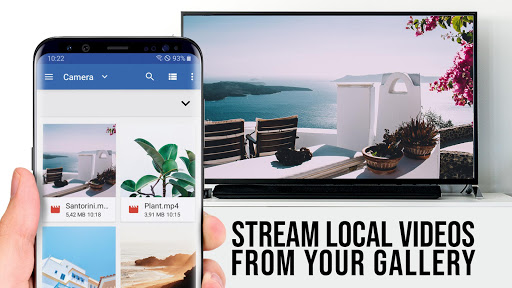




About this app
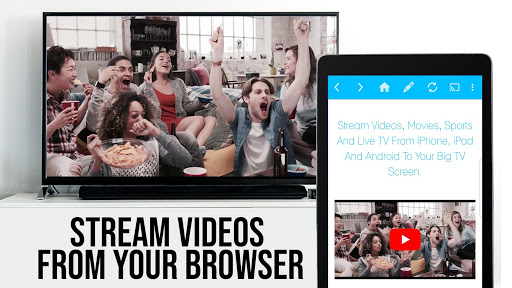
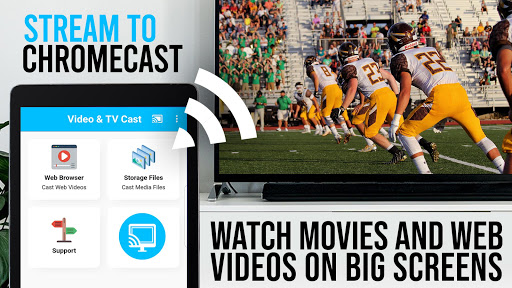
Video & TV Cast is the TOP Browser App for video streaming with 10,000,000 users on Android + iOS Upgrade your Chromecast Player to watch webvideos, online movies, IPTV, livestreams and live-tv shows directly on your biggest screen with the no#1 web video streamer. Mp4, m3u8, hls livestreams, video over https and of course Full HD are supported. *** This app only works with all Chromecast devices from Google and Google Cast / Android TV powered device *** With Video & TV Cast you can browse through the web and stream or cast the World Cup or any video you want on your Chromecast Player. Just navigate to your favorite website and send the embedded video with a single tap to your Chromecast. The discovered video will be shown below the browser. A tap on the video link will send it to your Chromecast Player immediately. >>> IMPORTANT NOTES, PLEASE READ * NOT SUPPORTED Videos: Flash video, Google Play movies, Netflix, Amazon and HBO and other DRM protected videos web-videos, online-movies, IPTV, livestreams and live-tv shows. * Please test your websites and videos in the free edition! If casting fails, upgrading will NOT make it work magically. * The app does NOT mirror your full Android device, it just pushes the video part of a website to your Chromecast. * To play mp4, m3u8 or other videofiles directly on Chromecast just enter or paste the full video-url in the browser address bar. * Sometimes it is necessary to play the video on your Android device before the link gets detected for casting. * If the connection does not work, please try to restart your Android device, Chromecast and wifi router. * If a specific web-video, online-movie, IPTV, livestream or live-tv show does not cast, please check our FAQ or send the website and video link to info@video-tv-cast.com by using the report feature in the app. We will try to add support for your video as soon as possible. Leaving negative Play Store reviews without any information about your issue will not give us a chance to help you. * Security Note: For your safety Video & TV cast only needs minimal Android permissions to work. Unlike others we do NOT access your identity data, accounts, device id, phone status, gps location or contacts. Please always check the required app permissions before you trust and install any Android app. * Refunds: Only within 24 hours after purchase. Please submit the Google Purchase ID. >>> QUICK START GUIDE 1) Wait some seconds until the red icon in the menu bar changes to a filled white icon. If your Chromecast is not found, please restart the app. 2) Google your favorite video (e.g. on youtube) or enter the video-url directly in the browser address bar by tapping on the pen icon in the menu bar. 3) Wait some seconds until the video link (mp4, m3u8, etc.) is shown below the browser. If "No videolink found to cast" stays, please play the video locally in the browser first and open it in fullscreen mode, then wait some seconds. 4) After the link is detected tap on "Tap here to cast" below the browser and casting will start. To stop casting, please tap on the cast icon in the menu bar. 5) Enjoy your web-video, online-movie, IPTV, livestream or live-tv show and share our app on Twitter or Facebook :) >>> A MESSAGE FROM THE DEVELOPERS If you have suggestions or discover any problems with Video & TV Cast, please let us know at info@video-tv-cast.com. We will help you as soon as we can. If you like the app, please support us by giving a 5-star rating on Google Play or purchasing one of the addons. Thank you for all your support. Disclaimer: This app is not affiliated with Google or any other trademark mentioned here. Chromecast is a trademark of Google LLC.
What's New
Latest version 2.72 with bug fixes and performance improvements
Enhanced security and stability
Optimized for better user experience
Kullanıcı Yorumları
10 yorum
Rix Goldz
5 yıl önce
I purchased Pro years ago for my i pad for Chromecast! I bought the whole ultimate package as I didn't know what type of song I would be using it at that time. I've had very few problems till latest update yesterday. Now going to try the free version on Android. my iPad seem to keep dropping the video since I did an update yesterday .I'm kind of pissed about that. But I had years of great fun from this app's pro version .
Thank you for taking time to review our app. We apologize for the inconvenience. Please explain your issue in more detail so that we can help you. Please also check the faq inside the app. To take advantage of our support, please write us via e-mail (info@video-tv-cast.com). We'd love to hear from you.

JustMe isthatok
3 yıl önce
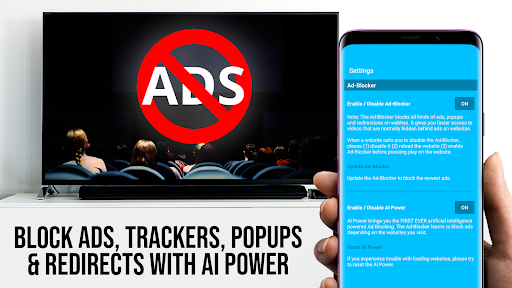
I've purchased the ultimate pack every time I get a new device. 99%of any movie or show I can cast. I just have not figured out how to cast subtitles as of yet, although I rarely have a ñeed too. Occasionally at a friend's house ( why I got the ultimate, lol) they give me a link that's no English in movie forgotten that idk their Tounge! Adblock alone is worth the price!
Thank you for taking time to review our app and for the detailed feedback and your continued support. We really appreciate it and are glad that you like our app. Unfortunately, subtitles are not yet supported by our Android apps, but we will probably add this feature in the future. If you have further issues, email us to info@video-tv-cast.com.

Ransom Note
9 ay önce
Amazing app I live by it! The only Thing I would like to see is a web cast for my computer. I only use my PC for work, but I'd I like to watch movies and such through my computer on my down time without having to download files or access certain sites that have malware ect. The addition of the PC cast receiver would eleimate that problem for me and keep my files and data safe. I was never a big fan of the mirror, the cast is supreme, because it allows me to multitask with my phone.
Thank you for taking time to review our app and give us your detailed feedback. We really appreciate it and are glad you like our app. We have added your feature request to our list of feature requests. We may add this feature in the future.
Developer
Trusted developer with verified applications on our platform.
App Information
Download Stats
Safe Download
This app has been verified and is safe to download. No malware detected.
You Might Also Like
More apps from Video Players & Editors category


Video Downloader - XDownloader
Download Videos App Tools


VITA - Video Editor & Maker
SNOW Corporation


iWebVR Pro
Panagola Private Limited


Slideshow Maker Photo Video
Govo Tech


AI Video Maker With Music
Aquaworld Infotech


Video Downloader & Player
Innometrics Enterprise