
Screenshots
About this app
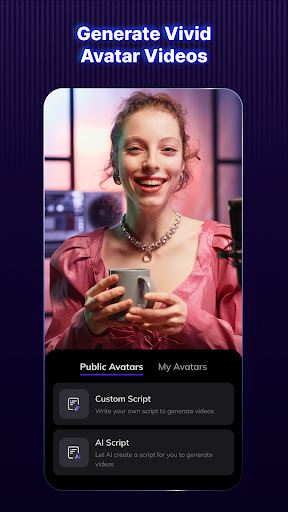
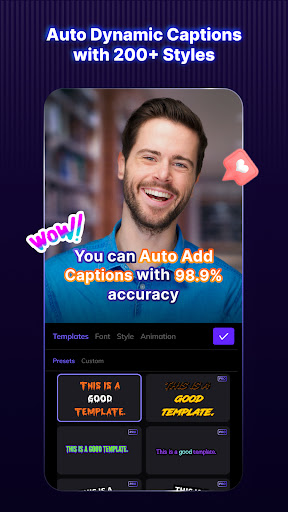
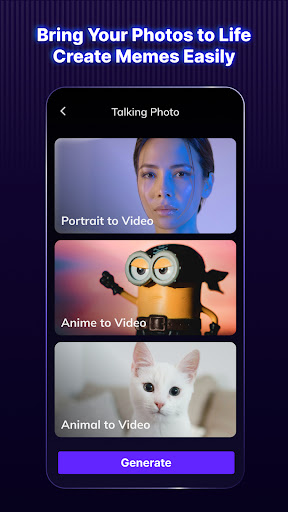
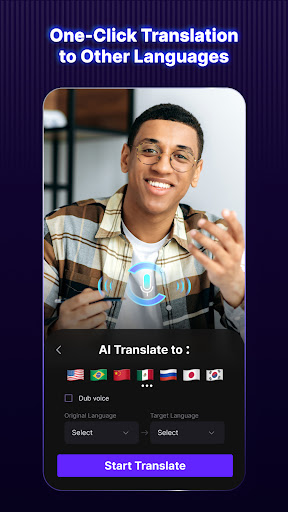
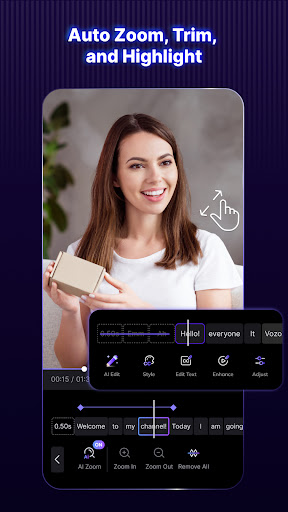
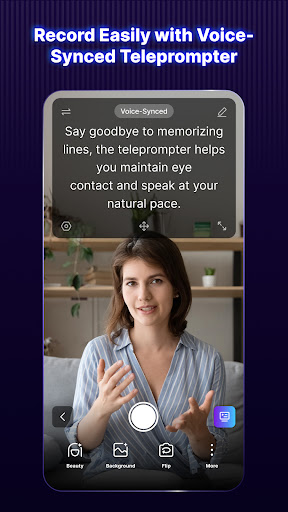
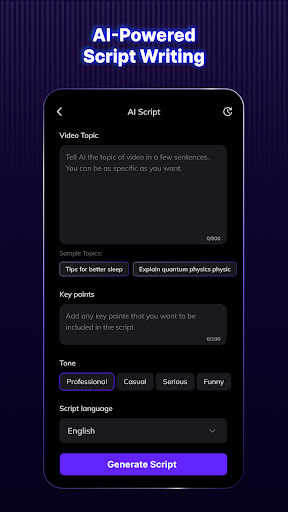
Leveraging the power of AI, Vozo AI Video Creator (formerly Blink Captions) combines AI video generator, AI photo generator, and AI avatar video generator features — enabling you to generate, edit, and translate talking videos with 200+ auto-caption styles, AI script writing, teleprompter, and translation tools. Create stunning videos 10× easier! Here's the full set of features offered by Vozo AI (Blink Captions): AI Captions: Use speech-to-text (tts) to auto-add captions with 99.97% accuracy, significantly improving the engagement of your short form or long form videos from YouTube shorts, TikTok, to Instagram Reel short. Vozo AI (Blink Captions) supports 118 languages and 200+ styles which including font, color, size, background, and animations that are 100% customizable at the sentence or batch level. AI Avatar Video Generation: Create personalized avatars from existing clips. Then, simply add scripts to generate impressive talking videos! Vozo AI (Blink Captions) also offers a rich avarat library for your choice. AI Talking Photos Generation: Turn blended images into talking videos and create memes easily with Vozo AI! Upload a video and add a script or a recorded audio. You can let portraits, anime, or animals speak up! AI photo generator for brands Craft poses with Polaroid AI filters, powered by Gemini AI and nano banana effects. Instantly transform faces, pets, or products into stunning portraits or animations using Evoto instant style. Fast, branded visuals meet creative storytelling in one smart blend. AI Video generator: AI text to video & image to video maker. Edit UGC, clips, reels, shorts. TikTok Lite, YouTube Shorts, script & aspect ratio tools. AI Translate & dub: Select your original and target languages, click "translate & dub," and your video with translated subtitles is ready for export! Vozo AI (Blink Captions) support 118 languages and dialects. AI Trim: In one click, Vozo AI (Blink Captions) can remove filler words and silent parts from both your captions and video, making talking video or reel editing super easy, smooth, and fluent! AI Zoom: Mark the area you want to stand out in your talking video and when you want it to pop in the captions. Vozo AI (Blink Captions) will automatically zoom into this area at your specified timing. AI Highlight: You can also choose to highlight any part of your captions, and Vozo AI (Blink Captions) will automatically apply the styles for you. AI Title Get automatic, personalized talking video titles that fit right into your content. Let Vozo AI (Blink Captions) help you create attractive titles! AI Teleprompter Forget memorizing scripts. Our prompter automatically scrolls at your talking speed. when recording talking videos, allowing natural delivery and eye contact. AI Script Writing Jot down your thoughts, and our AI turns them into a finished script, allow you to focus on delivering your message with Vozo AI (Blink Captions)! Download Watermark-Free Videos Download watermark free videos from Tiktok and other social media and repost for free! AI Denoise and Isolate Vocal from Audio for talking videos Vozo AI (Blink Captions) can identify human voices from complicated audio and isolate the vocal part from audio. You can choose to keep or remove the human voice for further video editing. Lyrics Mode: Accurately Add Lyrics for Music Videos From Pop to Rap, Vozo AI (Blink Captions) accurately detects and transcribes the lyrics for your music videos. AI Background Blur your background or switch it in real-time with Vozo AI (Blink Captions) virtual green screen. No need for physical green screens or additional editing. We can't wait to see what you'll create with Vozo AI (Blink Captions)! Should you have any feedback or suggestions, contact us at blink-support@vozo.ai. Terms of service: https://www.vozo.ai/blinkcaptions/terms Privacy policy: https://www.vozo.ai/blinkcaptions/privacy_policy
What's New
Latest version 5.8 with bug fixes and performance improvements
Enhanced security and stability
Optimized for better user experience
Kullanıcı Yorumları
10 yorum
Jake Charie
1 yıl önce
I've paid for the app for 2 years then been offered the lifetime subscription for £50. I personally use this all the time the AI captions are usually very close and only requires 1 quick watch to edit any errors. AI zoom is brilliant. I would say to improve the app basic editing features like cutting/splitting clips would help as then I can edit everything in Blink 🍻👍🏻

S Khan
2 yıl önce
By far the BEST free teleprompter app in the market! Super duper easy to use, offers a vast amount of filters (beauty, lighting, background, face retouch, etc.) and I was able to include nearly 1,000 words in the script (other apps had a minimum word count, and charged for anything over). This app was just what I was looking for but it offered so much more. Don't think twice, download it in a heartbeat!

Julian Moon
2 yıl önce
This app is a life-saver for creators. It saves tons of times for creating including but not limited to short-form videos. I also use it for my long-form YouTube videos. One feature I wish it had is having different text styles. I want to locate some subtitles in a different locations and with a different style and color. But it is not allowed to have multiple styles of subtitles or opt out from the general style. Lastly, for the "Korean language", the right transalation is "한국어" not "한국인".
Developer
Trusted developer with verified applications on our platform.
App Information
Download Stats
Safe Download
This app has been verified and is safe to download. No malware detected.
You Might Also Like
More apps from Video Players & Editors category


Video Downloader - XDownloader
Download Videos App Tools


VITA - Video Editor & Maker
SNOW Corporation


iWebVR Pro
Panagola Private Limited


Slideshow Maker Photo Video
Govo Tech


AI Video Maker With Music
Aquaworld Infotech


Video Downloader & Player
Innometrics Enterprise