
Screenshots





About this app
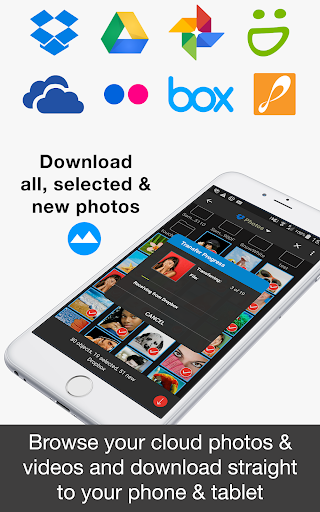
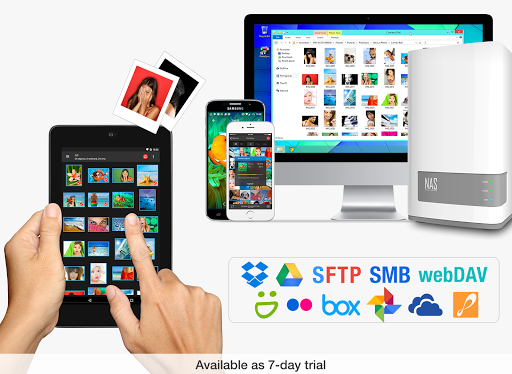
This product is the ‘PhotoSync Cloud Add-On’ Activation License of PhotoSync. Once purchased, you can add PhotoSync Cloud Add-On capabilities to the free PhotoSync version and remove ads. ★ Over 10,000 positive reviews, thousands of happy users and millions of photo transfers ★ Number one cross-platform solution with native apps for Android, iOS, Windows & Mac ★ Reliable and secure software – operating 10 years in the market and continuously updated ★ Total user control and fully customisable ABOUT PHOTOSYNC CLOUD ADD-ON VERSION • Wirelessly upload and share photos & videos to cloud and photo services • Import photo & videos stored on cloud and photo services • PhotoSync supports Dropbox, Google Drive, Google Photos, Flickr, OneDrive, SmugMug, Box, Zenfolio and PhotoPrism • No ads HOW IT WORKS 1. Download and Install PhotoSync at https://play.google.com/store/apps/details?id=com.touchbyte.photosync 2. Download and install 'PhotoSync Cloud Add-On License' 3. PhotoSync will automatically upgrade to PhotoSync Cloud Add-On version upon the installation of PhotoSync Cloud Add-On License PHOTOSYNC CLOUD HIGHLIGHTS Wirelessly transfer, copy, backup and share your photos & videos to and from your favourite cloud and photo services. Transfer to cloud and photo services Upload and share photos & videos to your favourite cloud or photo services over WiFi and 3G / LTE. Supported services: • Dropbox • Google Drive • Google Photos • Flickr • OneDrive • SmugMug • Box • Zenfolio • PhotoPrism No cables needed! Transfer from cloud and photo services Import photos and videos stored on your favourite cloud and photo services directly to your Android phone and tablet over WiFi and 3G / LTE. Supported services: • Dropbox • Google Drive • Google Photos • Flickr • OneDrive • SmugMug • Box • Zenfolio • PhotoPrism You can import selected, all or new photos and videos. Organize like a Pro • Organize photos & videos automatically by date (recording date & transfer date), media type, album/folder and device name • Set custom file names (recording date & transfer date) • Browse, select or create target folder before transfer • Delete or overwrite files after transfer to free space on device (optional) • Choose separate transfer quality options for WiFi & cellular connections • Set privacy levels for sharing (photo services only) ABOUT FREE PHOTOSYNC VERSION • Backup or restore photos & videos from Android devices to computer (PC & Mac) over WiFi or Portable WiFi Hotspot • Send photos & videos from computer to Android phone / tablet over WiFi or Portable WiFi Hotspot • Transfer photos & videos between Android phone and tablet over your local network (WiFi or Portable WiFi Hotspot) • Copy and move photos & videos between Android devices and iPhone / iPad over WiFi or Portable WiFi Hotspot • Transfer photos & videos stored on USB or SD devices connected with a USB On-The-Go (OTG) adapter • Ad-supported
What's New
Latest version 3.4.1 with bug fixes and performance improvements
Enhanced security and stability
Optimized for better user experience
Developer
Trusted developer with verified applications on our platform.
App Information
Download Stats
Safe Download
This app has been verified and is safe to download. No malware detected.
You Might Also Like
More apps from Photography category


Selfie Camera - Beauty Camera
iMediaStar


FaceFancy-Face Swap & AI Photo
SZYJ Technology


StyleSwap: Outfits & Faces
SkySoft Inc


AI Photo Editor: Gallery Vault
T21 Games


HD Camera: AI Beauty
UniStarSoft


Photo Album F-Stop Pro
Seelye Engineering