

Screenshots






About this app
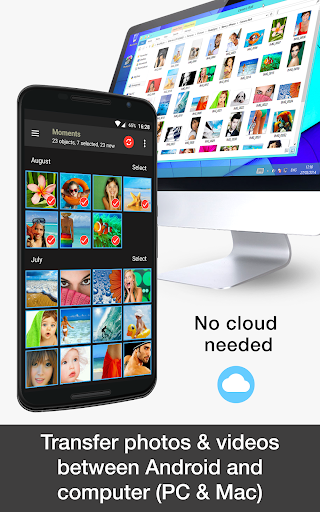
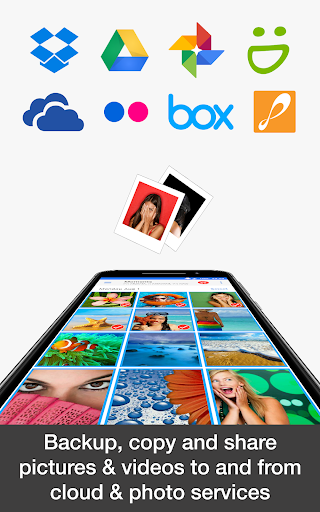
This product is the ‘PhotoSync Bundle Add-On’ Activation License of PhotoSync. Once purchased, you can add all PhotoSync Autotransfer, NAS and Cloud capabilities to the free PhotoSync version. ***PRICE SAVER*** BUY PHOTOSYNC BUNDLE ADD-ON AND SAVE 20% ★ Over 10,000 positive reviews, thousands of happy users and millions of photo transfers ★ Number one cross-platform solution with native apps for Android, iOS, Windows & Mac ★ Reliable and secure software – operating 10 years in the market and continuously updated ★ Total user control and fully customisable ABOUT PHOTOSYNC BUNDLE ADD-ON VERSION Wirelessly transfer, backup and share your photos & videos between Android devices, iPhone, iPad, Computer, NAS, cloud and photo services. Any kind of transfer – PhotoSync can handle it! Buying the bundle add-on costs less than all the combined single PhotoSync add-ons and includes all future add-ons for FREE. It also removes ads from PhotoSync! The PhotoSync Bundle Add-On includes: ★ PhotoSync Autotransfer Add-On ★ PhotoSync NAS Add-On ★ PhotoSync Cloud Add-On About PhotoSync Autotransfer Add-On • Automatically backup photos & videos directly from your Android phone / tablet to computer (PC & Mac) over WiFi • Securely auto upload photos & videos straight from Android to your NAS, wireless mobile storage device or remote server over SMB, (S)FTP and WebDAV • Automatically share photos & videos directly from Android to supported cloud / photo services over WiFi and 3G/LTE • Automatically and wirelessly transfer photos & videos, whenever: - You take a new picture or video [Instant transfer] - Your device connects to a pre-selected WiFi network [Wi-Fi access point (SSID)] - You arrive at a pre-selected geolocation [Location based transfer] - You charge your device [Trigger transfer] - A pre-set time schedule is met [Time schedule] About PhotoSync NAS Add-On • Securely backup photos & videos to your NAS, remote server or personal cloud over SMB, (S)FTP or WebDav • Download and view photos & videos stored on SMB, (S)FTP and WebDAV servers • PhotoSync works flawlessly with NAS storage devices, servers and personal cloud services from: - Synology - QNAP & Buffalo NAS - ownCloud - Nextcloud - WD MyCloud - FreeNAS - OpenMediaVault - Seagate Personal Cloud - NETGEAR ReadyNAS - and many more … • Quickly and easily upload and download photos & videos whilst on-the-go to your wireless portable hard drive • PhotoSync supports all major mobile storage solutions (wireless USB sticks, portable hard drives, cable adaptors… from: - Western Digital - Seagate - Toshiba (http://www.canvio.jp/apps/en/) - HyperDrive - SanDisk - and many more … About PhotoSync Cloud Add-On • Upload and share photos & videos to cloud and photo services over WiFi and 3G/LTE • Import photo & videos stored on cloud and photo services over WiFi and 3G/LTE • PhotoSync supports - Dropbox - Google Drive - Google Photos - Flickr - OneDrive - SmugMug - Box - Zenfolio - PhotoPrism HOW IT WORKS: 1. Download and Install PhotoSync at https://play.google.com/store/apps/details?id=com.touchbyte.photosync 2. Download and install 'PhotoSync Bundle Add-On License' 3. PhotoSync will automatically upgrade to PhotoSync Add-On Bundle version upon the installation of PhotoSync Add-On Bundle License ABOUT FREE PHOTOSYNC VERSION • Backup photos & videos from Android devices to computer (PC & Mac) over WiFi or Portable WiFi Hotspot • Send pictures & videos from computer to Android phone and tablet over WiFi or Portable WiFi Hotspot • Transfer photos & videos between Android phone and tablet over your local network (WiFi or Portable WiFi Hotspot) • Copy and move photos and videos between Android devices and iPhone / iPad over WiFi or Portable WiFi Hotspot. (Requires PhotoSync for iOS installed on iPhone / iPad / iPod touch) • Ad-supported
What's New
Latest version 3.4.1 with bug fixes and performance improvements
Enhanced security and stability
Optimized for better user experience
Kullanıcı Yorumları
10 yorum
jesse holloway
4 yıl önce
PhotoSync has been awesome! I used to manually transfer pictures from my phone to my WD MyCloud via a computer every couple of weeks/months. After testing this app, I decided to purchase. Now I can backup full copies of my pictures and videos with no hassle. It's so easy! I haven't setup automatic backups, but it's simple enough for me to open the app - a few taps later, it's backing up all new pictures and videos to a folder on the MyCloud. So convenient!

Anthony Johnson
4 yıl önce
PhotoSync is an awesome app. I've been using it for about 6 years now. Being able to back up all my photos/ videos to my computer automatically is great as a back up. My wife and I both use this tool along with the desktop app. It's a great way, also, for you to have all your pics together. It's nice to be able to tag and sort your pics when they are uploaded to the computer. I would recommend this app and the desktop app to anyone and everyone; and I have!!! P.S. It's easy setup too!

Liz Mary
4 yıl önce
So helpful for backing up pix and videos between phone ipad and pc . I wouldn't be without it . Highly recommended , quick , and easy to use ( also backs up to/ from dropbox and Google drive ). Many thanks to the app developer for making this available on so many platforms. The Only annoyance and it isn't the developers fault , is that I can't back up to / from Amazon drive directly. It's something to do with Amazon privacy I think ?
Developer
Trusted developer with verified applications on our platform.
App Information
Download Stats
Safe Download
This app has been verified and is safe to download. No malware detected.
You Might Also Like
More apps from Photography category


Selfie Camera - Beauty Camera
iMediaStar


FaceFancy-Face Swap & AI Photo
SZYJ Technology


StyleSwap: Outfits & Faces
SkySoft Inc


AI Photo Editor: Gallery Vault
T21 Games


HD Camera: AI Beauty
UniStarSoft


Photo Album F-Stop Pro
Seelye Engineering