Screenshots




About this app
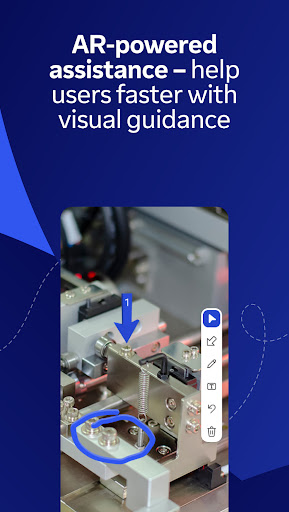
Control your desktop, manage files, and support devices—from anywhere, anytime. Whether you’re on the move, traveling, or in the field, the TeamViewer Remote Control app gives you fast, secure remote access right from your Android phone, tablet, or Chromebook. What's inside: • Securely access Windows, macOS, and Linux computers as if you were right in front of them • Provide instant support or manage unattended devices like servers or virtual machines • Control Android mobile and tablet devices remotely – including rugged devices, kiosks, and smart glasses • Use Assist AR for live, visual support with augmented reality — guide users by placing 3D markers in their environment • Use your phone or tablet to work on your remote desktop while traveling • Share and transfer files easily between devices — in both directions • Chat in real time for questions, updates, or guidance during a session • Enjoy smooth screen sharing with sound and HD video transmission Key Features: • Full remote control and screen sharing • Intuitive touch gestures and controls • File transfer in both directions • Real-time chat • Effortlessly access computers behind firewalls and proxy servers • Multi-monitor support • Sound and video transmission in real-time • High-quality sound and video • Industry-grade security: 256-bit AES encryption • Works across Android, iOS, Windows, macOS, Linux, and more How to get started: 1. Install this app on your Android device 2. On the device you want to connect to, install the TeamViewer QuickSupport app 3. Open both apps, enter the ID or Session code from QuickSupport, and connect Optional Access Permissions: • Camera – To Scan QR codes • Microphone – To transmit audio or record sessions (You can use the app without these permissions; adjust them anytime in Settings) Want to allow remote access to this device instead? Download the TeamViewer QuickSupport app. TeamViewer subscriptions purchased from the app will be charged to your iTunes account and will automatically renew within 24 hours prior to the end of the current subscription period, unless auto-renewal is turned off, after purchase, go to your iTunes account settings. A subscription cannot be cancelled during the active subscription period. Privacy Policy: https://www.teamviewer.com/apps-privacy-policy Terms of Use: https://www.teamviewer.com/eula/
What's New
Latest version 15.73.43 with bug fixes and performance improvements
Enhanced security and stability
Optimized for better user experience
Kullanıcı Yorumları
10 yorum
R
3 ay önce
I almost never have an issue with applications both on Android and PC. If I do, they're usually resolved after not too long. Thank you for what you've provided over the decades I've used your product. Edit : I should mention the software assumed I was using it for commercial purposes, and I had to reach out to support for assistance. But afterwards it was working normally. One other thing I have noticed is the mobile app has been logging me out a bit, but I'll reach out to support for it.

Jacob Scozzafava
7 ay önce
I'm not going to lie, I was just about pulling my hair out setting up easy access on my pc today, and I already shave my head, so that's no easy feat: migrating devices I had literally just set up (whatever that means; why not just have it set them up where it goes?) "new TeamViewer" prompts (for an app I literally just installed...just install the most current version to begin with??) and incessant pop-ups it took me almost an hour just to load. Works well for managing Plex account from afar.

Michael Silva (Epic Revenant)
1 yıl önce
works great, but if you use it a couple of times from mobile, they close your connections as "commercial use detected." They will deny any requests to unlock, as it isn't for commercial use. It shows when you can reuse it for another 2 minutes (really more like 45 seconds), but even that timer just keeps going up. So I'm just using until I can find something better. Sadly, I used to use this many years ago when the free option was viable.
Developer
Trusted developer with verified applications on our platform.
App Information
Download Stats
Safe Download
This app has been verified and is safe to download. No malware detected.