Screenshots






About this app
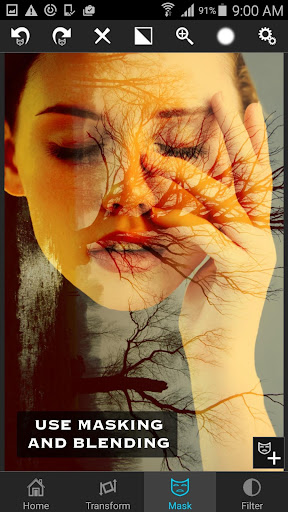
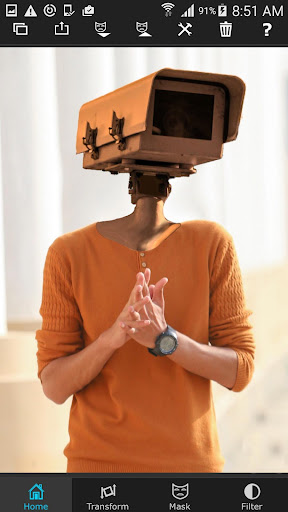
Just with a few taps, create professional grade superimposed or juxtaposed photos on your iPhone! You don't need a computers and expensive software to superimpose or cut/copy/paste one photo on top of another any more. Here is how it works... 1. Load a background image. 2. Load a foreground image. 3. Mask out unwanted portion of the foreground image using wide range of masking tools. 4. Smoothen the edges with smoothen tool inside the app, if required. 5. Move, Scale, Resize, Rotate, Flip the foreground to place it on the right location on the background image. 6. Adjust the colors/exposure/contrast/hue/saturation etc. of the foreground and the background images if required to match both the images in terms of colors. 7. You are done! Share with your friends and amaze them! You can also use this tool to do serious photo editing tasks like blending textures or overlaying borders or to do double exposure with adjustable transparency and 18 blending modes. Masking in the app is the most powerful one available on the app store, just tap on an area of the photo, and the app will mask out all the connected area with similar colors. Or you can use brush, lasso, global color similarity, rectangle, ellipse, linear, bi-linear or radial gradient masking tools. Mask a portion with this tool and that portion of the foreground image will become transparent and reveal the background.
What's New
Latest version 6.2.0 with bug fixes and performance improvements
Enhanced security and stability
Optimized for better user experience
Kullanıcı Yorumları
10 yorum
Tree Tray
5 yıl önce
Great! I love it and all, really good to use and worth the money spend. I make kpop edits for my instagram and never have used such a good editing app (along with PicsArt) to make them. The only thing I would have to complain about is how it is sorta complicated to use. I had to often use youtube videos for some months in order to REALLY understand. Because if some of the things weren't explained to me I would not be able to use it.

A Google user
6 yıl önce
I don't normally write reviews but this one is worth every cent, love it. Especially being able to zoom in to remove tiny bits you can't normally see. Takes some time to get used to it and learn how everything works but then it's possibly the best editing app. Absolutely love it. Thanks so much <3
A Google user
6 yıl önce
I love it! For any of you who gives bad ratings, maybe it's because you don't know how to use this app until you make a great edit. I made a lot of edits that are really good, it just depends on how simple or complex you put your edit together. Also, maybe you can put the features from iOS version to Android version too, that would be great
Developer
Trusted developer with verified applications on our platform.
App Information
Download Stats
Safe Download
This app has been verified and is safe to download. No malware detected.
You Might Also Like
More apps from Photography category


Selfie Camera - Beauty Camera
iMediaStar


FaceFancy-Face Swap & AI Photo
SZYJ Technology


StyleSwap: Outfits & Faces
SkySoft Inc


AI Photo Editor: Gallery Vault
T21 Games


HD Camera: AI Beauty
UniStarSoft


Photo Album F-Stop Pro
Seelye Engineering