

Screenshots





About this app
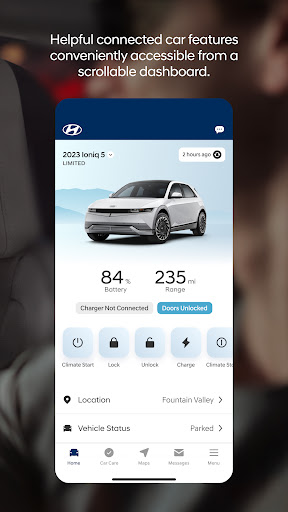
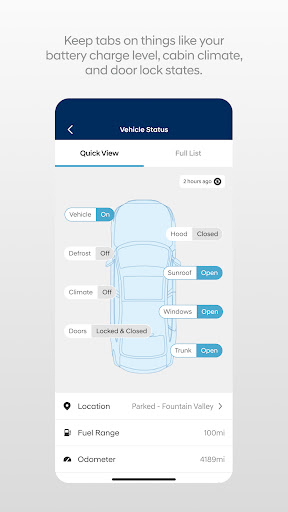
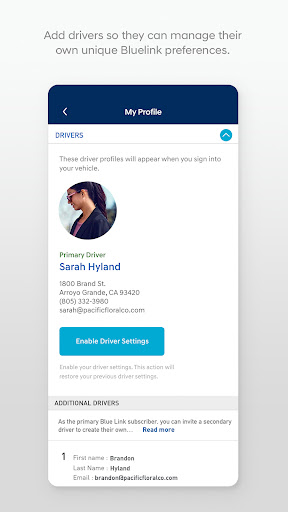
The MyHyundai app makes getting information about your Hyundai vehicle easier than ever. The MyHyundai app allows you to access owner resources, schedule service or connect to your Bluelink enabled vehicle from your phone. Bluelink technology enables and empowers you while you are on the go, giving you access to your Bluelink features from your office, at home, or just about anywhere. Access the app with your MyHyundai.com ID, password and PIN to take advantage of Bluelink’s Remote features. Log in and send commands conveniently using biometric authentication (fingerprint or face recognition). An active Bluelink subscription is required to use Bluelink features in the app. To renew or upgrade to either Remote or Guidance, please visit MyHyundai.com. An active Bluelink Remote Package (R) or Guidance Package (G) subscription is required to access select features. Feature support varies by vehicle model. Please visit HyundaiBluelink.com to check what Bluelink features your vehicle supports. With the MyHyundai app you can: • Remotely start your vehicle (R) • Remotely unlock or lock the door (R) • Start your vehicle with saved presets you customize (R) • View charging status, manage charging schedules and settings (EV and PHEV vehicles only) (R) • Learn more about key features with user tutorials • Remotely activate the horn and lights (R) • Search and send Points of Interest to your vehicle (G) • Access saved POI History (G) • Make a Car Care service appointment • Access Bluelink Customer Care • Find your car (R) • Access maintenance information and other convenient features. • Check Vehicle Status (supported on select 2015MY+ vehicles) • Access vehicle features with four phone widgets for Remote Features, Parking Meter, POI search and Ioniq EV vehicle MyHyundai app also supports Wear OS smartwatch features. Use voice commands or the smartwatch menu to access select features. With MyHyundai for Wear OS you can: • Remotely start your vehicle (R) • Remotely unlock or lock the door (R) • Remotely activate the horn and lights (R) • Find your car (R) *Note: Active Bluelink subscription and Bluelink equipped vehicle with capabilities required. The MyHyundai app asks for the following device permissions as needed: • Camera: For adding driver and profile pictures • Contacts: To select from phone contacts when sending secondary driver invites • Location: For map and location functionality throughout the app • Phone: For placing calls when tapping on buttons or links to call • Files: For saving PDFs or other downloaded documents to the device • Notifications: To allow push notification messages from the app • Biometrics: For enabling fingerprint and/or face recognition for authentication For technical assistance, please contact us at AppsTeam@hmausa.com. Disclaimer: Feature support varies by vehicle model. Please visit HyundaiBluelink.com to check what Bluelink features your vehicle supports.
What's New
Latest version 5.3.6 with bug fixes and performance improvements
Enhanced security and stability
Optimized for better user experience
Kullanıcı Yorumları
10 yorum
Brooks Fiesinger
4 ay önce
compared to other apps for oems I've dealt with this one's pretty good. the biggest problem is annoying login situation. often when you need to do something you want to be able to just do it and you have to log in first every time. outside of that though, it's pretty solid. sure, I can think of really good things that would make it better like having scheduled start times and stuff like that, but The features it does have work really well, and it's reliable.

Christie Johnson-Surls
8 ay önce
loved this app until recently it has stopped working. only works once in awhile now. was hoping your IT people would fix this issue. not sure if its just me having this issue or others. I get an error message saying "we are sorry but we could not complete your request, please try again later. [gen]. thats juat from after logging in. and none of my data shows. this happens the most. then it decides to work right a few times then goes back to the error. please fix.
Hello, We appreciate you taking the time to contact us. Please reach out to Hyundai Customer Care at (855) 225-8354 or write to us at AppsTeam@hmausa.com. Please include your VIN, app user ID, screen recording and/or Case # which will help us gather more details about your issue.

David Lee
7 ay önce
It mostly works. but apparently you need a separate app for the digital key. But not if you're the secondary driver. if you are the secondary driver, you can't do hardly anything on your own besides the basics like turn on climate. Even the instructions don't match functionality. It also needs more flexibility in setting things, like anything with a schedule. God for bid you have multiple start times for climate. I'm surprised there isn't a pet mode
Thank you for sharing your feedback, David. We will make sure to pass it along to the team for review.
Developer
Trusted developer with verified applications on our platform.
App Information
Download Stats
Safe Download
This app has been verified and is safe to download. No malware detected.
You Might Also Like
More apps from Productivity category











