Screenshots
About this app
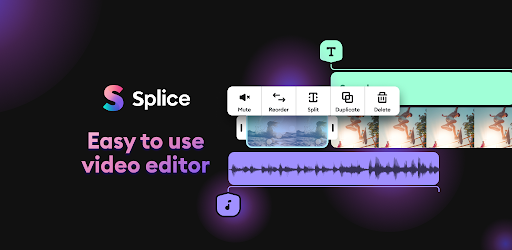
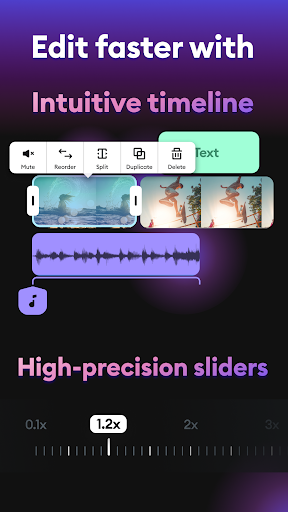
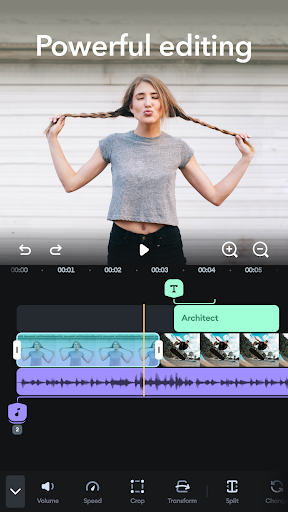
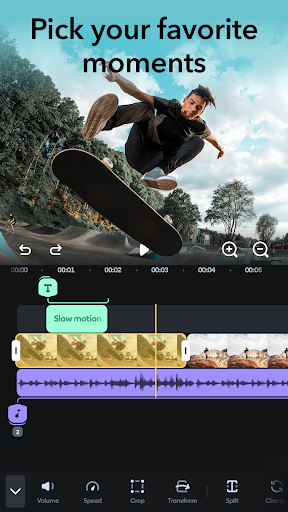
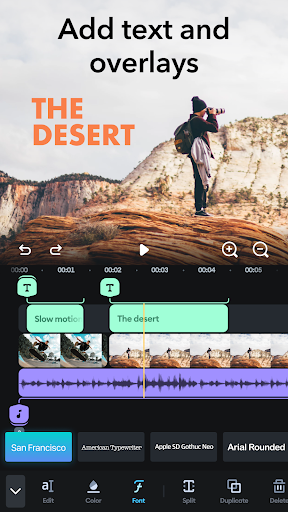
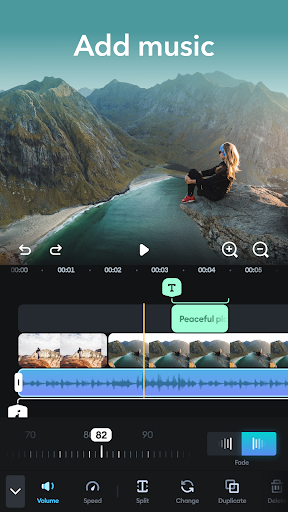
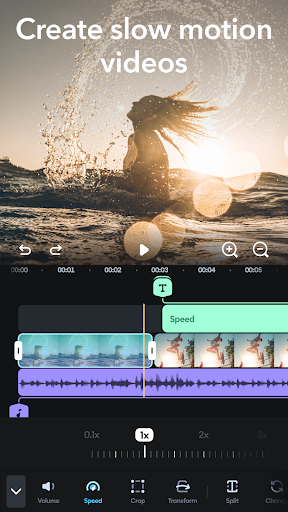
Wonder how creators go viral with stunning videos? Try Splice and find out how easy it is to create your own masterpiece only by using your phone! The performance of pro-level desktop editing, optimized for your mobile device. Just a few taps to trim clips, add music, adjust speed, and create beautiful movies and slideshows you’ll love to share. Watch your followers go crazy for your gorgeous video edits. Quick, simple, stunning. It’s never been faster or easier to edit on the go like a pro. Splice Video Editor: make stunning videos in a snap! 🎥 COMPLETE MOVIE MAKER: EDITING MADE SIMPLE + Splice offers the best tools for making videos and movies on mobile. + Trim, cut, and merge your photos and video clips in seconds. + Adjust speed for fast or slow motion. + Quickly add music choosing from our library of 400+ songs. + Add titles and text overlays. 🎬 PROFESSIONAL VIDEO MAKER AND EDITOR APP + Import photos & videos and set the perfect length. + Quickly organize & combine your pictures and clips within our intuitive timeline: Video making has never been easier. + PRO Trimmer & Cutter: Trim and cut your videos to split them into more clips. + PRO Merger & Joiner: Merge your clips and join photos in seconds to create an incredible montage, slideshow, or stop motion video. + Fit the right aspect ratio: Create masterpieces with the perfect size for your favorite social media such as Instagram (posts, stories, and Reels), TikTok, and YouTube. ⏱️ VIDEO MAKING WITH SPEED EFFECTS + Change speed to slow down clips or make fast motion edits. + Stand out on social media with timelapse and hyperlapse. 🎶 PICK THE PERFECT SOUNDTRACK + Add the perfect background song to your videos and slideshows. + Choose from a huge library of free music. + Trim and mix multiple audio tracks with precision. + Adjust the volume of your songs. ✍️ ADD CUSTOM TEXT + Add text to photo and video and communicate with your audience. + Customize your project by choosing the best font, color, and size and add fade-in and fade-out effects. + The quick, easy, fun way to build a connection with your social media followers. 💬 SHARE & SAVE YOUR VIDEO + Export videos in high quality. + Easily select the right aspect ratio for each social media channel. + Share to YouTube, Instagram, Tik Tok, Facebook, Mail, and more. + Save videos to your camera roll. Subscribe or to have unlimited access to all the premium features as well. • Subscription length: weekly, monthly, yearly • Your payment will be charged to your Google Account as soon as you confirm your purchase. • You can manage your subscriptions and turn off auto-renewal from your Account Settings after the purchase. • Your subscription will renew automatically, unless you turn off auto-renew at least 24 hours before the end of the current period. • The cost of renewal will be charged to your account in the 24 hours prior to the end of the current period. • When canceling a subscription, your subscription will stay active until the end of the period. Auto-renewal will be disabled, but the current subscription will not be refunded. • Any unused portion of a free trial period, if offered, will be forfeited when purchasing a subscription. The best mobile video editor you can find! Try Splice for free and create your 5-star video: Edit with text, music, and fast/slow motion speed effects! Have a feature request you’d love to see in a future version of the app? Contact us at splice-android@bendingspoons.com.
What's New
Latest version VARY with bug fixes and performance improvements
Enhanced security and stability
Optimized for better user experience
Kullanıcı Yorumları
10 yorum
Christina B
1 yıl önce
Had to help my kid with a class project and gave Splice a try. Very easy to use. It was the first tutorial I made and it turned out great. The only thing I found annoying was that I had to turn the volume up after voice recording. But maybe there's a setting that automatically plays recordings at a level? Overall, it saves me hours. I was able to upload a 2 min. video to YouTube within a couple minutes.

Primal Elmo
3 yıl önce
If you're looking to edit videos on mobile, use splice, its easy to use and its powerful. I have used a lot of software for editing, mobile and not mobile, and splice has stayed my favorite, the only downside is that you can use premium features but if you have used one, it prevents you from exporting. It would make more sense to just be unable to use the but whatever, good app 10/10
Hi! We’re happy to hear that you’re satisfied with our app. Also, we appreciate your suggestion, and we’ll treasure it for future improvements: our users’ opinion is crucial for us to make sure the app meets your needs. If you’d like to share any other ideas with us, feel free to drop us an email at splice-android@bendingspoons.com!

Jack Gordon
3 yıl önce
Absolutely love! I am not an expert, but with this free version app, it make me look like one. It is the easiest & has the most available options that I have seen through about a dozen different apps. I have a GoPro and they have an app for you to use called Quik but it's horrible, I like the features but it locks up all the time, get to the end of what you're doing you've spent 2 days on & it will delete. So if you want your videos to look professional then this is the app for you!
Thank you very much for your 5-star review. We're truly happy to know that we can contribute to users like you having an amazing video-editing experience!
Developer
Trusted developer with verified applications on our platform.
App Information
Download Stats
Safe Download
This app has been verified and is safe to download. No malware detected.
You Might Also Like
More apps from Video Players & Editors category


Video Downloader - XDownloader
Download Videos App Tools


VITA - Video Editor & Maker
SNOW Corporation


iWebVR Pro
Panagola Private Limited


Slideshow Maker Photo Video
Govo Tech


AI Video Maker With Music
Aquaworld Infotech


Video Downloader & Player
Innometrics Enterprise