
Screenshots





About this app
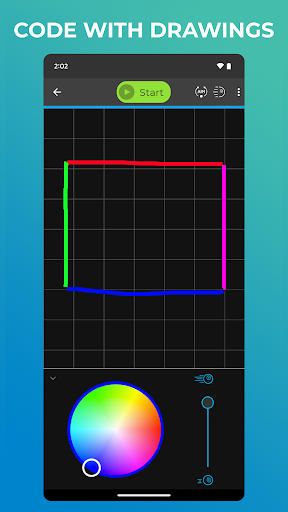
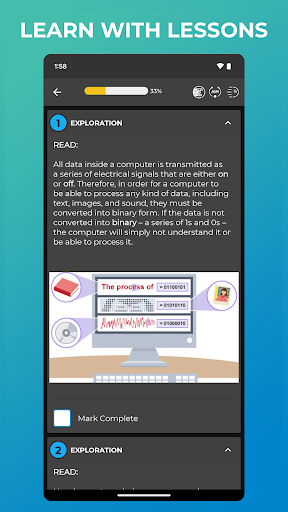
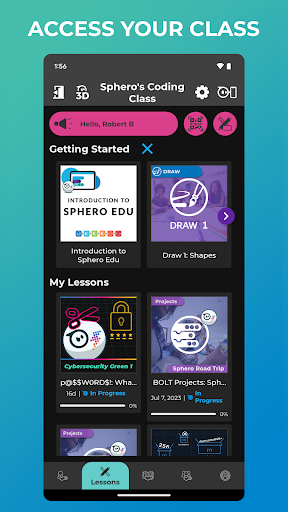
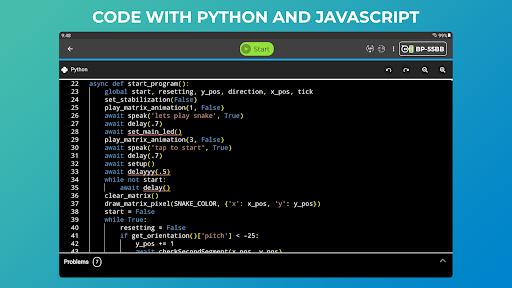
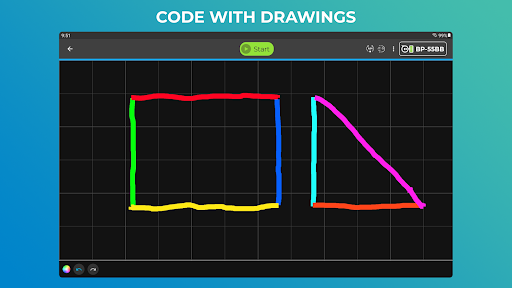
Sphero Edu is your hub to create, contribute, and learn with Sphero robots. Go beyond code by incorporating unique STEAM lessons to complete with your bot. Designed for learner progression, Sphero Edu beginners can give robots commands by drawing a path in the app for their robot to follow. Intermediate coders can use Scratch blocks to learn more advanced logic, while pros can use text programming and write their own JavaScript or Python code. Sphero Edu is built for makers, learners, educators, and parents. The interactive platform allows you to keep track of your class or group from one easy place. Anyone can save their progress, jump from device to device, and continue the discovery from anywhere. Preparing for the future has never been so fun. SPHERO EDU FEATURES PROGRAMS: Program your bots in 3 ways with Draw, Block, and Text modes. Start with the basics and grow. SENSOR DATA: See location, accelerometer, gyroscope, velocity, and distance sensor data through visual graphs. LESSONS: Program a painting. Navigate a maze. Mimic the solar system. The only limit is your imagination. TAKE A DRIVE: Need a brain break? Set LED colors on your robot and zoom around in Drive mode. ASSIGNMENTS: Are you a teacher? Monitor progress by creating lessons and assigning them to your students. INTEGRATIONS: Simplify classroom use by signing in and syncing classrooms with Google and Clever accounts. COMPATIBILITY Supported Robots: Sphero BOLT+, Sphero BOLT, Sphero RVR/RVR+, Sphero SPRK+, Sphero SPRK Edition, Sphero 2.0, Sphero Mini, Ollie, BB-8, BB-9E, R2-D2, R2-Q5 Unsupported Robots: Sphero Original, Force Band, Lightning McQueen, Spider-Man, indi
What's New
Latest version 8.2.1 with bug fixes and performance improvements
Enhanced security and stability
Optimized for better user experience
Kullanıcı Yorumları
10 yorum
A Google user
6 yıl önce
UPDATE: Chomebook restart which triggered critcal update solved it: Installed on Chromebook via Android app integration. This chromebook has a full keyboard. The app appeared fully frozen, but what actually happens is only the keyboard interacts with the app. The touchscreen nor touchpad works on the app. You can somewhat navigate via arrows on keyboard, but ultimately the app is worthless without adapting to appropriate input of touchscreen or touchpad. All other Android apps work fine so far.
A Google user
6 yıl önce
It works perfectly on my Samsung Galaxy 9+. I have downloaded the app and it connects to my bluetooth, but it will not connect to the app. What am I doing wrong? other then that I would give it a Rating of 5. After playing with it for 3 days it finally connected to my surface pro 6. I think it was the bluetooth after I switched it on then off. restarted the surface it started working. Thanks!!!
HI Anthony -- Is your location services enabled? Can you try uninstalling the app / rebooting your device / reinstalling the app? Please email us, support@sphero.com - we're standing by and glad to assist. Thank you!
A Google user
7 yıl önce
It's great for programming my sphero robots, but it would be even better if I could connect more than one robot at once. (eg, to program multiple BOLTs to move in sync, or to program a RVR and a BOLT to communicate via IR, and play a game of Robo-Tennis with just one device, for example.)
Developer
Trusted developer with verified applications on our platform.
App Information
Download Stats
Safe Download
This app has been verified and is safe to download. No malware detected.
You Might Also Like
More apps from Education category