
Screenshots



About this app
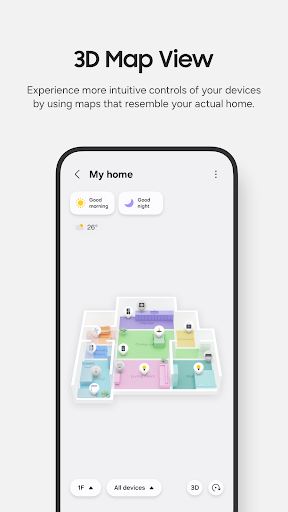
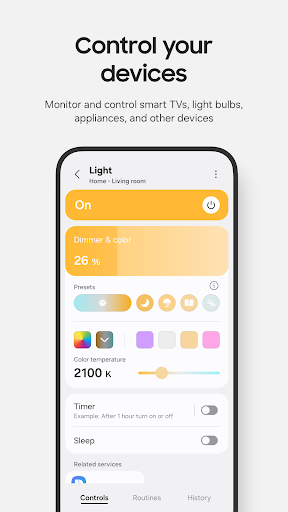
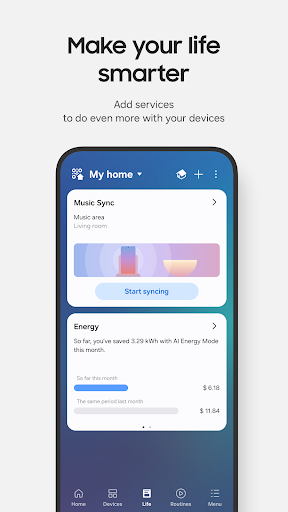
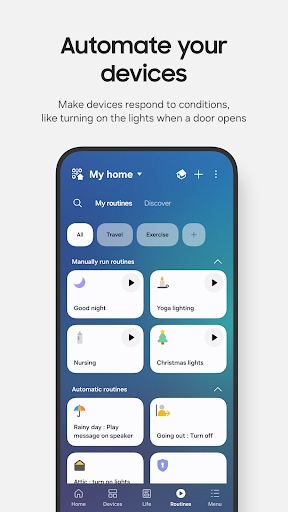
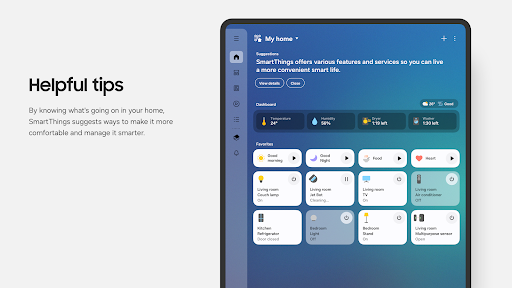
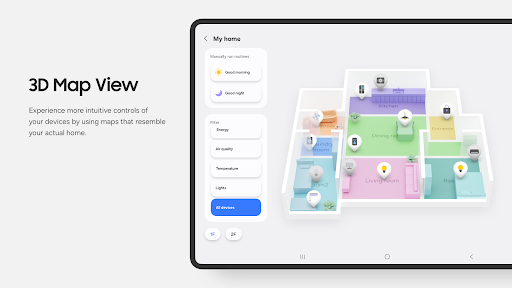
Quickly and easily connect and control your smart home devices through SmartThings. SmartThings is compatible with 100s of smart home brands. So, you can control all of your smart home gadgets in one place, including your Samsung Smart TV and smart home appliances. With SmartThings, you can connect, monitor and control multiple smart home devices quicker and easier. Connect your Samsung smart TVs, smart appliances, smart speakers and brands like Ring, Nest and Philips Hue - all from one app. Then control your smart devices using voice assistants including Alexa, Bixby and Google Assistant [Key Features] - Control and check in on your home from wherever you are - Build routines that are set on time, weather, and device status, so your home runs smoothly in the background - Allow shared control by giving access to other users - Receive status updates about your devices with automated notifications ※ SmartThings is optimized for Samsung smartphones. Some features may be limited when used with other vendors' smartphones. ※ Some features may not be available in all countries. ※ You can also install SmartThings on Wear OS-based watches. ※ SmartThings for Wear OS is only available when the watch is connected to a mobile phone. You can get a quick access to routine run and device control by adding SmartThings tile on your watch. We provide SmartThings complications that allow you to enter SmartThings app service directly from watchface. [App requirements] Some mobile devices may not be supported. - Memory size : 3GB over ※ App permissions The following permissions are required for the app. You can use the app without optional permissions, but some functions may be limited. [Optional access permissions] • Location : Used to locate your devices, create routines based on your location, and scan for nearby devices using Wi-Fi • Nearby devices : (Android 12 ↑) Used to scan for nearby devices using Bluetooth Low Energy (BLE) • Notifications : (Android 13 ↑) Used to provide notifications about SmartThings devices and features • Camera : Used to scan QR codes so you can easily add members and devices to SmartThings • Microphone : Used to add certain devices to SmartThings using high-frequency sounds • Storage : (Android 10~11) Used to save data and share content • Files and media : (Android 12) Used to save data and share content • Photos and videos : (Android 13 ↑) Used to play photos and videos on SmartThings devices • Music and audio : (Android 13 ↑) Used to play sound and video on SmartThings devices • Phone : (Android 10 ↑) Used to make calls on smart speakers • Contacts : (Android 10 ↑) Used to get phone numbers of your contacts to send text message notifications • Physical activity : (Android 10 ↑) Used to detect when you start pet walks
What's New
Latest version VARY with bug fixes and performance improvements
Enhanced security and stability
Optimized for better user experience
Kullanıcı Yorumları
10 yorum
Cassandra Perez
9 ay önce
This app is so cool! I just got a smart Samsung washer/dryer and wasn't aware of the Smart Things app. It's very easy to add devices with the Samsung QR code on the machines and gives you all of your laundry details at a glance so you can see what part of the cycle it's on and the time left. I'm super impressed and can't wait to add more!
Hi Cassandra, thank you very much for your feedback.

Blake Arnold
5 ay önce
Longtime SmartThings user here. I've managed to automate SO much in my home using the routines - lights turning on/off, plants getting watered, bathroom fans turning on when the humidity is too high, etc. The app just keeps getting better and is really reliable at this point. Best combo of ease of use and ability to create complex rules that exists in my opinion.
Hey Blake, thank you for downloading our app! We will keep working on it!

Melissa Russell
6 ay önce
absolutely LOVE this app. Unlike my kids I'm not very tech savvy but this easy even for people like myself. regardless of what brands you have in your house be it white goods, lights or even the vacuum, a click of a button can save even a minute of time but I love how it can pre warn a potential issue, diagnose a problem but the feature i do like is the "HOW TO RECTIFY" and suggests alternatives to prevent the issue happening again
Developer
Trusted developer with verified applications on our platform.
App Information
Download Stats
Safe Download
This app has been verified and is safe to download. No malware detected.
You Might Also Like
More apps from Lifestyle category


