Screenshots


About this app
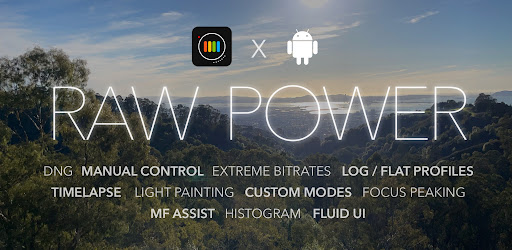
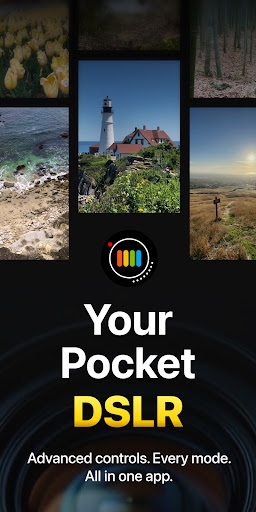
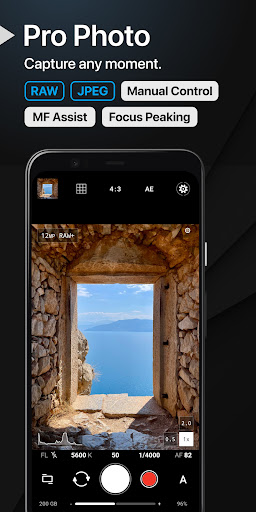
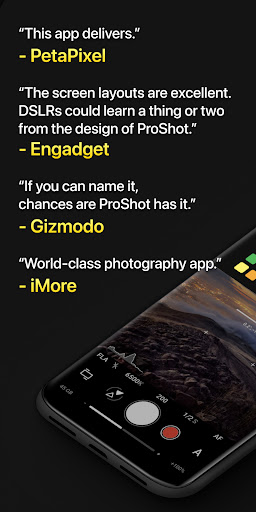
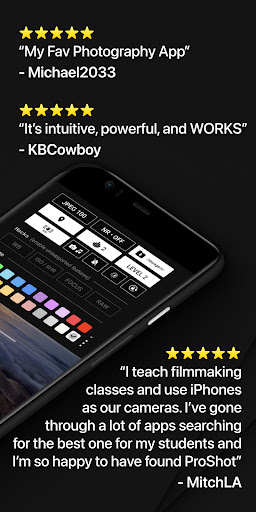
NEW: Try ProShot Evaluator first to see which features your device supports https://play.google.com/store/apps/details?id=com.riseupgames.proshotevaluator "The screen layouts are excellent. DSLRs could learn a thing or two from the design of ProShot" -Engadget "If you can name it, chances are ProShot has it" -Gizmodo Welcome to ProShot, your complete photography and film making solution on Android. Whether you are a seasoned professional or just getting started, ProShot has something for you. Its expansive feature set and unique interface unlock unlimited possibilities, ensuring you’ll never miss that perfect shot. Manual Controls ProShot unleashes the full power of the camera2 API to offer a range of manual, semi-manual and automatic controls, just like a DSLR. Take full advantage in Manual mode, keep ISO in check in Program mode, or leave it all on Auto and simply enjoy the moment. Endless Features With its wide range of options, ProShot adjusts to your changing world. Fly through camera settings with its unique Dual Dial system. Record video from any mode with the press of a button. Play with light in unique Light Painting modes. Capture the stars with Bulb mode. And adjust camera output with options for Noise Reduction, Tone Mapping, Sharpness and much more. Privacy Built-In In a world where everyone wants to harvest your data, ProShot doesn’t, because that’s the way it should be. No personal data is stored, collected or transmitted, so you can rest assured that your images, videos and data are safe. There is so much more to ProShot. Below is a list of many of the features waiting for you. ProShot is under constant development, so great new things are always just on the horizon! • Auto, Program, Manual, and two Custom modes, just like a DSLR • Shutter priority, ISO priority, Automatic, and Full Manual control • Adjust exposure, flash, focus, ISO, shutter speed, white balance and more • Shoot in RAW (DNG), JPEG or RAW+JPEG • HEIC support on compatible devices • Support for Vendor Extensions including Bokeh, HDR and more • Light Painting with special modes for capturing water and star trails • Bulb mode integrated into Light Painting • Timelapse (intervalometer and video), with full camera control • 4:3, 16:9, and 1:1 standard aspect ratio for photo • Custom aspect ratios (21:9, 5:4, anything is possible) • Zero-lag bracket exposure up to ±3 • Manual focus assist and focus peaking with customizable color • Histogram with 3 modes • Zoom up to 10X using just one finger • Customizable accent color to fit your style • Camera roll seamlessly integrated into the viewfinder • Adjust JPEG quality, Noise Reduction quality, and storage location • Shortcuts for GPS, screen brightness, camera shutter, and more • Customization panel to truly make ProShot your own. Customize startup mode, remap volume buttons, set filename format, and much more Video Features • All camera controls available in Photo mode are also available in Video mode • Up to 8K video with extreme bitrate options • Support for “beyond 4K” on compatible devices • Adjustable frame rate from 24 FPS up to 240 FPS • LOG and FLAT color profiles for increased dynamic range • Support for H.264 and H.265 • Up to 4K Timelapse • Industry-standard options for 180 degree rule • Support for external microphones • Monitor audio levels and video file size in real-time • Pause / resume recording • Support for simultaneous audio playback (like Spotify) while recording • Video light Time to leave the heavy DSLR at home, ProShot's got your back.
What's New
Latest version 8.32.5 with bug fixes and performance improvements
Enhanced security and stability
Optimized for better user experience
Kullanıcı Yorumları
10 yorum
Bin Yang
3 yıl önce
I think this is an excellent app with great potential! With my limited time of use so far, on Pixel 7 pro, I noticed that the image was not saved correctly. It seems like the saved image is in preview quality, but the file size is large (normal). When you zoom in, no details. There must be something wrong with saving. Updates: the issue mentioned earlier I believe was due to the app used the ultra wide camera for other focal lengths by using digital zoom (without actually switching the camera)
Hello, For RAW photos, ProShot only displays them in the camera roll as low res thumbnails because decoding RAW files takes a lot of time. If you are having issues with image capture however, please send me an email, I'd be glad to take a look! support@riseupgames.com

PurplFade
2 yıl önce
Definitely not an expert at photography, but I can say that this is a good alternative to expensive cameras! Although, I would suggest adding some sort of guide feature to the app for those like me who sometimes forget certain aspects of things. (EDIT: Now that I know about the guide actually in the app, I'll definitely be sure to use it!)
Hello, thank you for your review! You can access several guides including a user manual and a video tutorial by opening the settings panel and tapping the "three dots" button :)

Dan Lemieux
5 ay önce
Initially it didn't work well with the OnePlus 13, but was great on my old S22 Ultra. The developer reached out and helped with one of the major issues I had and now it works much better. Great app and great support from developer. Thank you
Hello, certain OnePlus phones may require a small tweak in order to work properly. Please go to Settings > Customize > Troubleshooting, and set the Lens Mode to "Legacy". If that does not work, please send me an email and I'd be glad to help: support@riseupgames.com
Developer
Trusted developer with verified applications on our platform.
App Information
Download Stats
Safe Download
This app has been verified and is safe to download. No malware detected.
You Might Also Like
More apps from Photography category


Selfie Camera - Beauty Camera
iMediaStar


FaceFancy-Face Swap & AI Photo
SZYJ Technology


StyleSwap: Outfits & Faces
SkySoft Inc


AI Photo Editor: Gallery Vault
T21 Games


HD Camera: AI Beauty
UniStarSoft


Photo Album F-Stop Pro
Seelye Engineering