

Screenshots
About this app
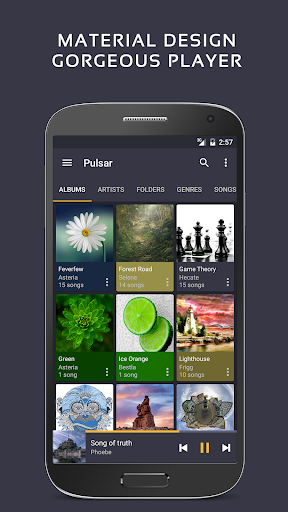
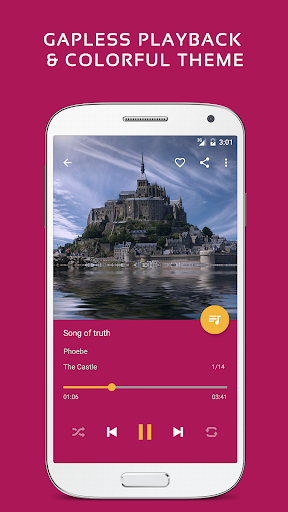
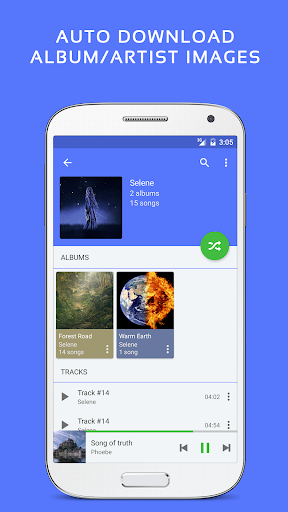
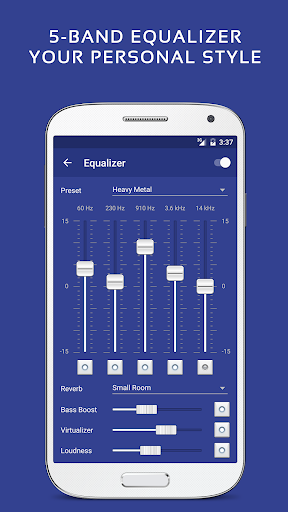
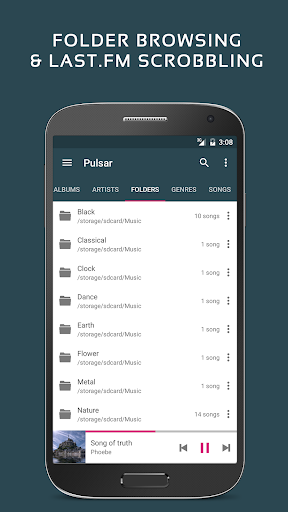
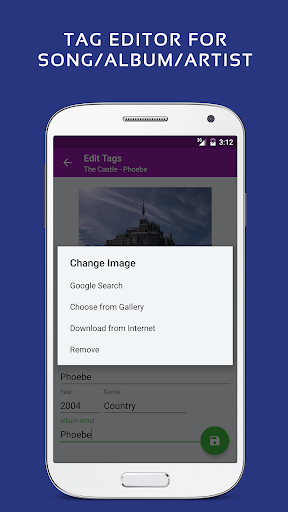
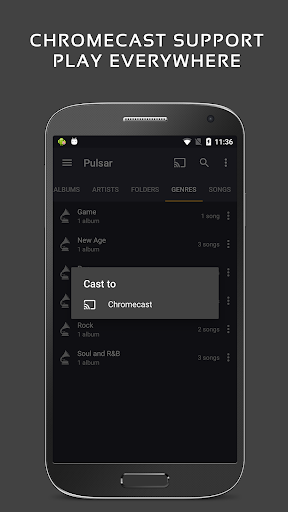
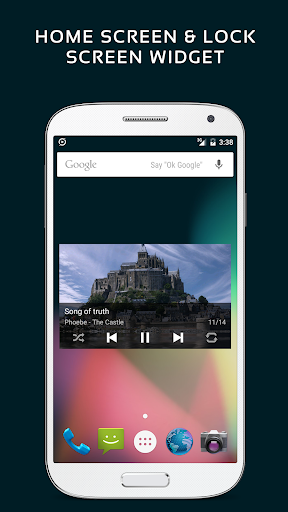
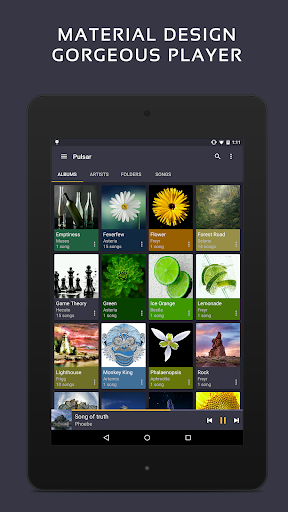
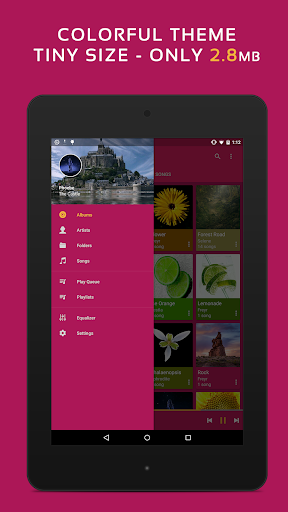
Pulsar Music Player has long been one of the best music players on Android. It is an offline audio player without advertisements. Its gorgeous user interface matches every single detail of the material design guidelines. Pulsar contains almost every necessary feature to fulfill all of your musical needs including: gapless playback, lyrics display, crossfade, play speed adjustment, tag editing, last.fm scrobbling, Chromecast, voice command, Android Auto, equalizer, music visualizer, audio balance, ReplayGain, sleep timer, etc. Pulsar is the ultimate music player on Android, with millions of downloads. Key Features: ✓ Gorgeous user interface and animation with material design. ✓ Manage and play music by album, artist, folder, and genre. ✓ Smart playlists with most played, recently played, and newly added tracks. ✓ Automatic sync missing album/artist images. ✓ Fast search across albums, artists, and songs. ✓ Resizable home screen widget. ✓ Gapless playback support. ✓ Play speed adjustment. ✓ Crossfade support. ✓ Replay gain volume normalization. ✓ Built-in metadata tag editor (mp3 and more). ✓ Display lyrics (embedded and lrc file). ✓ Music visualizer rendering. ✓ Chromecast (Google Cast) support. ✓ Google voice commands support. ✓ Android Auto support. ✓ Disable car auto play on Bluetooth. ✓ Sound balance adjustment. ✓ Last.fm scrobbling. ✓ Various colorful themes. ✓ Free of advertisements. ✓ Sleep timer. Pulsar Paid Version Vs. Free Version: Pulsar Music Player Pro is the premium version of Pulsar, which contains the following additional features: ✓ 16 extra themes. ✓ Theme customization. ✓ 5-band equalizer controller. ✓ 9 pre-built equalizer presets. ✓ Bass booster, reverb and more. Pulsar supports standard music file types including mp3, aac, flac, ogg, wav and etc. If you cannot find your music in Pulsar, please click the “rescan library” menu item from the action bar to rescan your device. The Pulsar music app has a complete online user manual, click here: https://rhmsoft.com/pulsar/help/help.html If you can help to translate this mp3 music player to your native language, or there is any mistake in current translation, please contact our email: support@rhmsoft.com. If you run into any issues or have any suggestions while using this mp3 music player, please feel free to contact us: support@rhmsoft.com. You can also share your comments to the Pulsar thread on xda-developers: http://forum.xda-developers.com/android/apps-games/app-pulsar-music-player-t3197336 Thanks for using Pulsar Music Player! Album and artist images used in the screenshots are licensed under Public Domain License: https://creativecommons.org/publicdomain/zero/1.0/
What's New
Latest version 1.13.8 with bug fixes and performance improvements
Enhanced security and stability
Optimized for better user experience
Kullanıcı Yorumları
10 yorum
John Mason
5 yıl önce
I have a more extensive offline music collection, and I kinda don't like using streaming services, so it was important to me to find an offline music player to organize all my song files. I checked out a looot of music apps before settling on this one. It's got a clean look, the user interface is intuitive, the sound quality is great, I mean, it's got everything you'd want in a music player app.

Jamison
5 yıl önce
I love the interface and I love the equalizer options. I can easily browse my extensive library by artist, album, or genre. The app displays pictures for everything. Only in the past year or so has the app begun splitting the same artist and the same album into two different entries, but this is fixable. I simply edit the first entry with the in-app tag editor and re-enter the album-artist to get everything nice and uniform. I shouldn't have to do this, but it's only a minor annoyance. Hopefully it'll be fixed someday!

TreesOnTheBeach
3 yıl önce
I really cannot fault this little music app for anything. It's simple and easy to use, nice looking, and you can buy it with a flat fee instead of a subscription (which I refuse to pay). I used to like Poweramp quite a bit, but hated that stupid subscription model where I had to download a separate app just to have the "pro" version. This is much easier to deal with. Very nice job, developer Edit: immediately found a big. The first artist is showing the wrong album art. No way in app to report.
Developer
Trusted developer with verified applications on our platform.
App Information
Download Stats
Safe Download
This app has been verified and is safe to download. No malware detected.
You Might Also Like
More apps from Music & Audio category

Audio Elements Pro
Rokaud


Spotify: Music and Podcasts
Spotify AB

Bose QC Earbuds
Bose Corporation
AudioLab Audio Editor Recorder
HitroLab - Mp3 Audio Editor and Ringtone Maker Dev

Musivibe - Enjoy Various Music
Acunsewer Media

AudioTool
jjbunn