

Screenshots


About this app
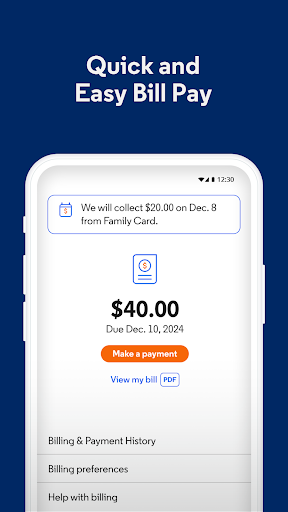
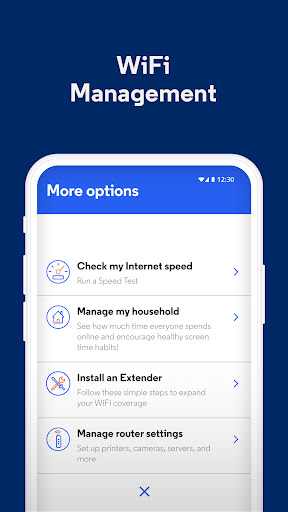
Introducing the all-new My Optimum app Find what you need in the palm of your hand and manage your Optimum account right from your phone. With the My Optimum app you can: WiFi Management and Internet Troubleshooting Get total control at your fingertips. Check your WiFi network, view or update your network name and password, examine network details, and troubleshoot internet issues. Find outage detection, helpful tips to optimize your speed and network. Plus, get updates and notifications regarding your Optimum account, reported outages, or bill reminders. Quick and Easy Bill Pay Make sure bills get paid on time, every month with Auto Pay or make a quick and easy one-time payment at your convenience. Optimize your Speed Receive step-by-step instructions and visual cues for pairing, installing, and placement guidance during the installation of your WiFi extender. With real-time and specific feedback for the extender on your account on how to place it correctly, your experience will be seamless. Personalize your Experience Effortlessly manage your home Wi-Fi network and your devices—anytime, anywhere. Create a customized profile for each family member and organize devices by the people that use them most. Plus, monitor and track usage and screen time across all the devices in your home.
What's New
Latest version 2.4.0.7 with bug fixes and performance improvements
Enhanced security and stability
Optimized for better user experience
Kullanıcı Yorumları
10 yorum
Anthony B
1 yıl önce
can't make changes to router, just loads website with same error that equipment can't be reached. Edit. I talked with app support and they were able to fix my access issues very quickly! When I had called support, they told me to just wait and it would just start working. I've updated my review as now the app is useful for making changes to my wifi. Hopefully more options become available, it's still frustrating that we cannot make more changes, like bridge mode.
I'm happy to hear that we were able to resolve your access issue, Anthony, and thank you for the updated review. Should you need anything else, please send us an email at BrandReviews@optimum.com and include your phone number along with the service address, and we’ll be glad to assist further. ^Mark

Lawrence May
8 ay önce
my bills seems a little higher than it should be. the current price for the service I have is less than what it was when I signed up... a lot less. they're offering faster data plans for the price that I'm paying for my slower data plan. anyway I'm going to make a call to their customer service and see what I can figure out but otherwise their service has been top-notch.
Thank you so much for sharing your feedback! We are here for support and would love to address any concerns you may have. Please feel free to send an email to AppSupport@optimum.com to include your physical address for assistance. Thank you, ^Sadie

Yirmy Tress
2 yıl önce
While the app itself functions, it does not actually allow me to manage my network directly. Instead, when I try to manage a router setting, it simply forwards me to the router website, which NEVER works. And speaking of the web interface, when will the "Advanced features" ever actually exist? It's been saying "Coming soon" for over a year now, and I've seen it on other people's routers for even longer. Sounds like a carrot on a string scenario where Optimum gives their customers false hope.
Hi there! Thank you for taking the time to share your feedback! It means a lot, as we are always looking to improve our app experience and services. Your feedback is very helpful, and we will send this along to our team. If anything else comes to mind, please share with us at AppSupport@optimum.com. Thank you again! ^Kevin
Developer
Trusted developer with verified applications on our platform.
App Information
Download Stats
Safe Download
This app has been verified and is safe to download. No malware detected.
You Might Also Like
More apps from Productivity category











