

Screenshots

About this app
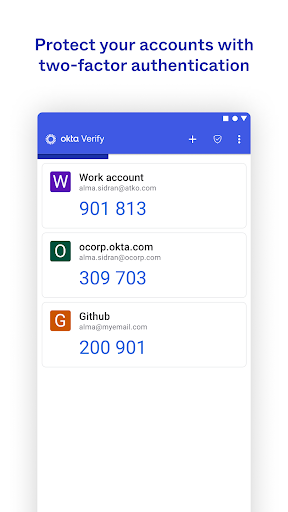
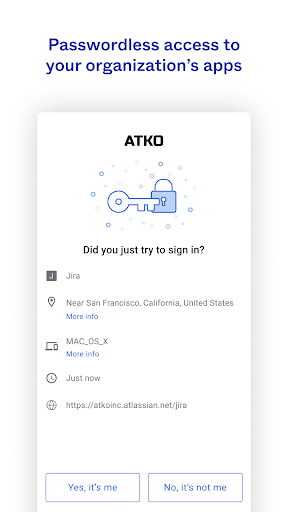
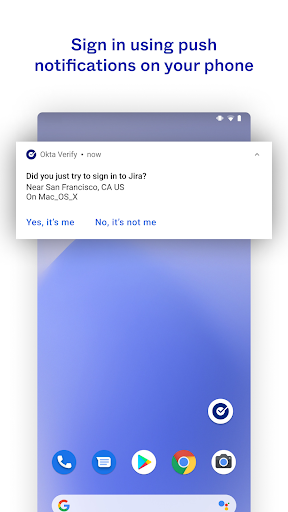
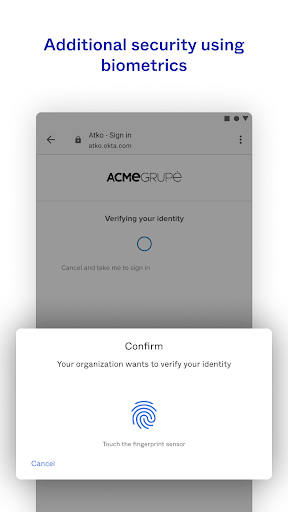
Okta Verify is a lightweight app that allows you to securely access your apps via 2-step verification, ensuring that you, and only you, can access your app accounts. While you access your apps, you'll choose a 2-step verification method provided by Okta Verify to finish signing in. You can verify your identity using a push notification sent to your device (if enabled by your organization), a temporary 6-digit code, or biometrics (if enabled by your organization). We do request permission to use your device camera so that you can scan a QR code when you enroll your device with Okta. Terms of Service: https://www.okta.com/sites/default/files/ORDERFORMSUPPLEMENT_OktaVerifyforAndroid_June2017.pdf
What's New
Latest version VARY with bug fixes and performance improvements
Enhanced security and stability
Optimized for better user experience
Kullanıcı Yorumları
10 yorum
William Diaz
1 yıl önce
In the two years since my last review I've found this app to be much more reliable with its push notifications, but occasionally they still won't come through. Also, the icon is now weirdly busted (showing an Android icon instead of Okta's) when I pin it to my home screen. I have Android's themed icon feature enabled. This happened in the last week so I assume a recent Okta update broke this.

Phillip Harner
5 ay önce
Solid app, but it's a completely useless feature that it runs in the background. No point for that, nor the infernal and constant notifications telling me about it running in the background. Even when I revoked its privilege to run inthe background, I still can't escape those notifications that it's running in the background. I will say though, it is impressively fast, and without the frustrating delay that other MFA apps have.

Bill Drelling
5 ay önce
OK, it started working. Increased the score to 4 star. Hope it keeps working. ____________________________________________ Old 3 star review: The app doesn't work. It sends the push notification to the phone, but when the push is confirmed it won't log in on the computer. the user has to revert to other methods.
Developer
Trusted developer with verified applications on our platform.
App Information
Download Stats
Safe Download
This app has been verified and is safe to download. No malware detected.
You Might Also Like
More apps from Productivity category











