
Screenshots

About this app
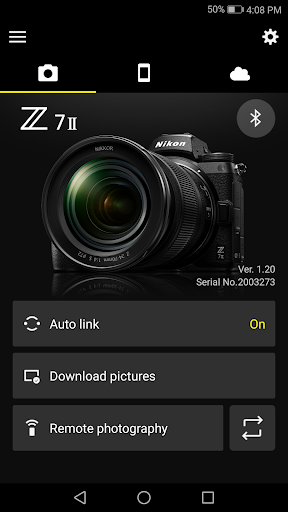
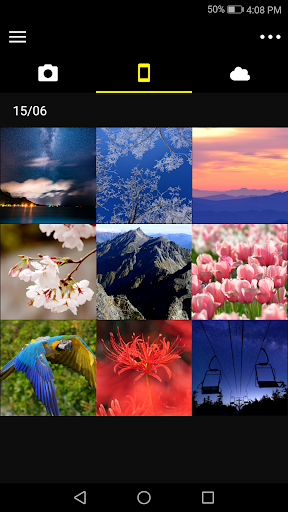
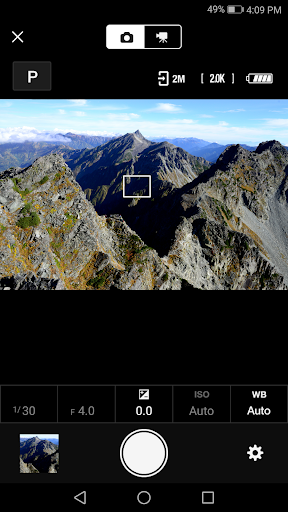
High-quality photos taken with Nikon camera can be shared via e-mail or social media just as you would photos taken with your smart device. Does the camera offer a WPA2-PSK/WPA3-SAE authentication/encryption option? The camera may be unable to connect to the smart device if WPA2-PSK/WPA3-SAE is selected for authentication/encryption. In this event, switch the camera authentication/encryption setting to WPA2-PSK-AES. See the camera documentation for information on changing Wi-Fi connection settings. Supported Digital Cameras as of October 2025 ZR, Z9, Z8, Z7II, Z7, Z6III, Z6II, Z6, Z5II, Z5, Zf, Zfc, Z50II, Z50, Z30, D6, D850, D780, D500, D7500, D5600, D3500, D3400, COOLPIX P1100, P1000, P950, A1000, A900, A300, B700, B500, B600, W300, W150, W100, KeyMission 80 D750, D7200, D7100, D5500, D5300, D3300, Df, J5, P900, S7000, S3700, AW130 The foregoing may include models not available in some regions. Be sure to update the camera firmware to the latest version. Use a computer to download the latest camera firmware from the Nikon Download Center. * According to your camera's model, you can download your camera's firmware via the SnapBridge app. http://downloadcenter.nikonimglib.com/ Principal Features - Once the camera is paired with your smart device, new photos can be downloaded automatically. - Adjust camera settings and take photos. - View the pictures on and download photos from the camera. - Use the app to pair the device with up to five cameras. - Automatically upload pictures taken with the camera to NIKON IMAGE SPACE (Note 1). - View downloaded photos or share them via e-mail or social media. - Add photo info or text to uploaded photos. - Download location data to the camera (Note 2) or set the camera clock to the time reported by the smart device. - Receive notifications of firmware updates for paired cameras. System Requirements Android 12.0 or later, 13, 14, 15, 16 A device with Bluetooth 4.0 or later (i.e., a device that supports Bluetooth Low Energy) is required. There is no guarantee that this app will run on all Android devices. Notes - Note 1: Upload to NIKON IMAGE SPACE requires a Nikon ID. - Note 2: The GPS function runs continuously in the background, increasing the drain on the battery. The drain on the battery can be reduced by choosing power-saving mode. - If you are unable to download images or connect via Bluetooth or Wi-Fi after pairing, try one or more of the following solutions: - Turn the paired camera off and then on again. - Switch tabs in SnapBridge. - Exit and relaunch SnapBridge. - Users can register for a Nikon ID using this app. - Enable Bluetooth and Wi-Fi when using this app. - Remote movie recording is not supported on some cameras. - Movies can be downloaded by switching to Wi-Fi and selecting the files manually. Download is not available with AVI files. - Enable NFC on the smart device before attempting to launch the app or connect via NFC. - Remote photography and movie download are available only if the camera has Wi-Fi (some cameras only). - The app may not perform as expected depending on your environment and network conditions. - A smart device with a display resolution of WVGA (960 × 540 pixels) or better is required. - The app cannot be used to view movies. Use a movie-viewing app. - The app requires a 100 MB or more of free memory on the smart device. Using the App For more information, use the app "Help" option.
What's New
Latest version 2.13.2 with bug fixes and performance improvements
Enhanced security and stability
Optimized for better user experience
Kullanıcı Yorumları
10 yorum
kerry puckett
6 ay önce
seems the bugs are fixed. I had my z6 and z6 2 for a few years. Up until a month or so ago I could not use this app. It would crash after I would take a photo. this last weekend I used it for 8 hours controlling my z62 remotely. worked like a champ. Took about 900 shots with the app. it's best to set the camera on a focus point that is a box so you can touch the phone screen to tell it where to focus. Eye detect did not work very well with the app.

Kayleigh Ildiko
8 ay önce
I was really hoping this would work better. I wanted to use it for iNaturalist photos, but the location data doesn't show up at all, or shows up as the location I'm in when the photos transfer over from the camera, which is not useful when I return home and they all transfer over. It feels like something that would have really wowed me in 2015, but disappointing currently
Mariia Kravtsova
2 yıl önce
It’s really a good app, everything works great, it loads photos, you can download them too. There are only a couple of disadvantages that I would like to list: 1. Photo quality deteriorates. if I want to download a photo at 1080, it gives me a maximum of 720 :( 2. sometimes it is buggy, and can even throw out photos/videos when installing, I would like it not to be thrown out, and there would be no need to reinstall them 2-3 times
Developer
Trusted developer with verified applications on our platform.
App Information
Download Stats
Safe Download
This app has been verified and is safe to download. No malware detected.
You Might Also Like
More apps from Photography category


Selfie Camera - Beauty Camera
iMediaStar


FaceFancy-Face Swap & AI Photo
SZYJ Technology


StyleSwap: Outfits & Faces
SkySoft Inc


AI Photo Editor: Gallery Vault
T21 Games


HD Camera: AI Beauty
UniStarSoft


Photo Album F-Stop Pro
Seelye Engineering