Screenshots



About this app
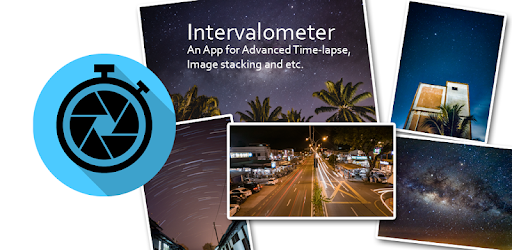
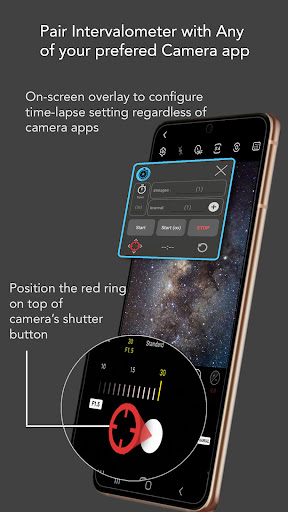
Intervalometer is an automation app for time-lapse to trigger camera shutter in any camera apps with a user-configured time interval. Normal time-lapse mode in most smartphones only allows auto exposure without additional controls on exposure settings and RAW format. Intervalometer works with any camera modes in any camera apps including light-painting mode, HDR, night mode, manual mode, telephoto or ultra-wide angle mode to capture a series of time-lapse image frames. This app works like an actual intervalometer for smartphones, it automates camera shutter triggering using AccessibilityService API and it works on any camera app for Android 7 and above. It can also be used with dedicated camera's remote apps from Canon, Sony, Nikon and etc to trigger the shutter button in the camera's remote app, this acts as an actual intervalometer for dedicated cameras too. With intervalometer and its flexibility to control time-lapse configurations, the following types of time-lapse are possible. 1. Low light time-lapse 2. Long exposure time-lapse 3. HDR time-lapse 4. Milky Way time-lapse / Star Trails time-lapse 5. Holy Grail of time-lapse (Day to night time-lapse) 6. Ultra wide angle time-lapse 7. Light painting time-lapse Other than time-lapse, it can also be used to capture frames for image stacking in post-process (on other apps) to achieve higher quality images and etc. 1. Image stacking 2. Star trails 3. Lightning stacking Features - Full control on time-lapse configuration (delay timer, interval time, number of shots) - Infinite mode - Bulb mode - Works with Any camera app (shutter button position can be reconfigured) Note: For Huawei and Xiaomi devices, please try to restart your device if it doesn't work or touch input can't be triggered. Disclaimer: Intervalometer only automates photo taking process, it is neither a camera app nor image processing app.
What's New
Latest version 2.9.12 with bug fixes and performance improvements
Enhanced security and stability
Optimized for better user experience
Kullanıcı Yorumları
10 yorum
Gabriel Contreras
5 yıl önce
Works great on my Galaxy S21 Ultra. Make sure your interval is longer than your shutter speed (i.e. if your exposure time is 10 seconds make your interval 12 seconds. It will actually be 2 seconds not 12). Another reviewer stated half the shots weren't triggering and my guess is that's why. The app doesn't account for exposure time and having your interval set longer remedies this. It to doesn't save shutter location but it's a one click affair, hardly an issue.

Nilesh Patil
4 yıl önce
Now working. Changed review from 1 star to 5. Tried setting interval time more than exposure time it worked. If u want images with 8 seconds exposure then set 8 seconds exposure in camera app and set 9 (or more) second interval in Intervalometer. It works. It captures images with 8 second exposure and wait for 1 second (9-8) for next image. Thanks.

Ryan M
4 yıl önce
It needs allow on top permission enabled when you use it. Move the trigger over your shutter button. Set the intervalometer to 2 seconds above your shutter speed. A 8 sec photo needs a 10sec interval speed on the app for photo to store. Galaxy s20+ The app clicks the shutter button, thats all, it won't magically adjust your photo settings. It works well for timelapes with a tripod.
Developer
Trusted developer with verified applications on our platform.
App Information
Download Stats
Safe Download
This app has been verified and is safe to download. No malware detected.
You Might Also Like
More apps from Photography category


Selfie Camera - Beauty Camera
iMediaStar


FaceFancy-Face Swap & AI Photo
SZYJ Technology


StyleSwap: Outfits & Faces
SkySoft Inc


AI Photo Editor: Gallery Vault
T21 Games


HD Camera: AI Beauty
UniStarSoft


Photo Album F-Stop Pro
Seelye Engineering