

Screenshots
About this app
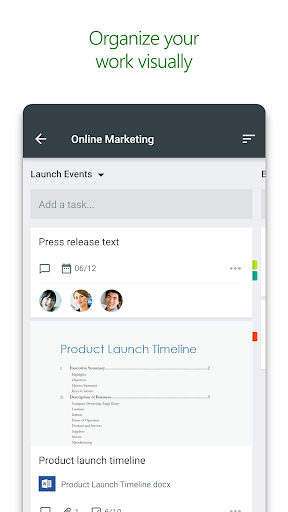
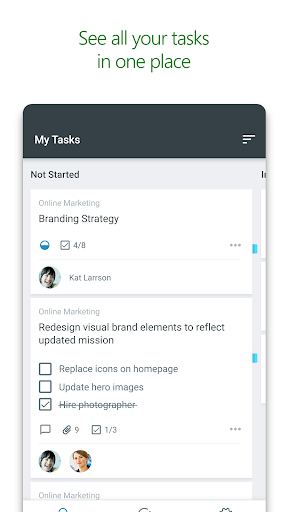
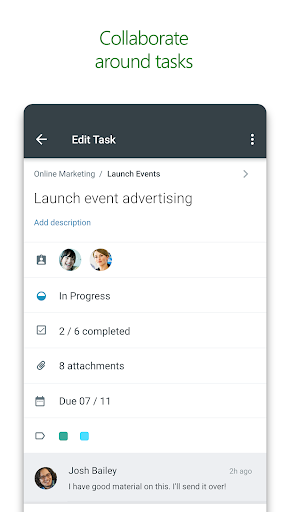
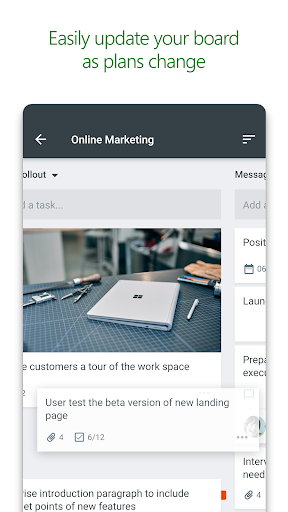
Microsoft Planner requires an eligible Office 365 work or school subscription. This app does not support Office 365 personal accounts (for example: name@outlook.com or name@hotmail.com). If you are not sure about your company’s subscription or the services you have access to, please contact your IT department. Planner provides a simple, visual way to organize teamwork. Planner makes it easy for your team to create new plans, organize and assign tasks, share files, chat about what you’re working on, and get updates on progress. -- Organize work visually -- Each plan has its own board, where you can organize tasks into buckets. You can categorize tasks based on their status or on whom they’re assigned to. To update the status or change assignments, just drag and drop tasks between columns. -- Visibility -- The My Tasks view provides a comprehensive list of all your tasks and their status across all your plans. When working together on a plan, team members always know who is working on what. -- Collaborate -- Built for Office 365, Planner lets you work together on the same tasks, attach captured photos directly to them, and even have conversations around tasks without switching between apps. With Planner, all your team’s discussions and deliverables stay with the plan and don’t get locked away across disparate applications. -- Works across devices -- Planner works across all your devices. And with Planner, everyone is always on the same page. Continue conversations and updates tasks while on-the-go or at your desk. Terms of service: https://go.microsoft.com/fwlink/?linkid=846831 Privacy policy: https://go.microsoft.com/fwlink/?LinkId=521839 To learn more, please visit https://go.microsoft.com/fwlink/?linkid=849068
What's New
Latest version 1.18.31 with bug fixes and performance improvements
Enhanced security and stability
Optimized for better user experience
Kullanıcı Yorumları
10 yorum
Yorick van der Walt
5 yıl önce
Great flow and quick to learn. I never even knew this existed but I knew that the 'to do' was seriously lacking in functionality. It was while I was looking for a replacement that I discovered I already have access to Planner. I think I assumed it was the Projects application. Anyway, watch the short 5min Microsoft video to see how planner works, tried it out and it's only 1 week later but I'm liking it a lot so far.

A Google user
6 yıl önce
Wonderful app to help plot & track of all the small tasks that add up to a big project! Syncs perfectly with Microsoft Teams to delegate tasks stay on top of deadlines. A must-have for project managers. I use it for all the different components of creating and releasing a music album. Having an analytical look at the project's process is a major asset when prioritizing what needs to get done first.

Dr R N Patil
5 yıl önce
No doubt, this product is amazing but... It has certainly not considered the human I'll mentality. Any one at any time can delete anything without a trace A suggestion is that 1. Only the person, who assigns task should be able to modify or delete it. 2. Only the assignee should be able to update the status in progress/ completed. 3. And all others in team should be able to see it. Above provisions cane be made optional for a team can be set by the team creator.
Developer
Trusted developer with verified applications on our platform.
App Information
Download Stats
Safe Download
This app has been verified and is safe to download. No malware detected.
You Might Also Like
More apps from Productivity category











