
Screenshots




About this app
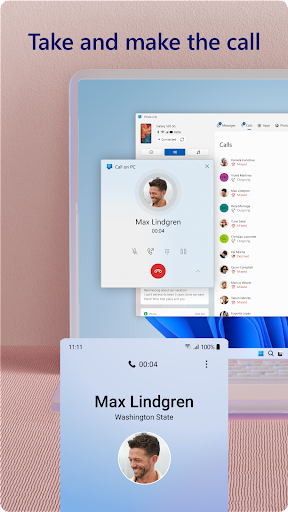
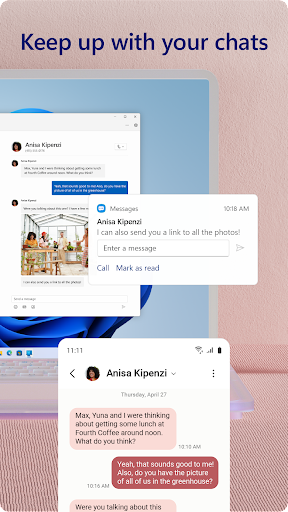
You love your phone. So does your PC. Get instant access to everything you love on your phone, right from your PC. To get started, install the Link to Windows app on your Android phone and connect it with the Phone Link on your Windows PC. Link your Android phone and PC to view and reply to text messages, make and receive calls*, view your notifications, and more. Make emailing yourself photos a thing of the past as you share your favorite images between your phone and PC. Copy, edit, and even drag and drop photos without ever touching your phone. Phone Link features: • Make and receive calls from your PC* • Manage your Android phone's notifications on your PC • Access your favorite mobile apps** on your PC • Read and reply to text messages from your PC • Drag files between your PC and phone** • Copy and paste content between your PC and phone** • Instantly access the photos on your phone from your PC • Use your PC's bigger screen, keyboard, mouse, and touch screen to interact with your phone from your PC. Integrated with select** Microsoft Duo, Samsung, and HONOR phones for an even better experience: The Link to Windows app comes integrated so no additional apps need to be downloaded from the Play Store. Link to Windows is easy to find in the Quick Access tray (swipe down from the top of your screen to access it). Exclusive features like cross-device copy and paste, Phone screen, file drag-and-drop, and Apps. Let us know what features you'd like to see next by selecting “Send feedback” in the Phone Link settings. *Calls requires a Windows 10 PC with Bluetooth capability. **Drag and drop, Phone screen and Apps all require a compatible Microsoft Duo, Samsung or HONOR device (full list and breakdown of capabilities: aka.ms/phonelinkdevices). The multiple apps experience requires a Windows 10 PC running the May 2020 Update or later and has at least 8GB of RAM, and your Android device must be running Android 11.0. The Link to Windows accessibility service is for those using a screen reading tool on the PC. When the service is enabled, it lets you control all your phone’s apps from your PC using Android keyboard navigation while receiving spoken feedback from your PC speakers. No personal or sensitive data is collected via Accessibility Service. By installing this app, you agree to the Microsoft Terms of Use https://go.microsoft.com/fwlink/?LinkID=246338 and Privacy Statement https://go.microsoft.com/fwlink/?LinkID=248686.
What's New
Latest version 1.25102.140.0 with bug fixes and performance improvements
Enhanced security and stability
Optimized for better user experience
Kullanıcı Yorumları
10 yorum
Lance Frazier
1 yıl önce
Overall, this is a nice way to access your mobile on your computer. I keep a phone window 'maximized' on the left side of my desktop for ease of messaging and to play games while still using my computer. Some apps need to be minimized then reopened to work properly. Occasionally the phone window will not load and the app will need to be closed completely then reopen, allowed to load, then retry the phone window for your desktop. Might just be a glitch, but it's annoying. Overall, a nice app.

Rick Stockton
3 ay önce
UPDATE: This app would be more and more useful, both in business and casual comunications, except that it can't find many of my contacts and it missed many of my texts. Hence, 3 stars. OLDER: After I got the synchronization figured out. Synchronization is a bit spotty, but I still have enjoyed a great deal of utility from this product. I wish the synchronization could be a bit more stable.
Please make sure the Your Phone app on your PC and your phone is updated to the latest version, your devices are on the same Wi-Fi and sign in with the same account to ensure the most reliable connection. Is Battery saver running on your devices? (https://aka.ms/troubleshootyp) If issues, submit your feedback within the app to help us troubleshoot.

Otto
6 ay önce
It's great... when it works. Keeping it working can be difficult, and it's buggy. Here's one Major Malfunction: if you send a message with a picture from Phone Link on Windows, it will probably be delivered... but you will have NO record of the message in Phone Link OR on your Android phone. In general , the program doesn't reliably sync messages between your phone and your computer. It's useful, but its flaws make it impossible to rely upon this application.
Developer
Trusted developer with verified applications on our platform.
App Information
Download Stats
Safe Download
This app has been verified and is safe to download. No malware detected.
You Might Also Like
More apps from Productivity category











