Screenshots


About this app
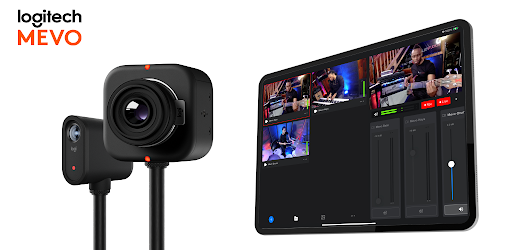
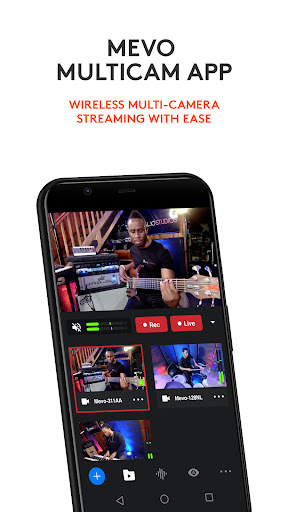
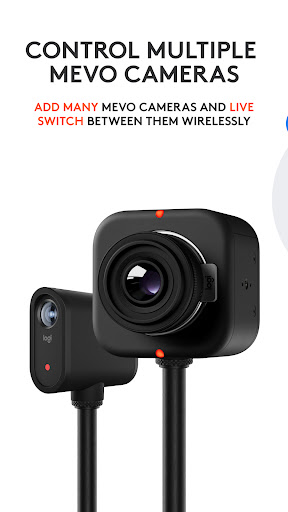
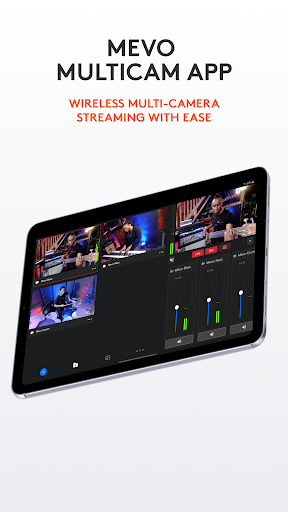
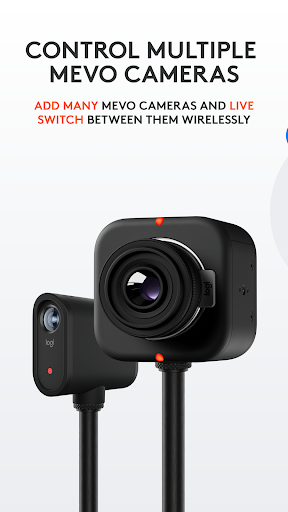
Mevo allows anyone to live stream with ease. With Mevo Multicam, content creators can wirelessly connect multiple sources including Mevo Cameras, Mevo Go*, NDI enabled cameras* and more. Easily switch sources, live stream and record in 1080p HD to multiple platforms like YouTube and Facebook. Wirelessly Switch between Multiple cameras With Mevo Multicam, you can wirelessly control multiple Mevo cameras at the same time and live switch between them. Additionally, you can mix in non-Mevo NDI enabled cameras* with ease. Instantly Stream to Your Favorite Platforms With a few taps, you can stream instantly to popular streaming platforms like YouTube, Twitch and many more. *Subscribe to Mevo Pro to multistream. Elevate your next Video Conference Easily share multiple camera angles with your audience Record in 1080p HD Record your program output locally to your phone in full HD. Also record each individual camera feed directly to their local microSD card. Add Graphics Add custom graphics including lower thirds, corner bugs, and full screen images and video to elevate your production value. Picture in Picture Add an inset image or video over your main video to highlight parts of your story. Advanced Auto-Director Toggle auto-director and the built in AI will live switch the show for you. Audio Mixer Independently mix each camera's audio for the perfect sound Control Each Cameras Video Settings Adjust each Mevo camera’s exposure and color settings for a high quality live stream. Premium Features Get more Mevo with Mevo Pro subscription. Compatible with *Mevo Go app, Mevo Core, Mevo Start, Mevo Plus and First Generation Mevo Additional Support Visit help.mevo.com Footnotes *Requires Mevo Pro Subscription Terms of Service: https://mevo.com/terms Privacy Policy: https://mevo.com/privacy
What's New
Latest version 3.6.3 with bug fixes and performance improvements
Enhanced security and stability
Optimized for better user experience
Kullanıcı Yorumları
10 yorum
Dale Hardy
4 yıl önce
Love these cameras! Just wished I could use our Adobe Premier lower thirds for graphics overlays or similar. Or a better studio with more capabilities like a scrolling ticker bar and adjusting the size and position on the screen. Overall I am very happy the direction this company is going. Bravo!
Hi, thanks for your feature request. You can technically do this by exporting PNG files from Adobe and loading them into the app as a "full screen overlay". Hope this helps.

Manguirish Naik Raiker
2 yıl önce
Great app ! We run it to live stream our temple rituals on the move using mesh network for last 1 year. Total 4 cameras we use. We request following features. 1. Play clip of video from app itself like intro sequel before selecting cam video source. 2. Song should be allowed to be played from app itself like background music. Right now we have to plug mp3 player to 1 camera. 3. When graphics are selected transition should be there in between them. Now transition are only between video. Thanks.

Joe Salvino
1 yıl önce
One HUGE flaw! Can't select SD on tablet as destination file, only internal memory!! Other than that it's great, but that aspect is a real big issue for my needs. UPDATE 01-12-25: They fixed my complaint!! App is GREAT!!!!
Hey Joe, this is great feedback. We'll get this feature added to the feature request list!
Developer
Trusted developer with verified applications on our platform.
App Information
Download Stats
Safe Download
This app has been verified and is safe to download. No malware detected.
You Might Also Like
More apps from Video Players & Editors category


Video Downloader - XDownloader
Download Videos App Tools


VITA - Video Editor & Maker
SNOW Corporation


iWebVR Pro
Panagola Private Limited


Slideshow Maker Photo Video
Govo Tech


AI Video Maker With Music
Aquaworld Infotech


Video Downloader & Player
Innometrics Enterprise