
Screenshots
About this app
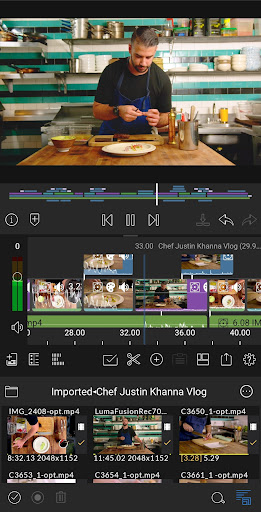
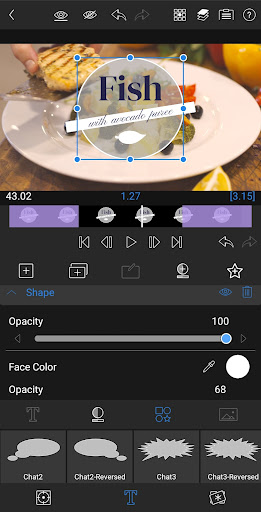
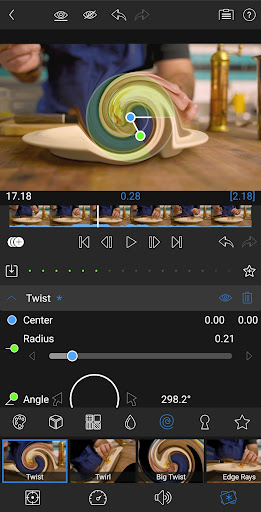
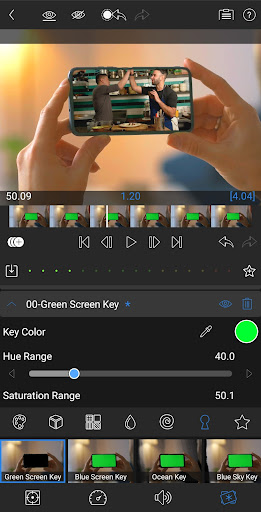
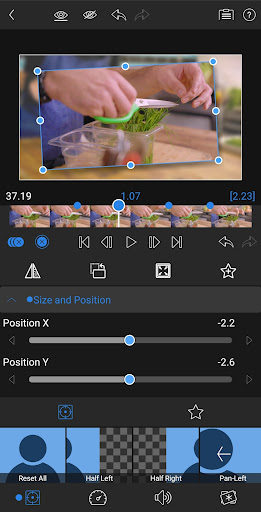
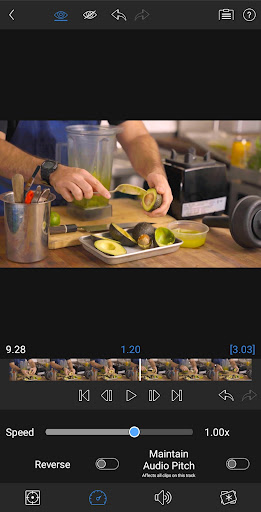
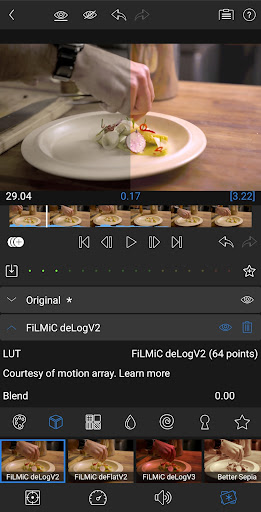
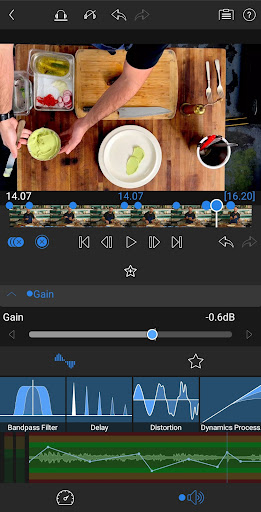
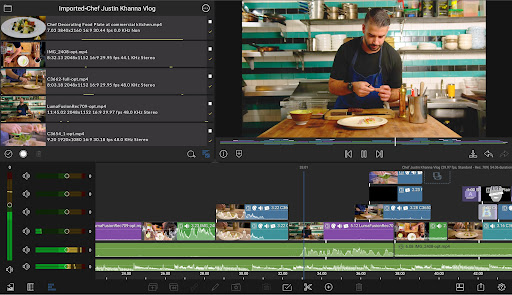
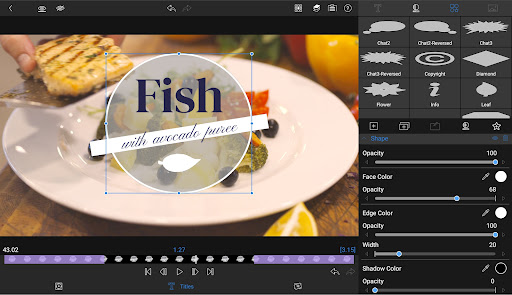
Welcome to LumaFusion! The gold standard for storytellers worldwide. Offering a fluid, intuitive, touch-screen editing experience. PROFESSIONAL EDITING MADE EASY • Six video-with-audio or graphic tracks: Create multiple layer edits with smooth handling of media up to 4K. • Six additional audio only tracks: Build your soundscape. • The ultimate Timeline: Fluent editing using the world’s most flexible track-based AND magnetic timeline. • Loads of transitions: Keep your story moving. • Dex Mode capabilities: See your work on a big screen. • Markers, tags, and notes: Stay organized. • Voiceover: Record VO while playing your movie. • Track height adjustment: View your timeline at its best for any device. LAYERED EFFECTS AND COLOR CORRECTION • Green screen, luma, and chroma keys: For creative compositing. • Powerful color correction tools: Create your own look. • Video Waveform, vector and histogram scopes. • LUT: Import and apply .cube or .3dl LUTs for pro color. • Unlimited keyframes: Animate effects with precision. • Customizable text and effect presets: Save and share your favorite animations and looks. ADVANCED AUDIO CONTROL • Graphic EQ and Parametric EQ: Fine-tune audio. • Keyframe audio levels, panning, and EQ: Craft seamless mixes. • Stereo and Dual-mono audio support: For interviews with multiple mics on one clip. • Audio Ducking: Balance your music and dialogue. CREATIVE TITLES AND MULTILAYER TEXT • Multilayer titles: Combine shapes, images, and text into your graphic. • Customizable fonts, colors, borders, and shadows: Design eye-catching titles. • Import custom fonts: Strengthen your brand. • Save and share title presets: Perfect for collaboration. PROJECT FLEXIBILITY AND MEDIA LIBRARY • Aspect ratios for all uses: From widescreen cinema to social media. • Project Frame rates from 18fps to 240fps: Flexibility for any workflow. • Edit from the Media library and directly from USB-C drives: Access your content wherever it is. • Import media from cloud storage: Wherever you store it. SHARE YOUR MASTERPIECES • Control resolution, quality, and format: Share movies effortlessly. • Export destinations: Share movies to social media, local storage or cloud storage. • Edit on multiple devices: Seamlessly transfer projects. SPEED RAMPING AND ENHANCED KEYFRAMING (available as a single, one-time, in-app purchase or as part of the optional Creator Pass). • Speed Ramping: Addeye-catching effects to on-screen motion. • Bézier curves: Move titles, graphics and clips in a natural curved path. • Ease in and out of any keyframe: Come to a gentle stop with this easy-to-use feature. • Move Keyframes: Adjust your timing even after you’ve placed your keyframes. • Zoom in and out of your Preview for precision when animating. CREATOR PASS SUBSCRIPTION • Get full access to Storyblocks for LumaFusion: Millions of High-quality royalty-free music, SFX, and videos, PLUS get Speed Ramping and Keyframing as part of the subscription. EXCEPTIONAL FREE SUPPORT • Online tutorials: www.youtube.com/@LumaTouch • Reference Guide: luma-touch.com/lumafusion-reference-guide-for-android • Support: luma-touch.com/support
What's New
Latest version 2.4.1 with bug fixes and performance improvements
Enhanced security and stability
Optimized for better user experience
Kullanıcı Yorumları
10 yorum
Daniel Mewes
2 yıl önce
Exactly what I expected - a fully featured multi-track video editor that allows me to cut and edit 4k video right on my phone. I've only been using it for a day, but it's working very well for me. I haven't run into any issues with exported video either (as some other reviewers have mentioned). Maybe the latest version has fixed the issue. Lots of features. Allows me to color grade and apply various filters besides the basic multi-track editing support.
Thank you for your review! We appreciate your kind words. There was an issue with export on Android 14, but it has been fixed in the latest version 1.0.67.1.2.

Mischa Sofyan
4 ay önce
an easy to use and capable video editing software, with a good amount of effects and transitions included. only thing I really want is a way to control playback speed of the preview for quicker QA
Thanks for your feedback, it's very helpful!

Doug Harris
2 yıl önce
I have limited experience with editing, and have only done so on desktop til now. The LumaFusion for Android has been a blast, so far! The learning curve isn't too steep, and the portability is fantastic. I only wish there were preloaded sound effects. That said, for the price, convenience, and overall feature set, I can't recommend it enough.
Thank you for sharing your experience! We're thrilled to hear LumaFusion on Android has been a blast for you. We appreciate your feedback on sound effects and will consider it. Happy editing!
Developer
Trusted developer with verified applications on our platform.
App Information
Download Stats
Safe Download
This app has been verified and is safe to download. No malware detected.
You Might Also Like
More apps from Video Players & Editors category


Video Downloader - XDownloader
Download Videos App Tools


VITA - Video Editor & Maker
SNOW Corporation


iWebVR Pro
Panagola Private Limited


Slideshow Maker Photo Video
Govo Tech


AI Video Maker With Music
Aquaworld Infotech


Video Downloader & Player
Innometrics Enterprise