
Screenshots


About this app
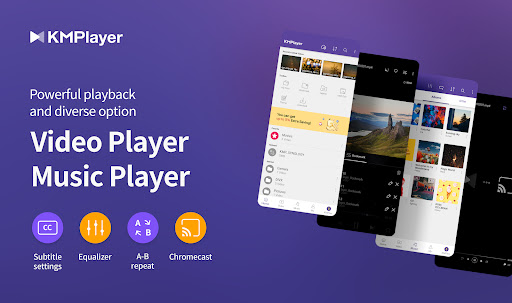
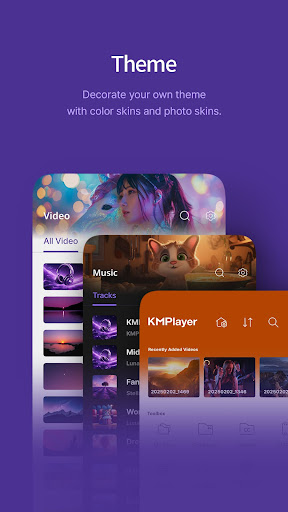
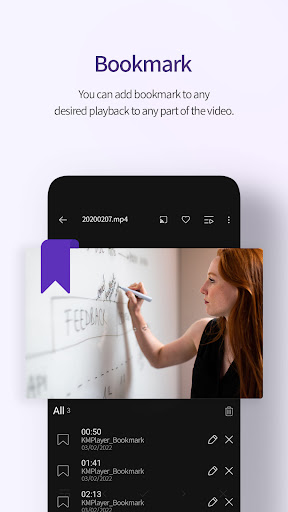
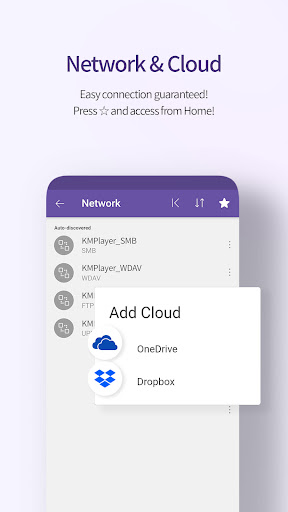
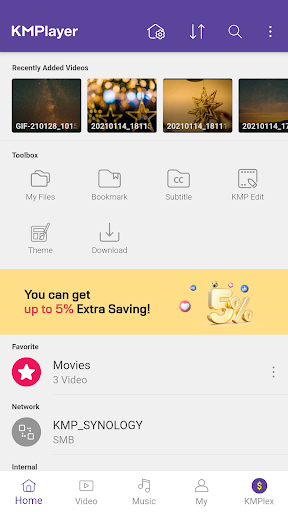
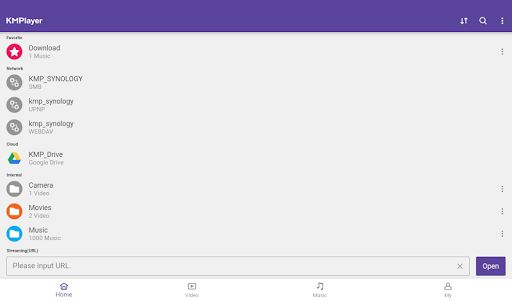
💜 KMPlayer, Customer Lounge is here! 👉 Feedback, ideas, and events—all welcome. https://cobak.co/en/space/392 KMPlayer is a perfect media player that can play all forms of high resolution videos, music, and subtitle files. Along with the flawless playback, enjoy the rich features of the player including quick button, bookmark, subtitle settings, and play speed settings! KMPlayer has now created KMPlex! Succeed in mission on KMPlex to earn points, and exchange the points with listed coins. ( Exchangeable coins: MovieBloc Token (MBL), Cobak Token (CBK) ) 🎞️ KMPlayer 🎞️ · Bookmark: Add bookmark to the time points to playback any sections you wish to cherish · Control Color: Change brightness, light intensity, hue, saturation, and gamma information · Expand & Contract: Expand & contract the video screen being played · Section Repeat: Repeatedly play a section from point A to point B · Quick button: Quickly set the player options · Equalizer: Save separate equalizers for music & video · Subtitle Settings: Change color, size, and position of subtitles · Chromecast Support : Watch video on TV using Chromecast · URL Playing: Enter URL to play any videos on the web (streaming) · Network: Supports FTP, UPNP, SMB, WebDav · Cloud: Supports Dropbox, OneDrive < Supported Formats > Video and music : AVI, MP3, WAV, AAC, MOV, MP4, WMV, RMVB, FLAC, 3GP, M4V, MKV, TS, MPG, FLV Subtitle : DVD, DVB, SSA/ASS Subtitle Track, SubStation Alpha(.ssa/.ass) with full styling.SAMI(.smi) with ruby tag support, SubRip(.srt), MicroDVD(.sub/.txt), VobSub(.sub/.idx), SubViewer2.0(.sub), MPL2(.mpl/.txt), TMPlayer(.txt), Teletext, PJS(.pjs) , WebVTT(.vtt) 💰 KMPlex 💰 Participate in various missions to earn points! Exchange these earned points with coins and simultaneously send them to your Wallet! < How to earn coins on KMPlex > · Access KMPlex through KMPlayer and create your Wallet · Participate in various missions and earn points (Make sure to participate in the special release event!) · Collect points to exchange with listed coins ( Coins currently supported: MBL, CBK ) ✨ KMPlayer VIP (in-app purchase) ✨ · Torrent client: Real-time play while the downloading · Cut video & audio: Select a section of a video and audio to cut · Create GIFs: Create lively GIFs from videos · MP3 converter: Extract the audio in videos to MP3 files quickly and easily · VIP themes: Create your personal unique theme from various options < Subscription Details > · Free trial is limited to 1 time per Google Play account. · After the free trial period, the selected paid subscription plan will automatically be renewed and charged. · Subscriptions canceled 24 hours prior to the end of the free trial won’t be charged. · Subscription can be managed and canceled at any time from Google Play settings. ▶ Permission Details ◀ < Required > *Over Android 11 All files access: Requesting permission to access photos, music, and videos stored in the device You can set this permission by Settings->Security and privacy->Privacy->Permission manager->Files and media->See more apps that can access all files->All files access. (It may look different depending on the type. Search for access to all files in settings) *Under Android 11 Storage space: Requesting permission to access photos, music, and videos stored in the device < Optional > Phone: User Authentication is used to get points. Notifications (Over Android 13): send notifications Draw over other apps: Requesting permission to use pop-up play. * You may use the basic service without agreeing to the optional permission. (However, features requiring optional permissions will not be available.) ▶ Message from the Developers ◀ KMPlayer’s development team are always open to your opinions to further improve the App. Feel free to request new features and please provide us with plentiful feedback. Email: support.mobile@kmplayer.com
What's New
Latest version 35.12.222 with bug fixes and performance improvements
Enhanced security and stability
Optimized for better user experience
Kullanıcı Yorumları
10 yorum
Rakiul Hoque
4 ay önce
I gave 5 ⭐ only for motivation! Kindly look into it---- I didn't find manually speed up feature which is very helpful for long videos to watch in short duration.
I gave 5 ⭐ only for motivation! Kindly look into it---- I didn't find manually speed up feature which is very helpful for long videos to watch in short duration.

satheesh kumar (PANDU)
3 ay önce
Please Develop More Audio Features ,it means Add some DTS Surrounding Sound, Dolby Etc.Thank Q, The latest update it has didn't show the hidden files, KMPlalyer is an Excellent app, for watching all types of format videos, and it's support to download movies and videos, video and audio quality is awesome, it's so useful, watchable, and also was great app, pls keep develop more than more, than Q,
Hi, satheesh kumar(PANDU). 😭 Sorry for the inconvenience. For the issue of hidden files not showing, please email us at support.mobile@kmplayer.com with your device name, OS version, and a screenshot of the video in question. It will be very helpful in resolving KMPlayer errors. Thanks.

Ray
7 ay önce
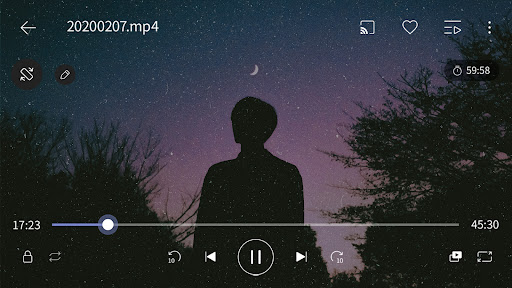
showing time remaining until the end of the videos feature is currently available by tapping on total time of the playing video but the problem is the app can't save this choice and if you close the app and launch it again, it shows total time of the playing video instead of the time remaining that you choose before. please adjust the app that would be able to save this choice. thank you.
Hello Ray, thank you for using KMPlayer. We will review the function to add the Time Display Mode so that the user can choose whether to see the total time or the remaining time. Thank you for the great idea, and we will become a more advanced KMPlayer.
Developer
Trusted developer with verified applications on our platform.
App Information
Download Stats
Safe Download
This app has been verified and is safe to download. No malware detected.
You Might Also Like
More apps from Video Players & Editors category


Video Downloader - XDownloader
Download Videos App Tools


VITA - Video Editor & Maker
SNOW Corporation


iWebVR Pro
Panagola Private Limited


Slideshow Maker Photo Video
Govo Tech


AI Video Maker With Music
Aquaworld Infotech


Video Downloader & Player
Innometrics Enterprise