Screenshots


About this app
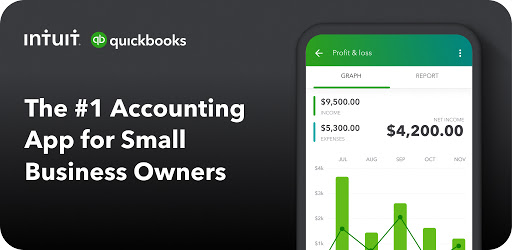
QuickBooks helps millions of businesses around the world handle accounting, payments, and customers on the go with AI agent help and access to trusted experts. The latest updates to the QuickBooks Mobile app include improvements to the dashboard and navigation, plus new AI-driven functionality. We’ve introduced voice notetaking and AI estimate-generation from notes and conversations. The latest release also allows you to sign up for QuickBooks Essentials & Plus plans directly from Google Play. TAKE IN-PERSON PAYMENTS Take in-person payments for every invoice with the QuickBooks Card Reader, and receive real-time payment tracking and notifications so you always know where you stand. CREATE AND SEND INVOICES Add customers and vendor info, capture project details, and generate and send invoices and estimates from photos of handwritten notes, right in the app. Use the invoice generator to streamline payment processes and get paid faster with smart invoicing reminders from your Payments Agent. CAPTURE MORE LEADS ON THE GO [BETA] Customer Hub and Intuit AI agents work together to surface qualified leads from your emails, and your written and recorded voice notes will be included in auto-generated estimates for you to review, edit, and send from your mobile device. AUTOMATION YOU CAN COUNT ON Your AI agents categorize and reconcile transactions, combine data, spot inconsistencies for your expert’s review, and proactively recommend next steps. Automate invoicing, craft personalized payment reminders & gain valuable AI insights. Reduce admin work, and spend more time on what matters EXPENSES MANAGED IN THE MOMENT Your Accounting Agent matches transactions and expenses for you -- even texting you right after receipt-required credit card transactions, so you can upload your receipt right from your phone. RECEIPTS IN A SNAP, NOT A PILE Take photos of receipts with the QuickBooks mobile app -- each receipt is stored and automatically matched to transactions AUTO-TRACK MILES FOR ACCURATE TAX DEDUCTIONS Mileage is automatically tracked via your phone’s GPS and you can categorize miles from trips with just a swipe, so you can stay organized and maximize deductions at tax time. SIGN IN ON YOUR DESKTOP The QuickBooks mobile app syncs with your QuickBooks Online account so your financial data is always up-to-date, empowering you to make quick, informed decisions from wherever you work. Money movement services are provided by Intuit Payments Inc., licensed as a Money Transmitter by the New York State Department of Financial Services. Not compatible with QuickBooks Desktop for Windows or Mac. Some features may not be available in all QuickBooks products. Terms, conditions, pricing, special features, and service and support options subject to change without notice. From INTUIT Makers of: QuickBooks, TurboTax, Credit Karma & Mailchimp Visit: • https://www.intuit.com/privacy/statement/ to learn how Intuit protects your privacy. • https://www.intuit.com/legal/terms/en-us/quickbooks/online/ to read the Intuit terms of service. SUBSCRIPTION INFORMATION • Your Google Play account will be charged when you confirm the purchase. • Your subscription will automatically renew unless you turn off auto-renew at least 24 hours before the end of the current period. • Your Google Play account will be charged for renewal within 24 hours prior to the end of the current period. • You can manage your subscription and turn off auto-renewal by going to your Google Play account after purchase. On your device, go to the Google Play app, tap your Account, then Payments & Subscriptions, and tap Cancel subscription. • You'll give up any unused portion of a free trial period when you purchase a subscription. Intuit, 2700 Coast Ave, Mountain View, CA 94043
What's New
Latest version 29.42.0+3 with bug fixes and performance improvements
Enhanced security and stability
Optimized for better user experience
Kullanıcı Yorumları
10 yorum
William Ford
5 ay önce
I'm constantly having issues with this app. Half the time it doesn't populate buttons. I usually have to close out and open the app again. Recently it has completely lost my entire customer and vendor list. I can see them on the computer, but they do not show up on the app. Edit: I bumped this up to 3 stars because they responded and helped with my issues. I still believe the app is very clunky and constantly has issues, but at least they responded promptly.
We're here to help, William! Since you mention issues with your vendor and customer list, let's run through a few troubleshooting steps. First, we'll try resetting the app's data (Settings > Refresh Data) and clearing its cache (Settings > Apps > QuickBooks > Storage > Clear Cache). Please email us if this continues. -Caitlyn(QBCares@Intuit.com)

Fire Control Consulting, Inc.
4 ay önce
I wanted to use the ap to see outstanding invoices and quickly check the QB checking balance...extremely difficult and time consuming to just get a balance. Not Quickly accessible. As a 30 year small business owner there are certain things I want quick access to, the QB team should take advice from users and not what they think they want. I STILL can't just open the ap to ck a balance with out navigating through the ap. It's a good ap but needs realistic adjustments.
We have good news! You can access your QuickBooks Checking and other account balances on the Dashboard screen under "Account Balances." If you don't see it there, make sure your device's operating system and app are up to date. If you have further questions, our Community (https://community.intuit.com) would love to help. Warm regards. -Karey

Charles-Ray Pennington
6 ay önce
HORRIBLE!! I downloaded the app because the contracting platform I use said they are able to sync QuickBooks. I paid the monthly fee but was unable to sync my account. it's ok, no biggie. I was told that if I created a QuickBooks checking account that I would have instant and same day access to funds paid through an invoice I sent. so, I decided to use the service for a deposit invoice for a customer. 2 days later, still don't have access to the funds. yet the customer service rep said I should
We hear you, Charles. This article can provide insight into why funds may be on hold: https://tinyurl.com/2mnjdnyh. For payments assistance, our Merchant Services team is the best place to start. You can reach them here: https://tinyurl.com/2grsogpe. Hope this helps. -Myshka
Developer
Trusted developer with verified applications on our platform.
App Information
Download Stats
Safe Download
This app has been verified and is safe to download. No malware detected.