
Screenshots

About this app
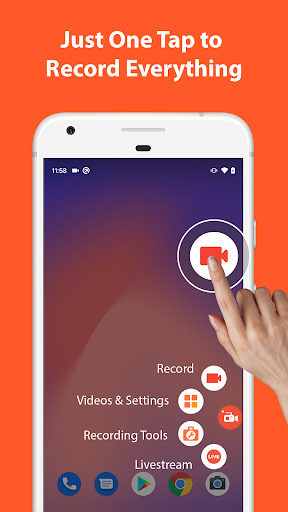
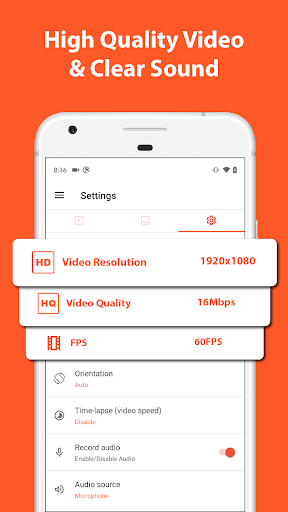
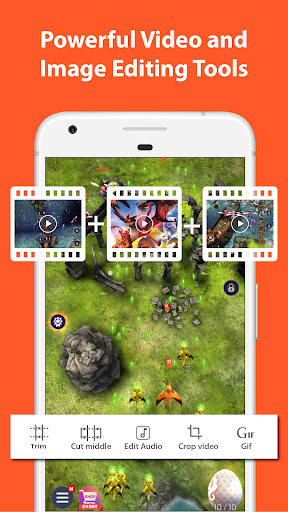
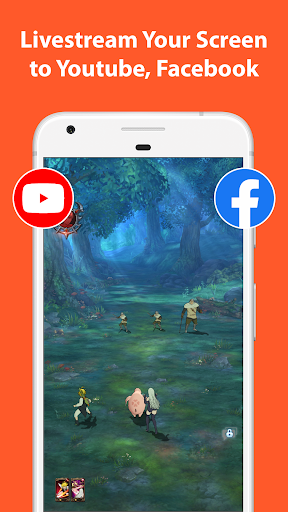
🥇 Featured on Google Play Home Page, BusinessInsider, CNET, HuffPost, Yahoo News, and more. AZ Screen Recorder is a reliable and high-quality screen recorder with audio. With many features including screen record, screen capture, video editor and live streaming, this screen recording app lets you create and share gameplay videos, save video calls or record videos that cannot be downloaded. ADVANTAGES ★ Easy to use. ★ High-quality videos. ★ NO watermark. ★ NO time limit. KEY FEATURES ★ Screen recording: this function lets you create beautiful screen record videos. - Easily start/stop screen record with control buttons. - Pause/resume screen video recording at any time. - Screen recorder with audio from the mic. - Screen recorder with internal audio. - Show your face in a floating window with facecam. - Record screen video to GIF. - Draw on screen while screen recording. - Shake device to stop screen video recording. - Transfer screenshot video to computers using Wifi. ★ Video Editor: this screen video recording app also lets you edit videos. - Trim videos. - Remove middle parts of videos. - Merge videos. - Add background music. - Add subtitles. - Extract frames from videos. - Crop videos. - Rotate videos. - Compress videos to save space for new video records. ★ Livestream: this screen recording app can also be used as a live streaming app for Youtube or Facebook. You can broadcast your phone screen to friends, followers, subscribers and other viewers. The following features are provided to help you livestream conveniently: - Broadcast phone screen together with audio. - Various video stream resolutions. - Optionally show your face while live streaming. ★ Screenshots and Image Editing AZ Recorder is more than just a screen video recorder app. It can also help you take screenshots and edit images. You can capture screen easily with one tap and use in-app image editing tools to: - Stitch images: auto detect and combine several images into one. - Crop images: remove unwanted parts. - Blur image: pixelate areas you don’t want to show. - Add text, emojis or draw directly on screenshots. MULTI-PURPOSE This record screen video app is made to meet your demands. 🎥 Screen recorder with audio Since you can record screen and audio, this screen recorder app is suitable for many purposes such as to be a video call recording app or a game screen recorder. 🎧 Screen recorder with internal audio Since Android 10, this screen video recorder also supports internal audio. Specifically, you can record screen with the original sound of any game or app. Because of that, this screen recorder with internal audio can be used as a live recorder or simply as an internal audio recorder. 🏆 Best screen recorder for gaming This screen recording app can be used as a game recorder because it supports many resolutions from HD, FullHD, 2K to 4K (4K screen recorder is only available to some users and devices). In addition, this screen video recorder app also supports different frame-rates: 24fps, 30fps, 60fps… 🎉 Video call recorder This screen video recorder helps you keep important and memorable video calls with family, friends and colleagues. If you want to use screen recorder no ads or just simply like our free screen record app, please upgrade to support this video software development. Thanks for downloading this video screen recorder. We are striving to make AZ Screen Recorder app the best screen recorder for Android. If you have any feedback, bug reports or suggestions, please contact us at az.screen.recorder@gmail.com.
What's New
Latest version 6.7.9 with bug fixes and performance improvements
Enhanced security and stability
Optimized for better user experience
Kullanıcı Yorumları
10 yorum
Daniel Smith
4 ay önce
Works really well. But if recording at highest resolution (1280 × 720) then I need to close other apps in the background or the video recording skips frames. Its my phone's fault since this requires a lot of computing power (I have 1.2 GHz Quad-Core). Even so this only affects the video while recording the audio perfectly. Lowering the res. a bit also solves the problem. So all this means -one great little app, 5 1/2 stars! EDIT 11/8/25: Now it does work with Pixel 10 Pro - seems good to go 👍

Luis Gonzalez
5 yıl önce
Bro, I've been looking for something to try to start YouTube, and so far this has been perfect! All the tools I need in one app, and it's free! Yeah, a few ads here and there, but no big deal to support the devs. I'm able to trim videos, edit audio, cut segments, and much more just by tapping that orange icon. The only issue I've had hasn't even been with the app, rather my device won't record in-game audio. Luckily, I've found a workaround that, well, works! 🙏 Thanks a million! ✌️

Jessica S. (darkocean)
7 ay önce
This is a really nice recording app! I am having some trouble with the sound recording much louder then what I'm hearing when on minecraft. I'm going to try again (3rd attempt) and turn the in game sounds down even more. So, if you're using this turn down the aps sound settings (and phone) by at least half or you'll shatter your viewers eardrums. Update: Yes, turning down the in-game volume worked well. Please consider adding a drawing tool, I need to block out some usernames. Tks.
Hi Jessica! Thank you for your kind words about our app! We're sorry to hear about the sound issues while recording in Minecraft. Adjusting the in-game sound settings is a great idea. We appreciate your feedback and hope this helps enhance your experience. If you find it improves, we'd love for you to consider updating your rating!
Developer
Trusted developer with verified applications on our platform.
App Information
Download Stats
Safe Download
This app has been verified and is safe to download. No malware detected.
You Might Also Like
More apps from Video Players & Editors category


Video Downloader - XDownloader
Download Videos App Tools


VITA - Video Editor & Maker
SNOW Corporation


iWebVR Pro
Panagola Private Limited


Slideshow Maker Photo Video
Govo Tech


AI Video Maker With Music
Aquaworld Infotech


Video Downloader & Player
Innometrics Enterprise