Screenshots
About this app
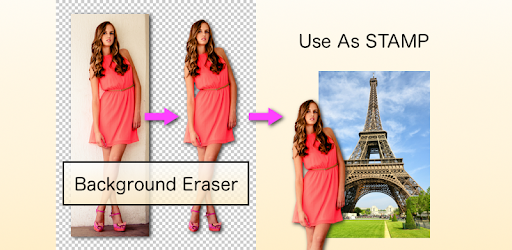
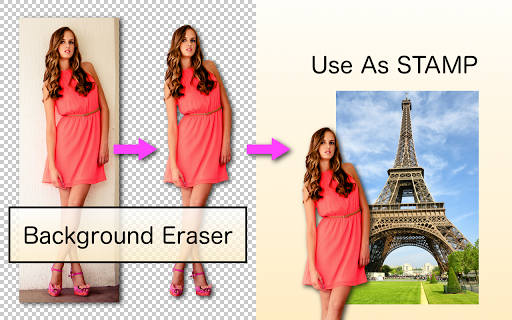
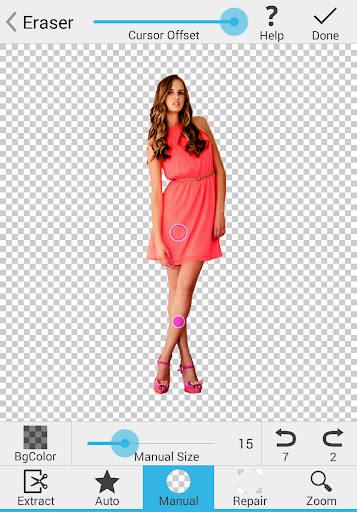
This is an application for cutting pictures and for making a picture's background transparent. The resulting images can be used as stickers with other apps to make a photomontage, collage. - - - Features - - - "Magic" mode - Detects image edges to erase easily & accurately. "Auto" or "Color" mode - Erases similar pixels automatically. It's very important to make a picture's background transparent accurately if you want to superimpose photos and make good composite photos. By using this app, you can do it better.
What's New
Latest version VARY with bug fixes and performance improvements
Enhanced security and stability
Optimized for better user experience
Kullanıcı Yorumları
10 yorum
Kate Marshall
4 yıl önce
Fantastic App! I've used it daily for probably 2+ years and routinely recommend it to others! Unlike any other app of its kind it gives you the ability to fine tune your work, working closely along lines and even allows you to work with shadowing. Many others don't even allow you to save as a png without adding a new background like this does. I have yet to find another free app that allows me to get a clean enough removal of the backgroud to create an image that doesn't look photoshopped like I can with this. Only drawback is that its not available for pc. Id love to be able to use it on my laptop as well. Any hope of that happening at some point? Also to those that complain about ads... They really are minimal for a free app. Really just one that pops up after you finish each image... And if you simply use your back button to go back to the beginning instead you can avoid it... Not that its all that lengthy anyway but if your really in a rush you can work around it.
nfzi
5 yıl önce
I have been using this app for a couple of years. It's great! I wish I could buy an ad free version. I also wish I could save files, so that I can go back and edit them later and restore "repair" areas where I cut too much. I tried to complete an email using the mail button, however you do not auto populate the 'to' box with an email address. I would buy an integrated version of Eraser, Layers, and Perspective, if I could revisit files after saving. This is the only major flaw.

A Google user
5 yıl önce
4.5 - Was somewhat hard to use for the first few minutes but once you figure it out, it's absolutely perfect. Tips for it: use transparent photos; it recognizes them well when erasing. Use the 'Magic' tool; it certainly is magical. (Lol.) Last but not least, start editing on the outside of the photo because the tool kind of hovers and doesn't go to the places under your finger but rather above them. (This is actually a good thing because you can't see well under your fat fingers on the screen.)
Developer
Trusted developer with verified applications on our platform.
App Information
Download Stats
Safe Download
This app has been verified and is safe to download. No malware detected.
You Might Also Like
More apps from Photography category


Selfie Camera - Beauty Camera
iMediaStar


FaceFancy-Face Swap & AI Photo
SZYJ Technology


StyleSwap: Outfits & Faces
SkySoft Inc


AI Photo Editor: Gallery Vault
T21 Games


HD Camera: AI Beauty
UniStarSoft


Photo Album F-Stop Pro
Seelye Engineering