
Screenshots
About this app
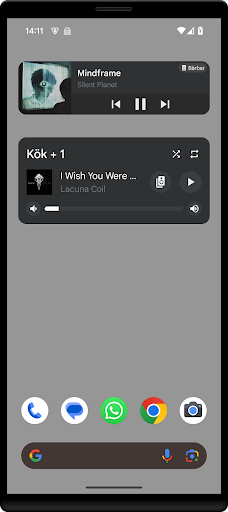
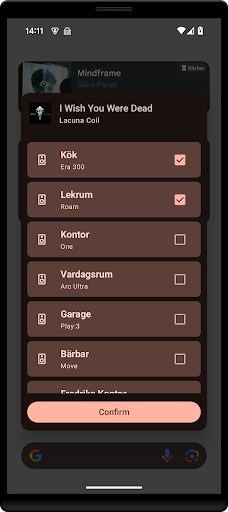
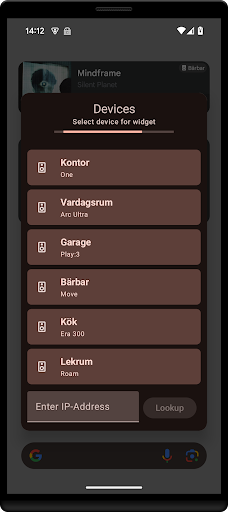
Manage your Sonos system directly from your home-screen! Features - Two different widgets, Compact and Enhanced. - Displays relevant metadata. - Volume control. - Grouping. - Playback (Play, Pause, Next, Previous). - Modes support (Shuffle, Repeat) Setup • Select an Sonos Widget from your 'Widget'-drawer and add it to your home-screen. Follow the on-screen setup for connecting to your Sonos system. Contact • Please email contact@freddroid.com if you have comments/questions/problems with this application. This application is not endorsed by or associated with Sonos, Inc. Not affiliated with Sonos, Inc. To learn more about Sonos and download the official Sonos app, please visit www.sonos.com/support.
What's New
Latest version 1.0.6 with bug fixes and performance improvements
Enhanced security and stability
Optimized for better user experience
Kullanıcı Yorumları
10 yorum
Hans Aramburo
11 ay önce
nice widget to manage volume and see what's playing. you can also change speakers. looking forward to a next button to skip current song playing.
You can enable "Sound Swap" from settings, this enables you to skip songs using double-tap on the play/pause button (just like on a Sonos Roam).

Tim U.
1 yıl önce
Thank you! So great to have a functional Sonos widget and easy volume control again! Works perfectly.

Ashok Kulapparambath
6 ay önce
Perfect! This makes using Sonos at least tolerable on Android
Developer
Trusted developer with verified applications on our platform.
App Information
Download Stats
Safe Download
This app has been verified and is safe to download. No malware detected.
You Might Also Like
More apps from Music & Audio category

Audio Elements Pro
Rokaud


Spotify: Music and Podcasts
Spotify AB


Bose QC Earbuds
Bose Corporation
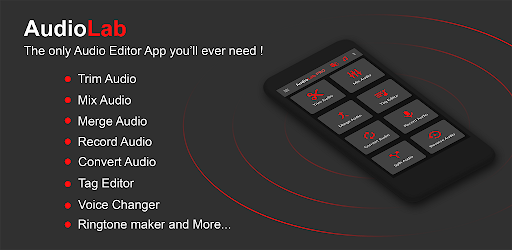
AudioLab Audio Editor Recorder
HitroLab - Mp3 Audio Editor and Ringtone Maker Dev

Musivibe - Enjoy Various Music
Acunsewer Media

AudioTool
jjbunn