
Screenshots




About this app
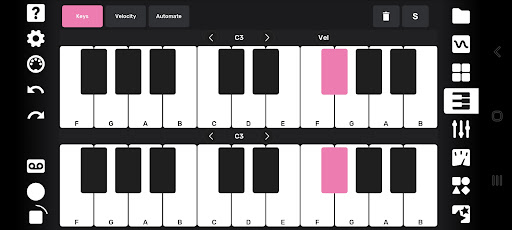
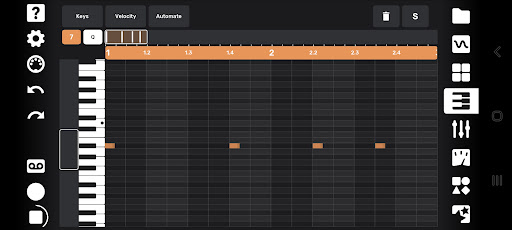
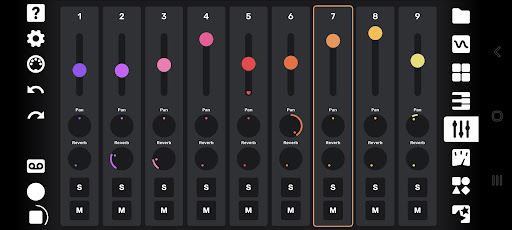
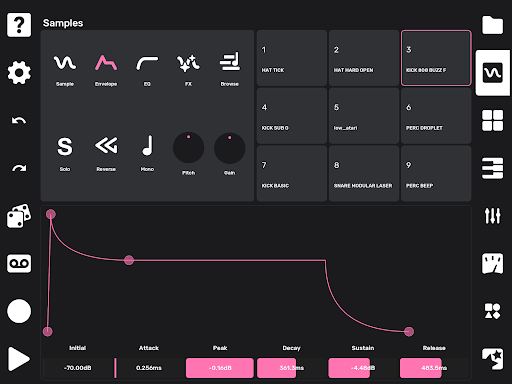
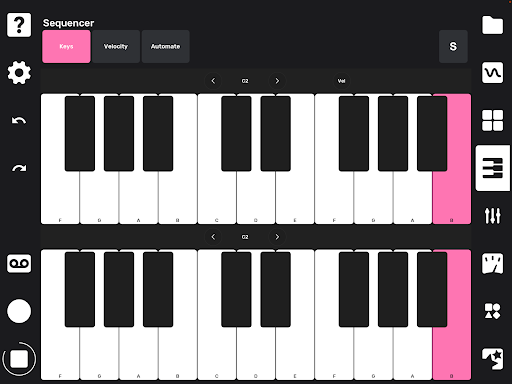
Flip is a sample-based mobile music studio that was designed for a fast and intuitive work flow. Import your own sounds, or record sounds directly with your device's microphone. As soon as you record a sound it’s available to be played on drum pads as well as being mapped across a keyboard. Sounds can be subtly shaped or entirely transformed using the built-in effects and easy-to-use editing tools. You can record a quantized or unquantized performance on the pads or keyboard. There is also a full piano roll where you can enter and edit notes and velocities. Record knob movements or draw automation by hand to bring even more life to your sounds. Every automation lane can also have its own independent length, for polymetric and generative music possibilities. Create up to 16 different sections for your song and drag and drop them into any order to create your arrangement. Mixing and mastering tools allow you to finish a full track without ever leaving your phone. You can export your full track, or hit the tape icon and record the live output of the app while you tweak anything on the fly. Both options allow you to capture individual track stems as well! A performance page lets you trigger your patterns live while controlling a global filter, assignable pitch bends and reverb sends, and a random fill generator. ********************************** Flip can play up to 144 samples at a time, so it's a very CPU-intensive app. We recommend new devices and Android 10 or higher to really have fun with the app. ********************************** Features: - 9 track sampler - 4 effects per track: Delay, Filter, Chorus, Bitcrush - Graphic EQ per track - Monophonic or up to 16-note polyphonic playback per sample - Adjustable pitch, volume, playback direction, sample start and stop points - 19 automatable parameters per track - Independent lengths for each automation lane - Automation can be recorded via knob movements or drawn by hand - Drum pad and keyboard input - Full piano roll with 10 octaves, note velocity, editing tools - Randomization over sample selection for quick inspiration - Randomization over note position to create surprising variations - Drag-and-drop song arrangement page - Global reverb with individual track sends - Mixing and mastering tools - Powerful performance features for creating instant fills, pitch shifts, reverb sends, and global low or high pass filtering - Export full track and stems - Live recording of performances - Metronome with tap tempo and swing/shuffle - Undo and redo UPDATE 1.4.0 - New Sample Looper with forward & both (ping pong) direction - Ableton Link sync support
What's New
Latest version 1.4.5 with bug fixes and performance improvements
Enhanced security and stability
Optimized for better user experience
Kullanıcı Yorumları
10 yorum
Brian Ramos
3 yıl önce
Probably one of the most versatile sampling apps out there. Inboard effects, piano roll, pad, and more make it easy to do some interesting things. Fun can be had by hitting the die (randomizer) to get some unique tones and spark creativity. The tutorials amswet all your questions and the help button does a good job of letting you know what's going on. Good for travel or killing time. It won't replace a dedicated desktop DAW, but it does quite a bit better you would think.
Thanks a lot for this nice feedback :)

Coulter
3 yıl önce
As someone who has experience with ableton live, I found this app VERY intuitive. This is by far the best mobile sampler/daw that I have ever used. It is begginer friendly and is a perfect starting point for people who want to get into music, while being deep enough to get into more advanced production. The ease of use versus the versatility is balanced amazingly. I will strongly reccomend this to all of my musician friends and aspiring musicians as well. Worth every penny, I am inspired again!

Felipe Yudi
3 yıl önce
Such a nice music making app, I was wishing for the android version since I saw the iOS one, it's pretty damn solid, I just don't have access to my songs after exported 🤔, and I'm not finding the folder to import my samples. But it's the best app for music and sampler lovers ❤️, update: I made to the folder and copied my sample pack, but when I try to load it in Flip, it doesn't work, It doesn't import. I don't know if I'm doing wrong, but still does not work. I wish I could have a better way
Thank you! :) To import Audio files from a computer you can use Android File Transfer. If you work with your mobile only, we recommend File Manager+ where, you have to “Allow management of all files” in Settings. (Does not work with OS 13)
Developer
Trusted developer with verified applications on our platform.
App Information
Download Stats
Safe Download
This app has been verified and is safe to download. No malware detected.
You Might Also Like
More apps from Music & Audio category
Audio Elements Pro
Rokaud


Spotify: Music and Podcasts
Spotify AB

Bose QC Earbuds
Bose Corporation
AudioLab Audio Editor Recorder
HitroLab - Mp3 Audio Editor and Ringtone Maker Dev

Musivibe - Enjoy Various Music
Acunsewer Media

AudioTool
jjbunn