
Screenshots





About this app
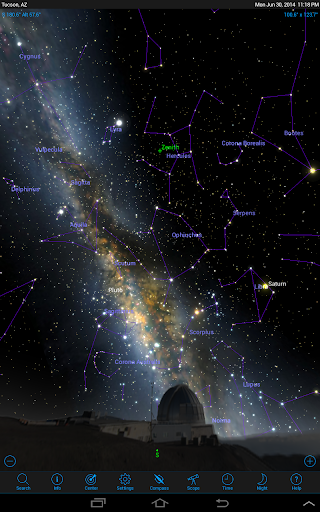
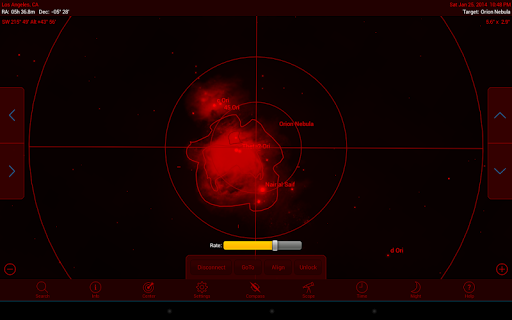
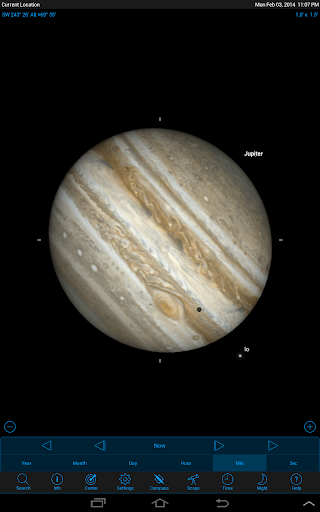
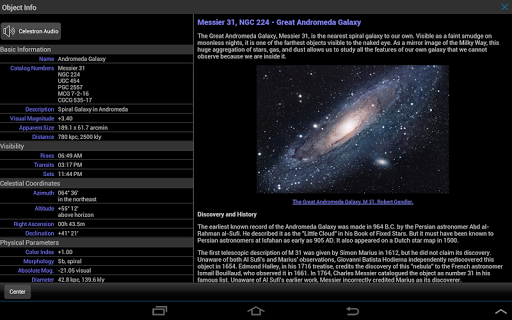
Celestron® SkyPortal™ ------------------------------------ Celestron’s newest planetarium app is an astronomy suite that redefines how you experience the night sky. Explore the Solar System, 120,000 stars, over 200 star clusters, nebulae, galaxies, and dozens of asteroids, comets, and satellites—including the ISS. SkyPortal includes everything you need to experience the night sky in an exciting new way. When connected to a compatible Celestron WiFi telescope, you can automatically point the telescope to any object in the database and view it with great detail. Planetarium Features ------------------------------------- Simulate the night sky and plan your observing session with a custom list of tonight’s best objects based on your exact time and location. Look ahead to see when Jupiter’s Great Red Spot will be visible, animate transits, eclipses, and other celestial events. View hundreds of photos or listen to more than four hours of audio narration to enhance your stargazing experience. Simulate the night sky from anywhere on planet Earth, up to 100 years in the past or future. Compass Mode (with compatible devices): Hold your device up to the sky for a real-time synchronized display of celestial objects – from star names, constellations, planets, to nebulae and galaxies. Control compatible Celestron WiFi telescopes with sophisticated mount modeling for quick and accurate go-to alignment. Animate transits, conjunctions, eclipses, and other events with SkyPortal's Time controls. Explore the sky with Night Vision turned on, and preserve your eyesight after dark. Learn the history, mythology, and science of the heavens with SkyPortal's hundreds of object descriptions. Browse hundreds of astronomical photographs and NASA spacecraft images Access over 4 hours of audio commentary to guide you through the best celestial objects. Computerized Telescope Control ------------------------------------------------- Pair your device to your compatible Celestron WiFi telescope, align with Celestron’s patented SkyAlign™ technology, and you’re ready to explore! Identify objects instantly. Tap any object and your telescope automatically centers it in the eyepiece. SkyPortal’s telescope alignment incorporates advanced mount modeling, providing better pointing accuracy than other telescope systems which rely on a dedicated computer. SkyPortal has localization support for French, Italian, German, and Spanish.
What's New
Latest version 4.0.0.17 with bug fixes and performance improvements
Enhanced security and stability
Optimized for better user experience
Kullanıcı Yorumları
10 yorum
A Google user
6 yıl önce
Great star app. Its extremely user friendly/Easy to use. The gps uses your co-ords to provide accurate charts for your location. Tons of custom options for ease of use. Any object you can think of will be in this app. You can click on any object for more info about it. Theres also a search mode. I personally like that I can advance the clock to see what times a certain object will rise. (useful in winter weather) highly recommend this for anyone interested in/or practicing astronomy.

Phil Nickel
5 yıl önce
I'm struggling with the Celestron SkyPortal software. It's hard to press the correct arrow when you are looking in the eyepiece and a bad press leads to an error message that you must clear (and look away from the eyepiece) before you can move on. When i use the telescope's attached handheld to set the location for viewing, the SkyPortal software thinks the telescope is 90 degrees away from where it actually is pointing! So directing the telescope to sky objects is meaningless. I wish there was a way to tell the software "Hey, you! The telescope is pointing at Jupiter, not the ground!". I find that the colored display is too bright for my eyes, but the night (red and black) display is too hard to see. Constantly dropped connections are a big pain, often leading to rebooting the app. Getting 3 stars each aligned can take half an hour or more.

Whiz
4 ay önce
the app worked amazingly until today's update. they completely gutted it. There is no longer a compass feature, the search feature has also been destroyed, it will no longer guide you to the proper location. its a real shame they completely destroyed such a nice app. Edit: The "show compass" button doesn't work. 10-22 edit: they mostly fixed it, but the compass button doesnt always register now. the "throw ur phone"(tilt) setting does work though. search/locate works again too.
Thank you for your feedback. The compass feature can be turned on by going to Menu->Settings->Appearance & Behaviour->Show Compass Button
Developer
Trusted developer with verified applications on our platform.
App Information
Download Stats
Safe Download
This app has been verified and is safe to download. No malware detected.
You Might Also Like
More apps from Education category