
Screenshots

About this app
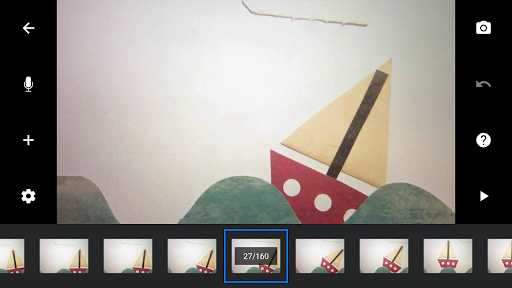
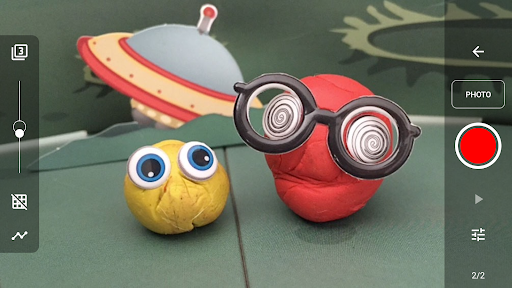
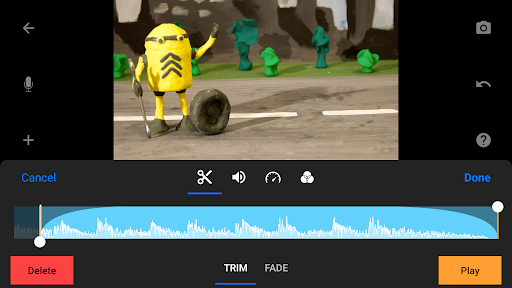
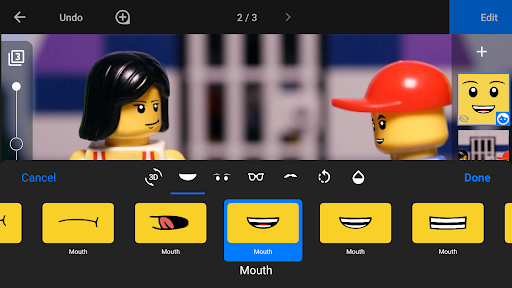
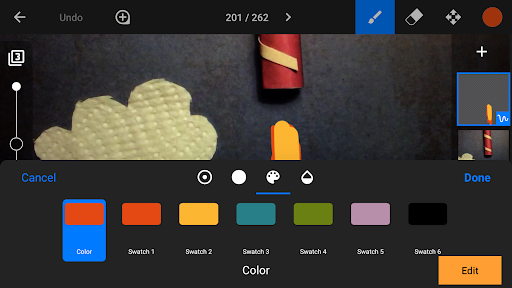
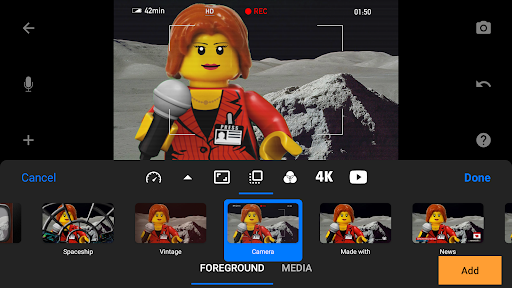
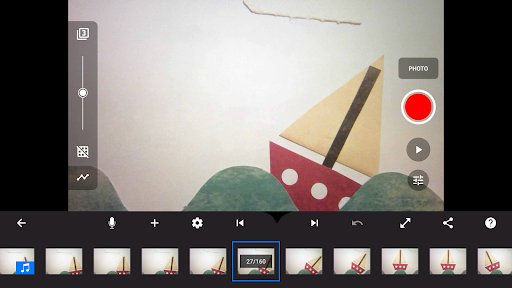
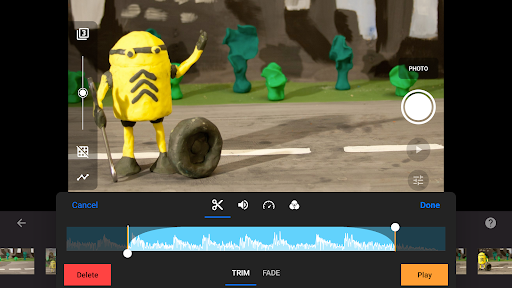
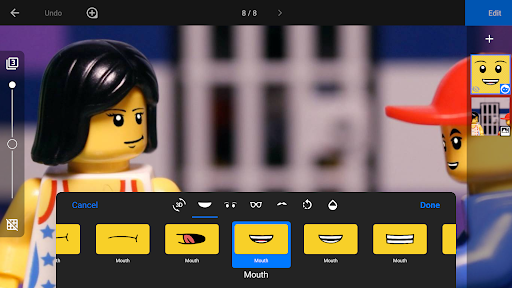
Get Stop Motion Studio, the world’s easiest app to get you into stop motion moviemaking today! With its easy-to-use interface, Stop Motion Studio lets you create beautiful movies like Wallace and Gromit or those groovy Lego shorts on YouTube. It's simple to use, deceptively powerful, and insanely fun to play with. Stop Motion Studio is a powerful, full-featured movie editor with a whole host of features: • A simplistic, easy-to-use interface • Overlay mode showing the differences between frames • Animation guides to position animated objects more easily • Copy, paste, cut, and insert frames at any position • Interactive timeline so you never get lost, even if you have hundreds of frames Create beautiful movies: • Choose from a whole lot of unique titles, credits, and text cards, or create your very own with the built-in editor • Give your movie the perfect look with different video filters • Enhance your movie with different foregrounds, backgrounds, aspect ratios, and fade effects • Create a soundtrack using built-in music, sound effects, songs from your music library, or your narration • Rotoscoping: Import video clips and create stunning animations by drawing over them. • Green Screen: Change the background of your scene to make the figures you capture fly or appear anywhere you can imagine. • Animation Guides: Use the animation guides editor to add gridlines, draw a marker or set up a movement path. • Import Media: Import photos from your photo library into your movie. • Connect a keyboard and use simple shortcuts to edit movies quickly Capture like a pro: • Capture with an adjustable time interval feature • Full camera control with automatic or manual white balance, focus and exposure, ISO, and shutter speed • Use a second device as a remote camera Powerful, built-in layer-based image editor: • Add text and speech bubbles or create titles • Add facial expressions to figures • Touch up and enhance images, sketch, and paint • Wipe away unwanted objects with the eraser tool • Merge frames to simulate fast movement Share with friends and family: • Save to your photo library or share to YouTube in 4K or 1080p • Save as animated GIF • Save all images for further processing • Easily transfer projects between devices using Dropbox or Google Drive • Start creating on your mobile device and continue right where you left off on your desktop computer Learn to animate: • Watch the included tutorial videos • Read the comprehensive manual • Use the animation tips and tricks provided * All features are included in the Pro version.
What's New
Latest version 25.08.8578 with bug fixes and performance improvements
Enhanced security and stability
Optimized for better user experience
Kullanıcı Yorumları
10 yorum
Rebecca Bryant
5 yıl önce
Definitely worth the $5. I use it to make movies for school, or just for fun. You can edit your frames in any way imaginable, plus there's a green screen feature so that you don't have to waste time on backgrounds. You can also turn down the green screen sensitivity, so that it doesn't block out everything. Plus you can add your own pictures, audio, and backgrounds, and save your movie to Google Drive or to downloads. If you're looking for the perfect studio, then stop looking. You found it.

Elliot Poppler
2 yıl önce
Such a good app! Works phenomenal, no ads or anything. I have had it for several years and have made many Lego stop motions. If you have audio to close together, it gets choppy and sounds weird, but there are ways to work around that like having less audio in a given segment in the stop motion. I'll say do not use it on tablets as the quality is not the best but I have a Samsung phone and it's great!

Joshua Griffin
5 yıl önce
This has to be the app that I spend the most time on. it's so great and so much fun to be able to make any story come to life and have so many different tools within a few movements of a finger. Great app everyone. I would ask if one day The ability to color drop from your current picture when drawing on any individual frame so maybe you can match the exact color of a character's face and draw what you want more precisely with exact colors since it can be hard to match.
Developer
Trusted developer with verified applications on our platform.
App Information
Download Stats
Safe Download
This app has been verified and is safe to download. No malware detected.
You Might Also Like
More apps from Photography category


Selfie Camera - Beauty Camera
iMediaStar


FaceFancy-Face Swap & AI Photo
SZYJ Technology


StyleSwap: Outfits & Faces
SkySoft Inc


AI Photo Editor: Gallery Vault
T21 Games


HD Camera: AI Beauty
UniStarSoft


Photo Album F-Stop Pro
Seelye Engineering